
Construction Estimating Software: What Happens After You Win the Bid?

Winning the bid feels like the finish line for estimating. It isn’t. Once the contract is awarded, the information behind the estimate needs to support budgeting, project setup, procurement, and cost tracking. That is where what looks like a simple handoff can become a problem. The labor, quantities, material costs, subcontractor details, and cost codes captured during estimating may now need to be recreated across ERP, accounting, and project management systems. And when the estimate does not move with the project, the team can spend the next stage rebuilding information it already had. What Happens When the Estimate Leaves the Estimating System? Consider a contractor that has estimated a flooring package with quantities, material rates, installation labor, and a specific cost code. Once the project is awarded, that information may need to be recreated in the ERP or project management system. The flooring quantity might be entered incorrectly, a line item could be missed, or the cost code could be mapped to a different category. The project can still move forward with a valid-looking budget, but the numbers may no longer reflect the structure of the original estimate. Later, when actual flooring costs come in higher than expected, the project team has to work backward across systems to understand why. Was the quantity different? Did the material rate change? Was the cost recorded under another code? That is when a small handoff issue becomes a project-level visibility problem. Why the Estimate-to-Budget Handoff Matters An approved estimate contains more than the final bid amount. It captures the assumptions behind that number, including quantities, labor, materials, subcontractor costs, and the cost codes used to organize them. That estimate can provide the starting point for project budgeting and a traceable record of the assumptions made during preconstruction. Once execution begins, however, the active project budget may change as subcontractors are bought out, quantities are revised, scope changes are approved, or other financial adjustments are made. The goal is therefore not to keep the project budget identical to the original estimate. It is to preserve enough traceability between the estimate and the downstream budget so teams can understand how and why the numbers changed. The handoff should carry the information teams need for that traceability, not just the final bid amount. Where APIs Fit Into the Workflow APIs provide a practical way for construction software systems to exchange structured information. Depending on the systems involved and the fields supported by the integration, approved project data such as budget amounts, cost codes, project details, quantities, or other estimating information can move from an estimating platform into an ERP, accounting system, or project management platform. The exact data that can be synchronized varies by platform, so teams need to identify which estimating details the downstream workflow actually requires and confirm that the integration supports them. But connecting two systems is not just about making them exchange data. They may use different field names, cost-code structures, data formats, or rules for handling project information. A cost code that means one thing in the estimating system may need to be mapped differently in the ERP. A reliable integration needs to account for these differences. Data mapping, validation, error handling, monitoring, and reconciliation help ensure that information arrives in the expected format and remains usable in the next stage of the workflow. For important financial data, teams should also be able to identify records that were rejected, failed to synchronize, or mapped incorrectly rather than assuming every transfer succeeded. Connected systems also need clear data ownership. Teams should define which system is authoritative for each type of information. For example, the ERP may remain the system of record for financial data while another platform owns selected project or estimating information. Clear ownership helps prevent conflicting updates, duplicate records, and uncertainty about which value is current. That is what makes an integration useful: not simply moving data between systems, but making sure the data still makes sense when it gets there. What a Connected Estimating Workflow Looks Like A connected workflow keeps the estimate useful through each stage of the project. Begin with the approved estimate. The approved estimate provides the initial cost assumptions and structure needed to begin project budgeting and setup. Preserve the details that will be needed later for cost comparison, traceability, and reporting. Carry the data into project setup. Instead of recreating the estimate manually, relevant data can flow into the ERP, accounting, or project management system. This gives the project team a working budget while preserving traceability to the estimating assumptions behind it. Preserve traceability during execution. The downstream project budget does not need to mirror the estimate line for line. What matters is maintaining a clear mapping between the original estimating assumptions and the cost structure used during execution. As materials are purchased, labor is recorded, subcontractors are paid, and changes are approved, teams should be able to understand how those actual costs relate back to the original plan. Use it to understand cost performance. As actual costs are recorded, teams can compare them with the current project budget while retaining traceability to the original estimate. This helps distinguish normal budget changes from variances caused by pricing, quantities, scope, or execution. Keep the information connected. The estimate then becomes more than a bidding document. It provides a consistent reference from the initial bid through budgeting, execution, and cost review. Does Integration Mean Replacing Existing Software? Not necessarily. Construction companies often have specialized applications for estimating, accounting, financial management, and field operations. Replacing an entire software environment may not address the underlying workflow problem. Depending on the technology landscape, companies can extend existing applications, modernize legacy systems to support modern APIs, build integrations between platforms, or introduce an integration layer that connects several systems. For construction software providers, this can also extend the value of an existing product. An estimating platform does not need to replace an ERP or project management system to remain useful after the bid. It needs to exchange the right
How to Integrate Disconnected Construction Software Into a Connected Technology Ecosystem

Construction projects rely on multiple software systems. The key is making sure they work well together. Estimating, project management, scheduling, procurement, ERP, and field applications can each work well in isolation, yet still leave teams manually moving information between them. The answer is not to replace every system. It is to build the integration architecture that lets the right data move between the systems already doing their jobs. 1. Start With Where the Data Needs to Move A construction project moves across several systems as the work progresses. An estimate becomes a project, schedules are updated, materials are ordered, field teams record progress, and costs move into accounting and reporting. The first step is to understand how information moves between these systems. For each workflow, look at: For example, a project may start with an estimate, move through planning and scheduling, then involve site operations, procurement, accounts, and reporting. The goal is not to put the same information into every system. Each application should continue handling the work it is built for, while integration connects them when information needs to be shared. This makes it easier to spot problems such as duplicate entry, delayed updates, inconsistent project information, and manual reconciliation. 2. Choose the Integration Architecture Based on the Workflow Once you know what needs to move between systems, you can decide how those systems should connect. The right approach depends on how many systems are involved and how they need to work together. For a few systems with simple workflows, direct API integration may be enough. For example, when an estimate is approved, an API can create the project in the construction management system and pass along details such as the project ID, customer, budget, and cost codes. But as you add more systems, direct connections can become hard to manage. An integration layer, or middleware, can help by providing a central point of control. It can handle things like: Another issue to consider is that different systems may store the same information in different ways. A “project,” “vendor,” or “cost code” can mean the same thing across applications but have different formats or definitions. In some cases, a common data model can give this information a consistent structure without requiring each system to change how it works. When systems contain conflicting information, the integration should define which system is the source of truth for each type of data. For example, the ERP may remain authoritative for financial information, while the project management system may own selected project-status information. If the same information differs between systems, the integration can use these ownership rules to determine which value takes precedence and prevent conflicting updates from being passed along. This also makes it easier to add new systems later. Rather than creating another set of custom connections, the new application can connect to the existing integration structure. 3. Make the Integration Respond to Real Work On a construction project, a small change in one place can mean updates for several teams. For example, a field engineer records additional concrete work. The project team may need to review the change, the budget may need updating, procurement may need to account for additional material, and finance may need the change reflected in the ERP. If each team updates its own system manually, even a simple change can create additional coordination work. An event-driven approach can connect these steps, so an action in one system automatically starts the next step. For example, when additional work is recorded, it can create a change request and trigger an approval. Once the change is approved, the integration can update the budget and reflect the approved change in the ERP. Workflow automation helps keep this process moving based on what is happening in the project, rather than relying on teams to coordinate every step manually. The goal is not to automate every decision. It is to remove repetitive handoffs that slow teams down and create opportunities for information to get lost. As these workflows grow, cloud-based integration services can provide the infrastructure needed to keep them running reliably. 4. Use Custom Development Only Where It Adds Value Not every integration needs custom development. Standard connectors and APIs can handle many common integration needs, so it makes sense to use them where they fit. Custom development becomes useful when these options cannot support the way a company works. This could be an older ERP with limited integration support, a proprietary field application, or workflows with specific business rules and exceptions. For example, a connector may transfer purchase order or change-order data successfully but still miss a contractor’s project-specific approval rules, cost codes, or subcontractor workflows. A small custom service can handle those requirements without replacing the existing system. The goal is to use custom development only where it solves a specific business need, rather than rebuilding connections that existing tools can already handle. 5. Connect the Workflows That Matter Most Once the integration approach is clear, focus on the workflows that create the most manual work or delays. Look for processes involving: Prioritize workflows based on business impact, not simply on which system is easiest to connect. Start with workflows that occur frequently, involve multiple teams or systems, and create the most rework, delays, or risk when handled manually. Before development begins, define what information needs to move, how it should be handled, and what should happen if a transaction fails. The integration should also include basic validation, error handling, logging, and monitoring to keep workflows reliable. For important financial workflows, reconciliation should also confirm that expected records reached the downstream system and flag anything that was rejected or mapped incorrectly. Testing should happen with the people who use the workflow every day. An integration can be technically correct and still fail operationally if it does not match how work is actually performed. From there, expand one workflow at a time. A connected construction technology ecosystem does not require one giant platform. It requires the right connections between
Why API-First Construction Platforms Scale Faster Than Traditional Systems
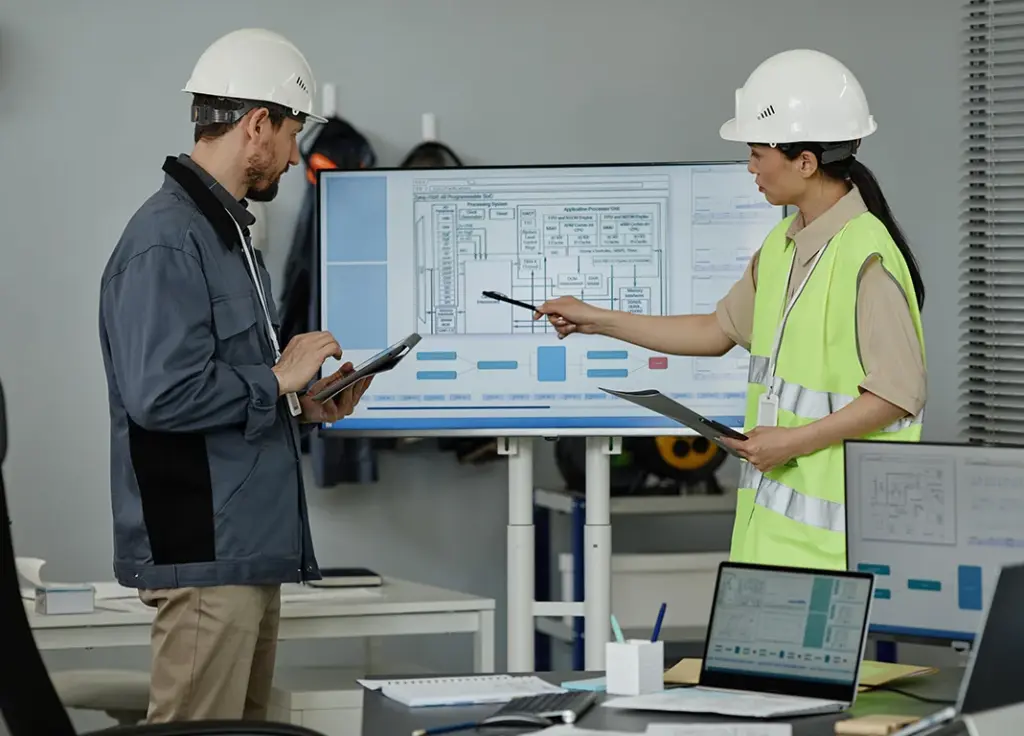
From my experience working on construction-focused software platforms, I have found that API-first development can make a strong difference as a platform grows. By separating business logic from the applications that consume it, APIs can make integrations easier, support modular architectures, and allow individual capabilities to evolve without repeatedly changing the entire system. Why Is Construction Software Becoming More Connected? Modern construction software rarely works on its own anymore. A typical platform may connect project management, CRM, engineering, reporting, mobile apps, document management, and other external tools. Each of these systems needs access to business information. For example, a project-management platform may need to expose information about projects, users, project status, collaboration, or other workflows to different applications and services. When these capabilities are tightly coupled to one application, each new requirement can add complexity. With an API-first approach, business capabilities are exposed through well-defined interfaces, allowing different applications and services to use them without being tightly coupled to the underlying implementation. What Does API-First Mean in Practice? For me, API-first is more than simply building REST APIs. The key is treating APIs as a core part of the product architecture from the start. Instead of building an application first and considering integrations later, teams define how systems and services will communicate as part of the initial design. This creates a separation between: I saw the value of this approach while working on a construction project-management platform, where I designed and implemented REST APIs around project-management workflows. Keeping the business logic centralized allowed different parts of the product to consume it consistently instead of duplicating the same logic across interfaces. This also helped as the platform evolved. A change to the user interface did not necessarily require a redesign of the underlying business logic. Introducing another consumer for an existing capability could also be simpler when the API contract was already established. How Can API-First Architecture Make Integrations Easier? Construction businesses rarely use a single software system. As companies adopt new tools and services, integration requirements continue to grow. An API-first platform provides a practical way of handling this because systems communicate through defined interfaces rather than direct dependencies on internal implementation details. This makes it easier to add new integrations without having to redesign the whole platform. Web apps, mobile apps, or other internal services can also use existing backend capabilities instead of rebuilding the same business logic from scratch. How Can API-First Architecture Work With Microservices? I also worked on a project where microservices improved modularity and scalability. What I found important was that the benefit was not simply dividing an application into smaller pieces. The real value came from creating clear boundaries between business capabilities. When those boundaries are exposed through well-designed APIs, individual components can evolve with less impact on the rest of the system. If one part of a platform experiences significantly higher usage than another, a modular architecture can make it easier to address that capability independently. However, API-first doesn’t mean turning every function into a separate service. Poorly designed APIs can lead to too many network calls, tightly connected components, inconsistent data, difficult versioning, and added complexity. The goal is to identify the right business capabilities and expose them through simple, stable interfaces. How Does API-First Architecture Support Scalability? Scalability is about more than handling traffic. It is easy to associate scalability primarily with more servers, database capacity, or better cloud resources, but application architecture matters too. A platform can have powerful infrastructure and still be difficult to scale if the application is tightly coupled. API-first design can support independent evolution and reusable business capabilities while fitting naturally into modern cloud architectures. While working on construction-related applications, I used AWS services like Lambda and S3 alongside backend APIs. This showed me the value of keeping application responsibilities separate and designing components that can evolve independently. What Can Limit API Performance Even With a Good Architecture? One practical lesson I learned is that API-first architecture alone does not guarantee a fast system. If database queries are inefficient, users will still experience slow responses. While developing backend services, I optimized Oracle database queries to improve response times and overall application performance. This showed me that API design, database design, caching, infrastructure, monitoring, and application architecture all need to work together. A well-designed API still depends on the systems underneath it. How Can APIs Support Different Roles and Workflows? Construction platforms can involve very different user roles, including administrators, engineers, customers, sales teams, and other operational users. In a previous construction-domain project, I worked on backend functionality supporting project lifecycle management, including project creation, versioning, collaboration, and status transitions. I also worked on multi-role dashboards and server-side validation. That experience reinforced another advantage of API-driven systems: backend capabilities can be designed around business operations rather than around a single screen or user interface. This makes it easier for different parts of the platform to consume the same underlying capabilities. Why Do Observability and Validation Matter as Platforms Grow? As systems become more interconnected, diagnosing problems becomes more challenging. A failure in one service can affect another API or user workflow, which makes centralized error handling, structured logging, validation, and monitoring important. In my previous project, I implemented centralized error handling, structured logging, and server-side validation. I also worked on more than 80 client and production issues involving collaboration logic, dashboard inconsistencies, and performance bottlenecks. These experiences reinforced an important lesson: an API-first architecture needs operational discipline behind it. How Can API-First Architecture Help Development Teams? When APIs have clear contracts and business responsibilities are well separated, developers can work on different areas with fewer dependencies. This can help teams develop features in parallel, reuse existing services, reduce duplicated business logic, test components independently, and deploy changes with lower risk. I experienced this during periods of significant change, when clear ownership of backend modules and well-defined APIs helped the team deliver features without repeatedly revisiting unrelated parts of the system. How Can API-First Architecture Prepare Construction
How IoT & AI Transform Construction from Reactive to Predictive
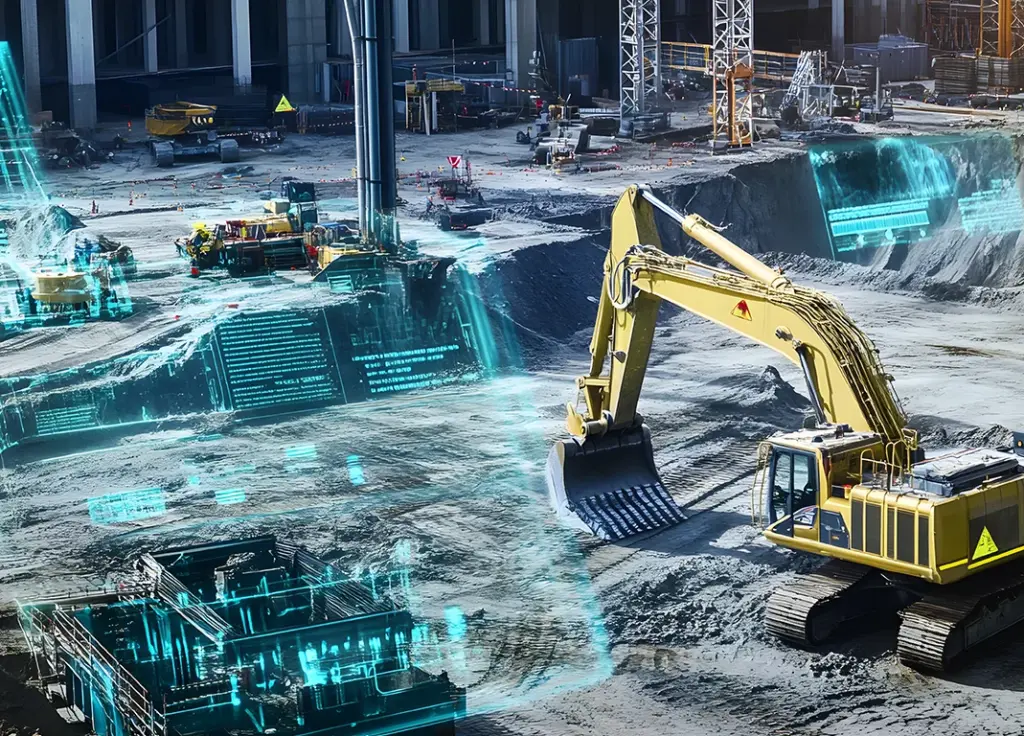
For years, construction projects have relied on reactive decision-making, addressing equipment failures, safety incidents, and project delays only after they occur. As projects become more complex, labor shortages persist, and margins tighten, making this approach increasingly costly. Today, the Internet of Things (IoT) and AI are helping construction organizations shift from reacting to problems to predicting and preventing them before they impact schedules, budgets, or safety. Instead of waiting for equipment failures, safety violations, or quality concerns to emerge, project teams can monitor assets, workers, and job site conditions in real time and respond proactively. When IoT devices work together with AI analytics, they transform how projects are managed across the construction lifecycle. Real-time monitoring, predictive insights, and automated alerts enable teams to make faster, better-informed decisions while improving safety, reducing costly delays, and optimizing project performance. In this blog, we will explore how IoT in building construction makes these predictive capabilities possible and how you can apply them to your sites. The Reactive Construction Model and Its Limitations “You can use an eraser on the drafting table or a sledgehammer on the construction site.” – Frank Lloyd Wright, Architect. Reactive construction management operates on an after-the-fact basis. That is, teams address problems only when they become visible. This approach leads teams to scramble to resolve issues that have already disrupted schedules, budgets, or safety protocols. Reasons for issues include: Equipment downtime exposes the weakness of reactive methods. If a machine breaks down without warning, you still have to pay for things like crew wages, insurance, and equipment rentals, even though work has stopped. Sometimes, quick fixes made during a crisis become regular practice, even if they aren’t the best solution. The reactive cycle keeps going because information comes in too late, after decisions are made. Teams end up spending more time figuring out what went wrong than planning ahead. As a result, the same problems keep happening on new projects because the root causes aren’t fixed. Before IoT was available, this was the norm in construction, even though it wasn’t efficient. How IoT and AI Enable Predictive Capabilities in Construction? IoT sensors deployed on construction sites collect continuous streams of data that were previously impossible to capture. These include: AI algorithms process this data by detecting patterns and correlations that human analysis would miss. Models built through machine learning based on earlier projects help identify risks and forecast potential dangers. As issues arise, site managers receive notifications letting them respond before trouble occurs. This ability is shown through predictive maintenance: Implementing Predictive Construction Practices Start by identifying one or two specific areas where predictability delivers the most value to your operations. You should focus on: Focusing on a small area first helps avoid confusion that occurs when making big changes all at once without enough planning. Your systems need to connect before AI can work. Cost data and field reports in separate platforms mean predictive systems have incomplete information and produce unreliable outputs. Centralizing project records across all stakeholders is the foundation of accurate forecasting and risk detection. Data quality determines prediction quality. Standardize how your teams input information and establish common data formats. Also, maintain consistent record-keeping across projects. This allows machine learning models to identify relevant patterns instead of processing inconsistent inputs. Additionally, phase your implementation to build capabilities over time. This includes: Measure success through operational improvements rather than automation metrics alone. This includes tracking the following indicators to reveal whether IoT in construction delivers tangible business value to your organization. Conclusion The construction industry stands at a key transition point. You can continue managing sites reactively, addressing problems after they disrupt schedules and budgets, or you can adopt IoT and AI to predict and prevent problems before they materialize. Strategic implementation of these predictive capabilities transforms project outcomes. Start with focused applications and build progressively. Better yet, the technology is available now, making this change achievable for projects at any scale. FAQs What role does IoT play in predictive construction? IoT sensors on construction sites collect continuous real-time data that was previously inaccessible. These devices monitor equipment performance, worker safety, and environmental conditions. The data allows site managers to identify issues early and intervene before incidents occur. How do IoT and AI work together in construction? IoT devices gather extensive data from construction sites, while AI analyzes this information to generate insights, forecast outcomes, and adapt to changing conditions. Together, they enable automated decision-making and intelligent responses, turning raw data into actionable predictions. What is predictive maintenance in construction? Predictive maintenance uses sensors to check things like vibration, temperature, and pressure on equipment. AI compares these numbers to normal levels to spot problems before they cause breakdowns. This helps avoid sudden downtime, reduces emergency repairs, and keeps projects running smoothly. How should construction companies start implementing predictive technologies? Start by picking one or two areas where being able to predict things would help most, like preventing safety incidents or making equipment more reliable. Try out IoT devices in a small test, bring all your project data together, and teach your team to use data for decisions. Check your progress by looking for fewer delays, less rework, and better schedules. What types of IoT devices are commonly used on construction sites? Common IoT devices include wearable safety equipment, sensors, GPS trackers, environmental sensors, smart cameras, drones, and asset-tracking systems. These devices deliver real-time insights into site conditions, equipment health, and workforce safety. Can small and mid-sized construction companies benefit from IoT and AI? Yes, they can. Many IoT and AI tools can grow with your business, adding them step by step. If smaller construction companies start with important areas like equipment monitoring or safety, they can see real benefits before taking on bigger projects.
AI in Construction Safety: 6 Ways Technology is Transforming Job Site Safety

AI technology is transforming safety management on construction sites. The advanced technology reviews live camera feeds, sensor data, and past trends to spot threats early. This not only reduces false alarms but also maintains thorough records for compliance and insurance purposes. Read on to discover 6 ways AI is helping construction companies improve job site safety, reduce security risks, and make more proactive safety decisions. Smart Perimeter Protection AI-powered virtual boundaries provide an additional layer of security by detecting movement in designated areas of a construction site. Project managers use software to define areas like parking lots, equipment yards, and building entrances. The system sends an instant alert when someone or a vehicle crosses these digital lines. Accurate surveillance relies on recognizing different objects. AI recognizes people, cars, animals, weather changes, and even shadows in video footage. This helps cut down on false alarms that older motion sensors used to trigger. By studying regular patterns like worker shifts, delivery schedules, and equipment use, AI can catch unusual activities with a lot of accuracy. Active deterrence stops intruders immediately. If an unauthorized person enters the area, the system will activate sirens, floodlights, and speakers that broadcast live warnings. Another added advantage is that remote operators can also speak to intruders through on-site speakers immediately. Equipment Theft Prevention Construction companies lose a significant amount each year due to equipment theft. AI helps tackle this issue with GPS tracking, smart cameras, and IoT monitoring. GPS and IoT devices are placed on machines like bulldozers, excavators, and cranes to send real-time location data to a central platform. Geofencing, on the other hand, sets digital boundaries around job sites and sends alerts if equipment moves outside the marked areas during off-hours. Smart cameras monitor valuable equipment with motion detectors, floodlights, and systems that let operators talk to intruders. The cloud reviews threats in seconds and sends SMS or email alerts with video evidence, allowing quick action from the staff. Some systems can even disable equipment remotely or alert staff if someone tries to remove a tracking device. Worker Safety Monitoring Computer vision systems check video feeds and data from wearable sensors in real time. They look for PPE violations, unsafe actions, and health risks such as heat stress. PPE Compliance Detection Advanced technologies such as convolutional neural networks (CNNs) and YOLO models automate PPE compliance checks. It detects helmets, gloves, vests, and safety boots with precision. It also examines if helmets are worn and harnesses are secured. If it spots a violation, it sends supervisors an alert that includes a screenshot, the location, and the time. Heat Stress Monitoring This is one of the key benefits of AI in construction sites. Wearable devices track heart rate, breathing, skin temperature, and posture in real time. Construction workers face a higher risk of heat-related illnesses. Smart bands measure heart rate as accurately as medical tools and can detect signs of heat strain. When readings reach dangerous levels, the devices vibrate and alert supervisors to help prevent heat emergencies. Behavior Identification Smart cameras mounted on scaffolding, ledges, and high platforms identify absent safety rails, missing guardrails, unfastened harnesses, and dangerous ladder placement. AI-powered proximity sensors on construction machinery warn operators when workers approach equipment, thereby minimizing workplace incidents. Site Monitoring Theft and vandalism occur on weekends or during public holidays. AI surveillance operates 24/7 and secures locations without requiring on-site security personnel. On the other hand, thermal imaging detects trespassers through complete darkness, heavy fog, or precipitation at significant distances. Professional monitoring teams verify genuine threats prior to issuing notifications, preventing penalties from incorrect alerts. For bigger areas, drones provide extra coverage and can launch fast when required. Incident Documentation and Reporting Studies show that multiple near-misses occur ahead of a documented injury. Computer vision technology can track and record near-miss situations before they result in accidents. In addition, sensor logs and high-quality video with timestamps help resolve disputes during investigations. When video claims are included with claims, insurance providers may offer significant deductible reductions. Additionally, cloud storage makes it easy to search reports by project, date, or incident type for audits. Predictive Risk Analytics Machine learning algorithms review past safety data, weather, production schedules, and crew details to predict where and when accidents are most likely to happen. XGBoost and LightGBM can analyze large construction data sets very accurately. Weekly risk forecasts help companies find the few projects that could cause the most safety problems. These tools lead to fewer incidents and lower workers’ compensation costs. AI systems suggest the best actions for high-risk projects, like adding more supervision, increasing checks, or pausing work until conditions improve. Risk mapping shows which parts of a construction site are safest and which are most dangerous. Conclusion AI in construction safety has moved beyond experimental phases to deliver measurable protection for workers. Although there are still challenges, such as data privacy, training, and occasional false alerts with implementation, these obstacles shouldn’t deter companies from adopting this advanced technology. Before picking an AI safety system, companies should look at the specific risks on their site and make sure the system works well with their current processes. A thoughtful implementation focused on genuine hazard reduction will protect the workforce while strengthening safety culture. FAQs How does AI make construction sites safer? AI systems spot unsafe conditions, notice close calls, and even detect when workers are tired or overheating. They send alerts fast to supervisors. This cuts down accidents and keeps injuries from happening. Can AI stop construction equipment from getting stolen? Yes, it can. AI tracks equipment using tools like GPS, geofencing, sensors, and smart cameras. It can alert you if someone moves equipment without permission. What is predictive risk analytics in construction? Predictive risk analytics uses machine learning to analyze safety records, weather conditions, project timelines, and worker data. This helps identify risky situations and suggests ways to stop problems before they happen. What are the benefits of AI-powered construction site surveillance? AI-powered surveillance watches the site all day and
A Quick Guide to Smarter Resource Allocation Using AI In Construction Sites
Your excavator sits idle at Site B while your crew at Site A waits desperately for the same machine. Every construction professional understands the chaos that comes with resource allocation, equipment shuffling, and the choice between paying crews to wait or risking project delays. Traditional scheduling methods trap you in reactive mode, constantly firefighting instead of strategically planning. What if your scheduling platform could detect problems before they happen? Or it could tell you exactly when to move equipment between sites, which crews to shift when required, and the ideal time to order materials so they show up right when you need them, not weeks early, consuming extra space? AI is changing the way construction teams handle scheduling and resource management. In this blog, we will walk you through how you can use AI for smarter resource allocation and how to start adding these tools to your workflow, step by step. How Does AI Help With Resource Allocation? I. Labor Resource Optimization The AI analyzes historical project data, current schedules, and team availability to suggest the best crew assignments. For example, if you are scheduling electrical work at different sites, the AI might find that your electrician can oversee Site A in the morning and Site C in the afternoon, while apprentices do routine work at Site B, making the best use of skilled workers. II. Equipment Allocation and Utilization AI helps you prevent the expensive problem of equipment sitting unused at one site while another site waits. For example, your excavator is planned for Site A on Tuesday morning, but the AI detects that the ground won’t be ready until Wednesday. It suggests moving the excavator to Site B, where foundation work is ready, avoiding a whole day of unused equipment costs. III. Real-Time Resource Reallocation When weather delays and unexpected problems occur, you need to make rapid adjustments in resource use. AI handles this complexity by considering multiple factors simultaneously. When rain delays exterior work at one site, the AI system immediately identifies interior tasks for crews, suggests equipment transfers, and updates material delivery schedules accordingly. IV. Material Procurement and Delivery Timing AI manages material delivery schedules and reduces on-site storage costs. It tracks your actual consumption rates versus planned rates, automatically adjusting future deliveries. For example, if you are using concrete 20% quicker than estimated, the system will notify you and recommend ordering sooner so work doesn’t stop. How to Implement AI for Construction Scheduling? The success of AI implementation depends on a structured, phased approach. Here’s a roadmap that you can follow: Phase 1: Assessment and Preparation Evaluate your current state: Select your AI solution: Pick a solution that fits your biggest needs. If labor allocation is your main challenge, look for systems that are strong in workforce management. If you are juggling between several sites, focus on tools with solid logistics features. Create a selection matrix comparing systems on integration with your existing tools, ease of use, and support quality. Schedule demos with your actual project data, not generic examples. Phase 2: Building a Strong Data Foundation AI requires quality data to generate reliable results. Start with: Organizing project data: Setting up current project tracking: Phase 3: Pilot Implementation Begin with one project that is not too simple or too complex. Then Evaluation and adjustment Look at specific results: Did the AI lower resource conflicts? Improve equipment utilization? Cut down on last-minute material orders? Use this information to improve your process before expanding. Phase 4: Scaling and Integration Deepen system integration: Build team competency: Phase 5: Optimization and Advanced Features Continuous improvement: Common Implementation Mistakes to Avoid Conclusion The future of construction scheduling depends on making decisions based on facts instead of guesses. AI helps teams predict resource problems, adapt to changing project conditions, and improve schedules with accuracy that traditional methods find hard to match. Organizations that integrate AI into their scheduling processes today will be better positioned to deliver projects faster, more efficiently, and with greater confidence. FAQs Can AI create construction schedules automatically? Yes. AI tools can create construction schedules by using proposal details and project requirements. They make scheduling easier, keep track of project costs, and help teams meet tight deadlines. How does AI help in improving construction scheduling? AI reviews project schedules, past performance, available resources, weather, and other factors to spot risks and suggest schedule changes before delays happen. This lets teams act early instead of waiting for problems. Can AI help reduce equipment downtime? Yes. AI can monitor how equipment is used, check if projects are ready, and look at scheduling needs to suggest where to send equipment. This cuts down on idle time and makes sure critical machines are available where needed. Can AI help manage multiple construction sites simultaneously? Yes. AI is especially helpful for organizations with multiple sites. It can check what resources are available at each project and suggest the best way to share workers, equipment, and materials between locations. What benefits can construction companies expect from AI-powered resource allocation? Some benefits include using resources better, fewer scheduling problems, less equipment downtime, lower costs, higher productivity, more accurate planning, and better project timelines.
8 Features Every Construction Management Software Should Have
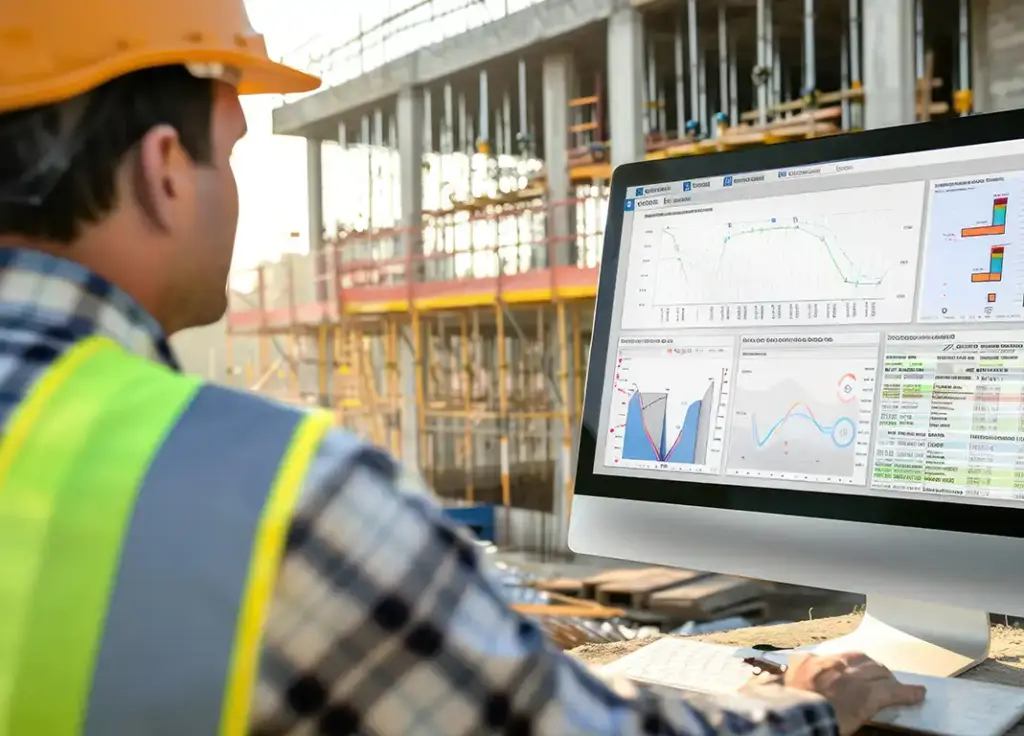
In an industry as dynamic as construction, effective management software is critical to ensure projects are completed on time, within budget, and to the desired quality standards. Construction management software has revolutionized how projects are planned, monitored, and executed, streamlining processes and enhancing communication among stakeholders. But with so many similar options out there, it can be hard to know which software is right for your business. What really matters isn’t how many features a software has, but how well it solves real problems on the job. The below-listed features show what to look for to make your work smoother and achieve better outcomes. Real-Time Project Tracking Real-time project tracking addresses visibility challenges in construction projects. Relying on delayed reports often results in missed risks and slower decision-making. Reliable construction management software provides live updates on tasks, milestones, and resource usage. This allows teams to monitor multiple sites, identify bottlenecks early, and take corrective action before issues affect project timelines and costs. Advanced Scheduling Advanced scheduling in construction management software reduces delays from dependencies and disruptions.The construction software shows how tasks are connected and automatically adjusts schedules. It sends alerts when risks arise, so teams can shift resources and keep things moving. Without these alerts, teams often spot problems too late, even if they update schedules often. Centralized Communication When workflows are not centralized, teams often revert to email or messaging apps, which reduces system adoption. Also, disconnected channels often cause errors and rework. A single system keeps track of all updates, approvals, and decisions in one spot. Centralized workflows help teams avoid missing important information. Seamless Integrations Seamless integrations connect fragmented systems to improve data consistency in construction management software.Many teams use different tools for finance, buying materials, and tracking projects. Integrations let information flow smoothly between these tools, so there is reduced manual entry and fewer mistakes. Without this, cost data can fall behind project updates, making it harder to make good decisions. Reporting and Analytics Reporting and analytics tools help teams make better decisions by giving real-time insights into projects. Without them, teams have to rely on old or incomplete information. Construction project management software offers dashboards for tracking costs, timelines, and risks. These insights support better forecasting and proactive planning, helping teams respond to issues before it’s too late. Scalability and Customization Construction projects come in all shapes and sizes. Therefore, it’s important to pick software that you can customize and that grows with your needs. A reliable software solution fits your workflows and handles larger projects or organizational growth without sacrificing performance. Financial Management Managing a project’s finances is key to staying profitable and efficient. Your software should help you set up and manage budgets, track real costs as they happen, and make invoicing easier by connecting billing features. Resource Management Resource management helps you control how labor and materials are used across projects. Without clear tracking, teams can end up with shortages, overuse, or wasted resources. The software shows what resources are available and how they are being used in real time. This helps teams assign resources more effectively, avoid conflicts, and use resources efficiently while keeping costs in check. Why Most Construction Management Software Falls Short? Most construction organizations don’t struggle because they don’t have software, but because their software can’t handle the real challenges of their projects. For example, if you don’t have real-time tracking and connected systems, it’s hard to see what’s going on, and your data can get messy. Poor scheduling or slow reporting makes decision-making harder, and weak workflow tools push teams to use outside apps, which creates more problems. How InApp Can Help With Aligning Software With Real Workflows? At InApp, the approach starts with understanding how construction teams operate across sites and systems. This includes identifying workflow gaps, analyzing dependencies, and evaluating existing tools. The solutions are then designed to extend platforms, enable integrations, or build custom modules. This ensures software aligns with real execution, improving adoption, data consistency, and overall project performance. FAQs How does real-time visibility enable better construction project outcomes? Real-time visibility enables teams to monitor progress, costs, and risks, enabling early detection of delays, improving coordination, and supporting timely decisions to keep projects on track and within budget. How does advanced scheduling help in handling construction project dependencies? Advanced scheduling tools display task dependencies and update timelines automatically when things change. This stops small delays from spreading to the whole project and helps teams manage risks early. When should construction organizations choose customized software? Custom software is ideal for complex, multi-site, or highly specialized workflows. They offer better alignment with your processes, while off-the-shelf tools may restrict flexibility and scalability. How does resource management affect construction project efficiency? Effective resource management ensures that labor, equipment, and materials are allocated based on real-time availability and project needs. This helps avoid shortages, overuse, and scheduling conflicts, improving productivity while keeping costs under control.
AI-Driven Automation Trends Shaping The Construction Industry
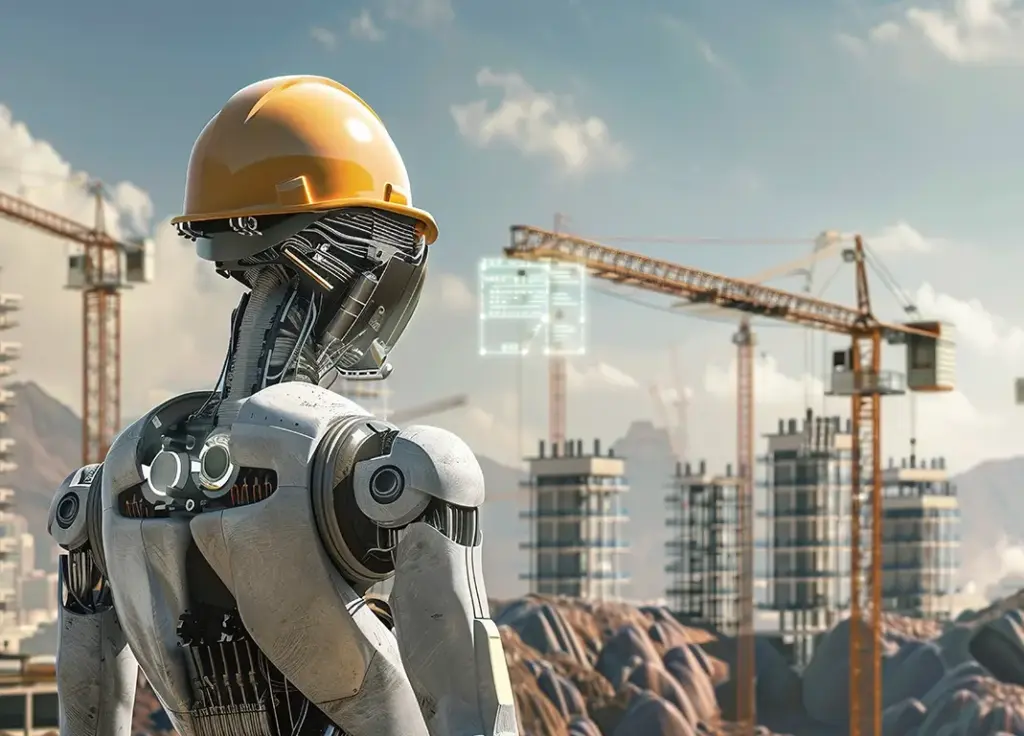
AI is entering a new phase in construction. While companies have explored predictive analytics, automation platforms, and digital project systems, the focus is now on using AI to transform project planning, execution, and management. AI-driven automation is advancing from basic rule-based tasks to refined systems that reason, plan, and manage complex construction workflows. Construction companies use these capabilities to increase efficiency, reduce costs, and speed up project delivery. The following trends are shaping this transformation. Autonomous AI Agents An important development is the emergence of AI agents that operate independently. Unlike standard chatbots or assistants, these agents monitor project systems, make decisions, and perform tasks using minimal human input. These agents function as digital coworkers in construction settings. For example, an AI agent may detect material-delivery delays, analyze project schedules, and automatically initiate rescheduling and notifications. In enterprise environments, such agents are increasingly used for: As these systems advance, they are expected to manage entire workflows instead of individual tasks. Multi-Agent Systems and Digital Workforces Automation is no longer limited to one AI agent. Companies now use several specialized agents that work together. For example, in a construction project setup: These agents share information and synchronize tasks to enhance efficiency and accuracy. This digital workforce approach integrates AI systems with human teams to increase productivity. Hyperautomation in Construction Workflows Hyperautomation integrates AI, Robotic Process Automation, Machine Learning, and analytics to automate complete processes. For example, in a construction workflow: This approach streamlines planning and execution, resulting in faster processes, greater accuracy, and better visibility. Real-Time Data and Autonomous Decision-Making AI automation is gaining strength through real-time data integration. These systems analyze live inputs and make rapid decisions. Examples include: With real-time automation, companies can shift from reacting to problems to predicting and preventing them. Building Stronger Governance and Trust in AI As automation advances, governance and security are becoming top priorities. Many companies are now investing in AI governance frameworks to promote transparency, accountability, and compliance. Key governance measures include: Security strategies such as zero-trust architectures are becoming increasingly important. These approaches ensure that every device, user, and AI system is verified before it can access sensitive data. What’s Ahead? AI-driven automation is becoming central to construction operations. As adoption increases, the focus is shifting to building reliable, integrated automation ecosystems. Companies that invest in effective strategy and integration will be more likely to deliver projects more quickly and efficiently. The objective is not just to automate tasks but also to enable smarter work practices. FAQ What are autonomous AI agents in construction? Autonomous AI agents are systems that independently monitor, analyze, and act on project data with minimal human input. They manage tasks such as scheduling, procurement tracking, and site monitoring. How do multi-agent systems improve construction workflows? Multi-agent systems deploy specialized AI agents that collaborate and share data. This creates a digital workforce that improves efficiency, coordination, and accuracy across projects. What is hyperautomation in construction? Hyperautomation integrates AI, RPA, machine learning, and analytics to automate complete workflows.It streamlines processes like document handling, approvals, and risk detection. How does real-time data enable autonomous decision-making in construction? AI systems use real-time data to monitor progress and make immediate adjustments. This enables issue prediction, schedule optimization, and better operational efficiency. How can AI-driven automation improve construction project outcomes? AI increases efficiency, reduces costs, and accelerates project delivery. It supports smarter planning, proactive decision-making, and more effective resource utilization.
6 Must-Have Features in Construction Planning Software

In the construction industry, every day brings its own set of challenges. From scoping projects to creating quotes, planning tasks, tracking expenses, and managing meetings, the role of a construction manager is nothing short of a juggling act. Enter construction planning software—a game-changer for busy construction professionals. Construction planning software streamlines workflows centralizes data, and simplifies the entire project management process. But with many options available in the market, choosing the right software can be daunting. This blog will explore six indispensable features that your construction planning software must have. So, let’s dive in and see how you can up your construction management game with the right software solution. What Is a Construction Planning Software? As the name suggests, construction planning software is a digital tool designed to streamline and optimize the management of construction projects. It serves as a centralized platform for planning, organizing, and executing various project tasks, from initial scoping and quoting to task assignment, expense tracking, and invoicing. With features such as Gantt charts, task lists, and resource allocation tools, construction planning software enables managers to create detailed project schedules, allocate tasks to team members, and monitor progress in real-time. Additionally, advanced reporting and analytics capabilities provide managers with actionable insights into project performance, allowing them to make data-driven decisions and optimize project outcomes. Moreover, integrated collaboration tools facilitate seamless communication and collaboration among project stakeholders, fostering teamwork and transparency. By automating processes such as purchase orders and invoicing, construction planning software helps managers maintain financial discipline, control costs, and maximize profitability. Features to Look For in Construction Planning Software 1. Comprehensive Project Scoping and Quoting Capabilities Before embarking on any construction project, thorough scoping and accurate quoting are essential to set the groundwork for success. Construction planning software equipped with robust scoping and quoting features helps managers create detailed project plans, accurately estimate costs, and generate comprehensive quotes for clients. From defining project objectives and deliverables to assessing resource requirements and potential risks, this feature enables managers to lay a solid foundation for project execution. Moreover, advanced quoting tools within the software will aid in the creation of precise cost estimates by incorporating factors such as material costs, labor expenses, equipment rentals, and overhead expenses. 2. Integrated Task Planning and Assignment Functionality Efficient task planning and assignment are vital components of effective construction project management. With integrated task planning and assignment functionality, managers can create detailed project schedules, allocate tasks to team members, and monitor progress in real-time. With intuitive Gantt charts, task lists, and resource allocation tools, managers can visualize project timelines, identify dependencies, and allocate resources efficiently. Additionally, the ability to assign tasks directly within the software fosters collaboration and accountability among team members. By providing a centralized platform for task management, the software can enhance communication, minimize delays, and ensure that projects stay on track. 3. Expense Tracking and Budget Management Effective expense tracking and budget management are critical for controlling costs and maximizing profitability in construction projects. Construction planning software equipped with seamless expense tracking features enables managers to monitor project expenses, track purchases, and manage budgets with precision. By capturing expenses in real-time and categorizing them according to project phases or cost codes, this feature provides managers with invaluable insights into project financials. Furthermore, advanced budget management tools within the software allow managers to set budgetary constraints, track expenditures against allocated budgets, and generate detailed financial reports. With the ability to identify cost overruns, anticipate potential budgetary issues, and make informed decisions, managers can maintain financial discipline and optimize project profitability. 4. Meeting Management and Collaboration Tools Effective communication and collaboration are essential for driving project success in the construction industry. From scheduling and organizing meetings to sharing documents, recording minutes, and assigning action items, having meeting management & collaboration tools will help managers conduct productive meetings and ensure that key project decisions are documented and implemented. Moreover, integrated collaboration tools such as discussion forums, file sharing, and instant messaging can improve team collaboration, foster transparency, and facilitate knowledge sharing among team members. 5. Automated Purchase Orders and Invoicing Streamlining procurement processes and managing invoicing are integral aspects of construction project management. Construction planning software that offers automated purchase order and invoicing functionality can simplify these tasks, reduce manual errors, and accelerate payment cycles. By automating the creation and tracking of purchase orders, managers can streamline procurement processes, maintain accurate records of purchases, and ensure compliance with budgetary constraints and project timelines. 6. Bid Management & Financial Management Robust reporting and analytics in construction planning software provide vital insights into project progress and performance. It helps managers track resource utilization, identify trends, and make data-driven decisions. By offering customizable dashboards and real-time analytics, managers can optimize project outcomes and mitigate risks effectively. Apart from this, access to comprehensive reports and key performance indicators (KPIs) enables managers to evaluate project performance, identify areas for improvement, and drive continuous progress across projects. In a fast-paced industry like construction, having access to actionable insights is essential for staying ahead and delivering successful projects. Construction Planning Software – A Necessity for the Industry In conclusion, the adoption of construction planning software is imperative for the modern construction industry. With its ability to streamline workflows, enhance collaboration, and optimize project management processes, construction planning software offers a competitive edge in today’s fast-paced construction landscape. However, recognizing that every construction project comes with its unique requirements, the need for customized solutions may arise. Tailored construction planning software can address specific business needs and further enhance efficiency and productivity. If you have custom requirements or need additional features, don’t hesitate to get in touch with us.
10 Ways BIM and AI Are Revolutionizing the AEC Industry

Building Information Modeling (BIM) and Artificial Intelligence (AI), are shaking things up in the construction industry. Picture BIM as the digital brain orchestrating the intricate symphony of construction projects, while AI assumes the role of a tech wizard, endowing machines with unparalleled intelligence. Together, this dynamic duo is not merely revolutionizing but completely redefining the conventional norms that have long governed the construction domain. In essence, BIM serves as the visionary architect’s digital sketchpad, capturing every nuance and detail of a building’s blueprint in a comprehensive digital format. Complementing this, AI steps in as the ingenious problem-solver, decoding complex datasets and devising ingenious solutions. This collaboration transcends the limitations of traditional construction methods, creating an environment where human errors are minimized, and processes are not only streamlined but propelled into a realm of unprecedented speed and precision. Here are 10 ways BIM & AI are going to impact the future of the AEC industry 1. Enhanced Interoperability BIM and AI enhance interoperability in the AEC industry by establishing a unified platform, framework, and language for seamless data exchange. BIM acts as a central hub, utilizing a shared database or cloud service to store project data. This approach eradicates duplication, fragmentation, and errors as various software and tools access and update the same data source. BIM further promotes interoperability through industry standards like IFC, bsDD, and COBie, ensuring a common framework for structured data exchange. Additionally, semantic technologies and ontologies enable a universal language, fostering accurate and consistent interpretation of data across diverse software and tools, thus optimizing collaborative workflows. 2. Better Optimized Building Designs When Building Information Modeling (BIM) teams up with Artificial Intelligence (AI), it’s like having a super team to make building designs better. BIM is like a digital blueprint, and AI is the brainy sidekick. Together, they work to improve how buildings are designed. Here’s a simple breakdown: BIM holds all the details about a building, and AI dives into this info to figure out smart ways to design things. AI looks at big sets of data in BIM and pulls out helpful ideas for making the design better, like picking eco-friendly materials or deciding where to put windows for energy savings. With BIM and AI working together, designing buildings becomes not just faster but also smarter, with a focus on saving energy, choosing the right materials, and keeping costs in check. 3. Improved Design Visualization & Implementation Think of Building Information Modeling (BIM) as the detailed blueprint for a building, and Artificial Intelligence (AI) as a smart assistant that helps make decisions. When BIM and AI join forces, it’s like having a team that not only plans how a building will look but also predicts the best ways to build it. In design, BIM collects all the details about how a building should look. Now, add AI to the mix. AI looks at past designs and figures out what people liked. For example, if people often prefer bigger windows or certain colors, AI remembers that. So, when a new design is in the works, AI suggests things that match what people liked before. When it comes to building, AI helps BIM by looking at the data and predicting potential issues. Let’s say a project is in an area with unpredictable weather. AI can use past weather data to suggest the best times for construction. This helps the builders avoid delays and makes everything run more smoothly. So, BIM and AI together not only make sure the design looks great but also help builders do their jobs efficiently. 4. Realtime Project Insights The synergy of Building Information Modeling (BIM) and Artificial Intelligence (AI) revolutionizes real-time project insights in construction projects. Mundane and repetitive tasks that once consumed significant time and resources, such as tracking project progress and identifying potential challenges, are now streamlined with precision and efficiency. BIM establishes a comprehensive digital foundation, while AI dynamically analyzes project data, providing immediate and continuous updates on various aspects. This accelerates project timelines and significantly diminishes errors, ensuring a superior standard of accuracy throughout the project’s lifecycle. In construction projects, this transformative collaboration allows stakeholders to promptly address deviations, make informed decisions, and enhance overall project management. 5. Improved Energy Efficiency Building Information Modeling (BIM) combined with Artificial Intelligence (AI) helps enhance energy efficiency within buildings. Previously, tasks related to energy analysis were intricate and time-consuming, often requiring substantial resources. With BIM and AI, these processes are now streamlined with precision and speed. BIM establishes a detailed digital framework of a building, while AI algorithms analyze and optimize energy usage, facilitating the design of environmentally sustainable structures. For instance, consider a large commercial complex where BIM, coupled with AI, assesses energy consumption patterns. AI algorithms can identify areas for improvement, recommending adjustments in lighting, ventilation, or insulation. This not only enhances the overall energy efficiency of the complex but also provides a tangible example of how this integration results in real-world sustainability gains. 6. Optimized Supply Chain The fusion of Building Information Modeling (BIM) with Artificial Intelligence (AI) reshapes supply chain optimization in construction. BIM lays the groundwork with a digital blueprint, while AI takes the reins in predicting and optimizing the supply chain. Historically manual processes of material requirement predictions now transform, driven by the precision and foresight of AI’s data analysis. By dynamically analyzing historical data, project parameters, and market trends, AI refines material needs. This collaboration not only minimizes waste but also significantly reduces costs, ushering in an era of heightened project efficiency. 7. Lifecycle Asset Management By combining BIM with AI tasks related to monitoring and maintaining built assets can be streamlined with precision and efficiency, replacing former tedious processes. BIM establishes a comprehensive digital framework, and AI brings advanced analytical capabilities to the table. For instance, consider a commercial building equipped with sensors that monitor the health of critical systems. AI processes this data to foresee potential issues, prompting timely interventions before any disruption occurs. This not only ensures the longevity and optimal