
A Brief Introduction to Machine Learning
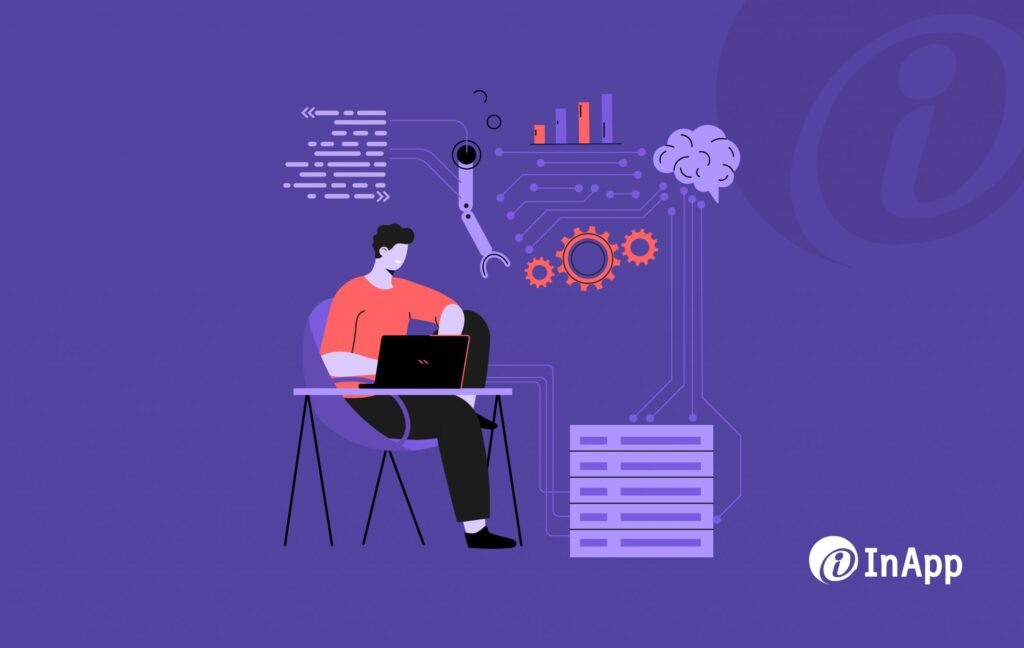
The past two decades have witnessed the emergence of Machine Learning as one of the mainstays of information technology. In ML, the computers ‘learn’ as it automatically identifies patterns in data, thus making accurate predictions. The critical thing in a machine learning process is to select the right algorithm suitable for various applications. The below infographic shows some basic things about machine learning.
How to Secure Your WordPress Site?

WordPress enjoys the biggest market share among all Content Management System tools available on the market today. At the same time sites on WP are a popular target for hackers. As per the WordPress usage statistics report of 2016, “75 million blogs use WordPress as a platform or as a CMS. Nearly 4.5% of the entire internet runs on WordPress, where 25% of users make a living off of it. More than 44K WordPress plugins are available on the web, which has been downloaded 1.25 billion times.” WordPress sites once in a while confront security issues that can make the website inaccessible, which could lead to a loss in brand reputation and sites getting blacklisted. The website safety also depends on the quality of the host’s software and the themes & plugins used. A simple approach to secure your WordPress site is to understand the reasons for security issues. As many experts suggest, the first step to ensuring the security of your website is to answer these five questions: who would hack? (anonymous or friend) why would they hack? (fun, profit, or political) when would they hack? (least expected or you are not ready) where would they hack? (shared hosting, dedicated server, or everywhere) how would they hack? (the security issues discussed above) The strategy to ensure the health of the WordPress website can start with hosting. From choosing the right OS to checking the disk space and bandwidth to backup and support, all has to be done wisely. The next important thing is to regularly check for WordPress updates, mainly core updates, plugin updates, and theme updates. This will protect your resources, visitors, and customers, and will keep the hackers out. The best and most critical things you can do to secure your WP site are, Choose the right web hosting service provider. Always use trusted third-party software; never go for trial versions and use premium themes and plugins. Use a Theme Authenticity Checker (TAC) to do a pre-check for the themes installed. Delete all inactive plugins and themes Scan the theme daily using a WP Antivirus Harden the security testing by, Securing the login page by providing a strong password and bizarre username. Also, change your password every now and again. (Move the .htaccess file to the /wp-admin/ directory for basic password protection) Limiting the number of login attempts and creating a two-step login authentication Removing the version number from all components and blocking malicious URL requests Changing the URL of the WordPress login page Reset File & Folder permissions Add security plugins like Login Lockdown, Secure WordPress, WP-Security Scan, WP-File Monitor, WP-Malwatch, WordPress AntiVirus, etc. Regularly update WordPress, Themes, and Plugins to their latest versions. (Deactivate all plugins before updating as some plugin features may not work properly while updating and produce unexpected results.) Develop a checklist to perform a vulnerability scan using tools before hosting Remember to keep a backup of all the data – the last and most important part of WordPress security The WordPress community on a regular basis keeps track of potential vulnerabilities and follows a well-defined process for fixing bugs and security issues. Even then, it is pertinent that reasonable steps are taken as a WordPress site owner to ensure security and one of these is constant vigilance.
Test Automation for Backend Data Migration
Regardless of whether you are migrating from legacy frameworks or moving from one product to another, Data Migration is a standout among the most difficult activities. If not executed properly, there can be major application issues, data mishaps, and unexpected downtime, which can ultimately impact the customer or brand. Testing forms a key part of ensuring a successful data migration. Manual testing for the data validation process is tedious and prone to human errors, hence is an ideal candidate for test automation. Automating data migration is very challenging and exciting at the same time. We had an excellent opportunity to bring this to one of the clients, who have a product suite used for portfolio management in the life sciences industry. This has five versions of the main application; customized for several of their clients. The challenge was to bring all this under a single version. Since this is a stable product suite, the merging of features across the versions was planned in stages Our key task was to make sure that the batch processes and DB calculations worked as expected before and after the merge. First, create expected data from DB and export the data into an Excel file Delete specific data from the DB Compile the merged package version, execute the script, and compare the values in the Excel file with the DB After the script execution mismatch is manually checked. In case the DB value was found to be correct, then update the Excel file and execute the test again; else declare the mismatch as a bug and report. The reason for data migration in any project is propelled by the need to discover new efficiencies; situations which any enterprise can face over the course of time. However, the method to be adopted will depend on the project specifics. While it’s tedious to manually cross-check batch processes and ensure the correct working of DB calculations, automating some parts of data and feature migration in this particular case has helped in confirming no mismatch in package versions and the presence of the right data in production.
A Comprehensive and Integrated Test Automation Framework using Open Source Tools
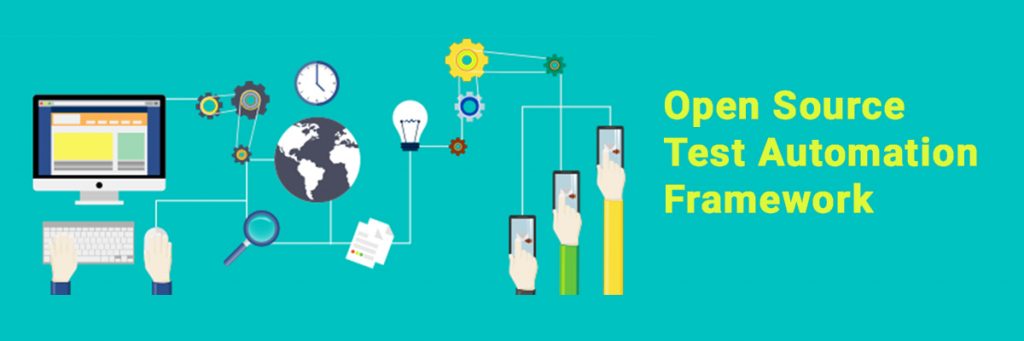
Consider a scenario where the client has a SaaS application, which needs to perform seamlessly across browsers, be mobile browser compatible, and have a mobile app extension. If you are required to do manual testing here, you probably would spend ages completing just this project. This scenario is ideal for Test Automation. However, this does not make the work easy as there are several tools for each specific part of the project. Testing is a noteworthy cost and time factor in custom software development. As many of our clients’ progress from manual to test automation, they do go over a few sorts of bewilderment with the automation tool to be selected for various applications, the extent of test automation required, and different test conditions that are in place. We have lots of open-source tools available for web or mobile applications. For eg: for web application development, we have selenium, JMeter, cucumber, etc as the open-source tool, and for mobile app development, we have appium, UI Automator, etc. So selecting one and the best from these vast varieties of tools can be a tedious task. Integrated test automation has been proposed as one answer to diminishing these expenses. An integrated test automation tool guarantees to build the number of tests they run and the recurrence at which they run them. However, the cost factor still persists. How nice would it have been if we had an open-source tool or framework that can handle all of such cross-browser & parallel testing, cross-platform & device testing, or keyword-driven testing? It would be a huge advantage for all the testers out there to seamlessly support their client for continuous delivery and integration. This led us to think of a framework that will help to build on the Quality Engineers’ mindset. An open-source test automation tool that can perform innovative services and can cater to end-to-end services – this is what we are offering. We are providing an Open Source Integration Framework that includes a Test Case Adapter, an Object and Keyword Repository, and a Tool Adapter. Our framework is fit for executing tests, announcing results, and contrasting outcomes and prior trials. Tests completed with this device can be run over and over, whenever we want in a day. We support all of the open-source tools mentioned above used for testing, both web and mobile. The Test Case Adapter identifies which test case to be executed and specifies which all are the environment. In a large file, it is difficult to execute regression testing for each module separately. Automation will be based on an Object Repository, where the framework will identify individual pages as a class and various elements of the pages as objects, and a Keyword Repository, where the framework identifies the common keyword used. The Tool Adapter will identify the test cases for the browser, mobile, and web services separately and execute testing for all of them using the free open-source testing tools available in the market like Selenium, appium, etc. If needed, it can be redirected to web testing from mobile and vice versa. The output will be a single report which captures the test results coming from both web and mobile apps and is also customizable as per client requirements. This open-source automation is very much useful for long-term projects as it is very much economical.
Containers vs Virtual Machines

The emergence of virtualization started a new era of modern computing with improved system utilization, applications decoupling from the underlying hardware, and enhancing workload mobility & protection. Virtualization in both forms, Container and Virtual Machines allows multiple operating systems to run on a single physical machine. Even though containers expedite rapid, agile development, questions are still raised on how they differ from virtual machines? Containers and virtual machines -two distinctive approaches to set up multiple and segregated administrations on a solitary stage, where a Container framework requires a crucial OS that offers help for the separation; then again, a VM has its own OS utilizing VM support hardware. What are Virtual Machines? A Virtual Machine is a software/firmware that sits between the OS and the hardware to virtualize the server. Each VMs runs on its own unique OS, and VMs with different OS can be run on the same physical server. Along with VMs comes a software component named a hypervisor, which acts as an agent between the VM environment and the underlying hardware and provides the necessary layer of abstraction. The size of the VMs can be in gigabytes as each VM has its own libraries and applications that it services and they need a guest operating system to run. This quickly adds up to a lot of RAM and CPU cycles. What are Containers? Containers provide a way to run the software predictably and on a single server/host OS when moved from one server environment to another. Containers share the host OS, its binaries, and libraries too. Shared components of a container are read-only, which makes it extremely light. The highlight of containers is their speed and lightweight nature. In addition, many more containers can be put onto a server than onto a traditional VM. Difference between Containers and Virtual Machines (Containers vs Virtual Machines) Though it seems to be the same, containers and VMs are unique in their own ways. Let’s see the difference between them. Containers and VMs vary in their size. Containers involve less space (megabytes) contrasted with VMs, which possess an estimate of gigabytes. The speed of Containers is higher contrasted with VMs. Containers will take seconds to begin thinking about of VMs, which will take minutes. More containers can be possibly facilitated by an OS than a VM. The administration costs of your organization will diminish utilizing Containers set up of VMs as containers share a basic working framework. The user can’t run a container with a guest OS on an alternate OS conveying host, not at all like VMs which can be kept running with an OS on some other host OS. Containers are more asset proficient than VMs since the need for extra assets for every OS is dispensed with. The danger of single-point disappointment is high in containers and any malware assault on the host OS will influence every one of the containers Not at all like containers, a VM is a software-based condition custom-made to mimic an equipment-based condition, for the applications it will have Just because containers are more popular these days, doesn’t mean VMs are outdated. There is a lot more to VMs than just how many apps you can put in a box. Containers do come with their own disadvantages; the main one is security. Reports say that more than 80% of all cyber-attacks are specifically targeting software applications rather than the network and any attack targeted at a container can cause the entire network to crash. The smartness of a container is breaking deployments into more functional discrete parts, but that also means that we have more parts to manage. What to use – Containers or Virtual Machines? You can use a container if your requirement is to run multiple copies of a single app, say MySQL, but keep a tab on the security of the containers. If you want the flexibility of running multiple applications, you can use a virtual machine. If you want the flexibility of running multiple applications, you can use a virtual machine. Companies these days tend to use containers inside a VM. Docker, for example, is the child of virtualization and containerization that utilizes virtualization technology in the Linux kernel to create containers.
6 Goals of Cloud Migration
By now most organizations whether big or small have a cloud migration strategy. The hype around cloud computing services is too difficult to ignore. But the goal in migrating to the cloud should be much more than just the cost-saving or cost rationalization that happens with moving your infrastructure off-premise. There are a number of other benefits that you should aim for while moving to the cloud. You can aim to make your system more robust and fault-tolerant. It should not capitulate with just minor non-critical errors. You should also aim to develop a scalable system. You can easily relate to this right now. You probably have a system that is a huge monolith. There are dependencies all over the code. The only way for you to scale up your processing capacity is to create more instances of your whole system. But with the cloud, this is no longer a compulsion. With the cloud, your underlying hardware has become code. You have been given the flexibility to create as many small processing systems or storage systems or N/W points as you may like. You can therefore now break down your monolithic system into many micro-systems and use the flexibility of the cloud to bring in scalability. With your systems becoming robust and scalable, your next goal should be agility. It is a natural consequence of robustness and scalability. Once your system is robust you can think of making more changes to your system without fear of breaking it down. The above graph shows the relationship between the changes and system availability in general. As the number of changes increases, the system becomes unstable and consequently may be offline more often. It is very difficult to push the graph rightwards to bring about more system availability with a higher level of change. But in today’s real world, you have to bring in frequent changes to meet business requirements. It is what makes the organization agile. So as you make your system more robust, you aid in agility. Scalability also aids agility. Scalability is both ways: up and down. You can scale up to increase your productivity if the business so requires it and also scale down your productivity when you experience a lull in business. Another goal to aim for with cloud migration is high performance. Performance means getting more out of your application. It requires you to make your system more efficient. Bottlenecks have to be removed. The cloud gives enormous flexibility to do so. As has been mentioned before the cloud allows for the hardware to be in the form of code. You can therefore easily deal with hardware-level bottlenecks. Security is another area that has to be dealt with during cloud migration. Your goal should be to transform the security of your application. Security tends to be the most discussed topic related to the cloud. People are generally spooked by putting out data on the cloud. But moving to the cloud allows you to completely rethink your security protocols. The main service providers like AWS, Azure, etc, may actually have better security than your own systems. They may also take care of many functions for which you have employed armies of sysadmins. Now in this environment, you need to identify the problems such as the possibility of external attack, internal sabotage, human error, etc. Each would require a different type of strategy to combat. You have to consider the handling of sensitive client data and how to encrypt the data better. So there you have it, the 6 Goals of Cloud migration: Contact us today to transform your application software landscape.
4 Key Factors When Choosing Cloud Computing Services Provider

For smaller firms, one of the biggest benefits of moving their operations to the cloud is that they can focus on the business at hand and let the cloud-based service handle such worrisome IT concerns as security, maintenance, backup, and support. With an increasing number of companies offering an ever-growing menu of cloud computing services with options ranging from AWS, and Rackspace to google cloud, choosing a cloud service provider can be a daunting task. To help you overcome this challenge, below are a set of key points to be considered when choosing a cloud provider. Key points to be considered when choosing a cloud computing services provider 1. Business Health & Process Business knowledge and technical know-how. The provider should understand your business and what you are looking to do and be able to match it up with their technical expertise. Compliance audit. The provider should be able to validate compliance with all of your requirements through a third-party audit. Financial health. Looks for the provider’s track record of stability and their healthy financial position with sufficient capital to operate successfully over the long term. Organization, governance, planning, and risk management. The provider should have a formal management structure, established risk management policies, and a formal process for assessing third-party service providers and vendors. Trust. You should like the company and its principles. Check the provider’s reputation and see who its partners are. Find out its level of cloud experience. Read reviews and talk to customers whose situation is similar to yours. 2. Security Practice Security infrastructure. There should be a comprehensive security infrastructure for all levels and types of cloud services. Security policies. Well-laid-out comprehensive security policies and procedures should be in place for controlling access to providers and customer systems. Identity management. Changes to any application service or hardware component should be authorized on a personal or group role basis and authentication should be required for anyone to change an application or data. Data backup and retention. Policies and procedures to ensure the integrity of customer data should be in place and operational. 3. Technical Capabilities Change management. A documented and formal process for requesting, logging, approving, testing, and accepting changes is essential for a streamlined change management process. Hybrid capability. A hybrid cloud gives the customer the mixed advantages of a public and private cloud. Even though you may not be using this type of model, a service provider supporting this model can make your future transition easier. This is an advantage that you may wish to exploit at a later time. Ease of deployment, management, and upgrade. Make sure the provider has mechanisms that make it easy for you to deploy, manage, and upgrade your software and applications. Standard interfaces. The use of standard APIs at the service provider helps your organization to easily build connections to the cloud for data extractions and transfers. Event management. The provider should have a formal system for event management that is integrated with its monitoring/management system. 4. Administration & Support Performance reporting. Performance reports from the provider auto-sent or manually extracted help you in continuous performance monitoring Service Level Agreements (SLAs). Providers should be able to promise you a basic level of service. Check if the agreed SLA can meet your IT business objectives. Billing and accounting. An automated billing system helps you to monitor what resources you are using and the cost, so you don’t run up unexpected bills. Check if there are dedicated helplines for support billing-related issues. Resource monitoring and configuration management. Established providers do provide their customers with controls to track and monitor services provided to customers and any changes made to their systems.
Cloud Testing: A Fundamental Step to Successful Cloud Transformation
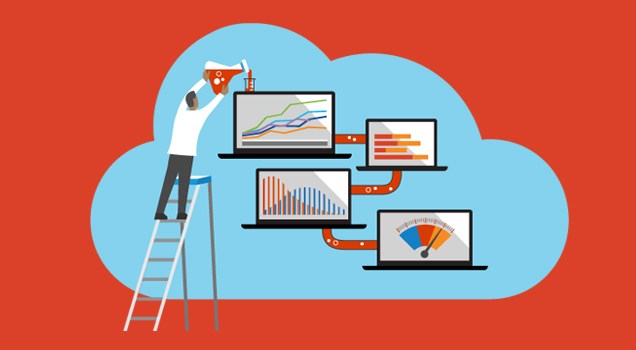
Choosing to migrate to the cloud differs from company to company. Many reasons include scalability, performance, upgrading infrastructure, etc. However, the one constant involving cloud migration remains rigorous performance testing. Even though Cloud promises scalability, the reality is that applications cannot always scale up correctly, even when running on appropriate infrastructures. We have seen enterprises moving to the cloud without proper testing meet with server breakdown issues, including database errors, and website crashes that can be costly in terms of resources and time. Thus we need to understand, that testing plays a key role in cloud migration regardless of the environment. Performing load tests in a cloud is not the same as testing in a traditional environment. Meticulous testing that tests your servers to the limit will make sure your systems are well-equipped to handle peak loads. Issues that come up during migration can be resolved before the cloud environment goes live. Make sure all applications and operations are comprehensively load tested and run flawlessly. Types of Testing To maintain a stable and secure environment, proper testing protocols including general performance and compatibility testing, stress and load tests, and vulnerability testing should be implemented. Once the migration has been completed, and the new application starts working on the cloud – functionality tests need to be carried out on the data and app. Load testing and security are the next steps in the process. Load testing deals with testing the app at peak loads. This makes sure the auto-scaling functionality is working as it should and this will help in identifying the maximum connections that can hold before a case of failure. It can also provide valuable information such as the performance metrics of the application and average load time etc. Server and application-side security should be a part of vulnerability testing: Assess the new cloud environment and make sure there are no server/app liabilities and all data is completely protected. This may also include basic security and malware scanning. Testing Best Practices When you’ve finalized that testing must be part of the migration process, it’s important to familiarize yourselves with the industry best practices that may help you with critical insights and awareness about your cloud environment. Right people and resources in place. Once an issue is identified, it has to be dealt with immediately. You need to have experts to handle any programmatic errors, at your beck and call. Be sure to schedule any personnel or resources ahead of time so they can be available when you need them – this helps to avoid unnecessary delays or expenses. Engage with end-users. Make your end users test the functionality of your app comprehensively. It is advised to avoid outsiders or third parties at this level and make sure only those most familiar with the systems are involved in the testing process. Ongoing testing and monitoring. Testing is a process, not an event. Ongoing performance, security, and load testing are most required, mainly for those companies that constantly change their websites or update apps. Implement a plan for regular quarterly testing and analyze test reports, before taking action. To make sure your system is functional, robust, and secure – monthly testing would be pretty good. Cloud Transformation boasts of reduced costs, scalability, and flexibility making it a positive choice for most enterprises. But scaling is not the end solution – continuous and rigorous testing and monitoring need to be executed to avoid broken apps and website dysfunctions. Adhering to the testing best practices would be the best choice to avoid damaging downtime in your cloud environment.
Webinar on Moving to the Cloud Using Micro-services (Recorded Version)
Here’s a recorded version of our webinar: Moving to the Cloud Using Micro-services! Watch and share. Speaker Profile: Mr. Anil Saraswathy is the CTO of InApp India. He has over 28 years of experience in the field of computer software development. He has held leadership positions at Fischer International, HCL (Hindustan Computers Ltd), IESL (now India Satcom Ltd), and Verifone (now part of HP). He has done path-breaking work in the areas of Cloud Computing Services, Microservices, Custom Web Application Development, Enterprise application development, etc. He is also an avid programmer in Python, Ruby on Rails, Java, C++, PHP, and JavaScript.
Cloud-based Disaster Recovery for Your Business

Enterprises worldwide including SMEs, Startups, and Fortune 500 leverage technology to take their business to the next level. Most critical transactions or data transfers happen online, which are vulnerable to data hacks. Hence, it is always better to have a data protection and recovery plan, in the case of the occurrence of cloud-based disasters. Cloud-based disaster recovery solutions refer to the task of replicating data or an entire virtual machine to the cloud. Many data centers have inbuilt disaster recovery mechanisms. A few steps to ensure you have a proper disaster recovery plan; Go over your Requirements: Assessing your needs should be the first priority. This will help in determining the infrastructure & configuration required for cloud-based data protection. Identifying a solution partner/ provider: The second step after you’ve tabulated your requirements is to choose a reliable cloud-based disaster recovery solution partner/provider that will meet your needs. Always look for reviews and satisfied clients before coming down to a conclusion. Check on Monthly Costs: The net payable cost depends on items including monthly subscription fees, bandwidth usage, storage space, number of virtual machines (VMs), etc. Cost is always a factor when on Cloud, hence always tabulate monthly Strategize Bandwidth Usage: Always have a strategy in place to avoid a disaster that may occur due to over-consumption of bandwidth on a certain website or application. This will help in providing the necessary bandwidth for backup. VM Replication: For Image-based recovery and mounting & extracting cloud-based copies, VM Replication techniques need to be applied. Many enterprises use this method to use the cloud for disaster recovery.