In some cases, the Microsoft SQL Server Transaction Log (.LDF) file becomes very huge. It’s wasting a lot of disk space and causing some problems if you want to back up and restore the database. We can delete the log file and create a new log file with the minimum size.
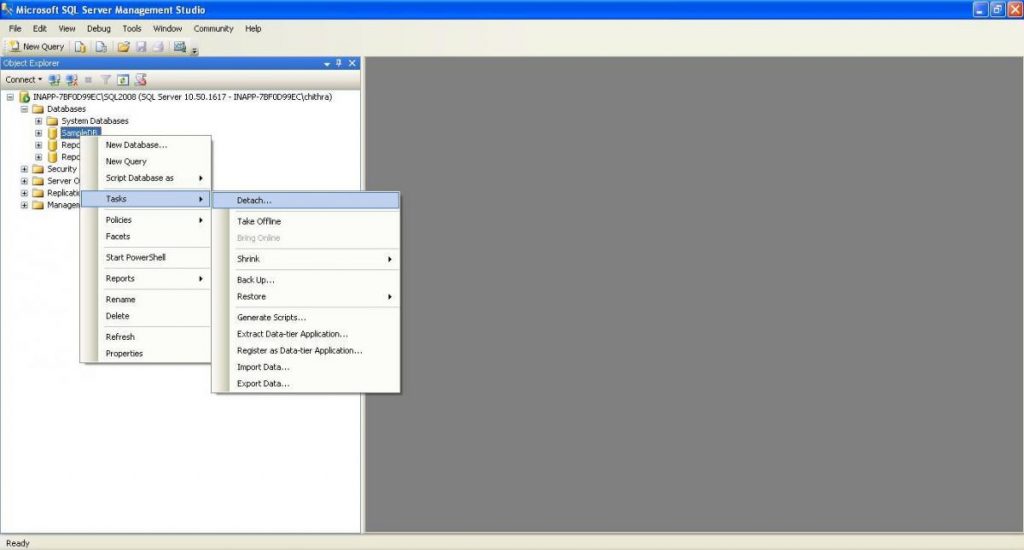
Right-click on the database => Tasks => Detach
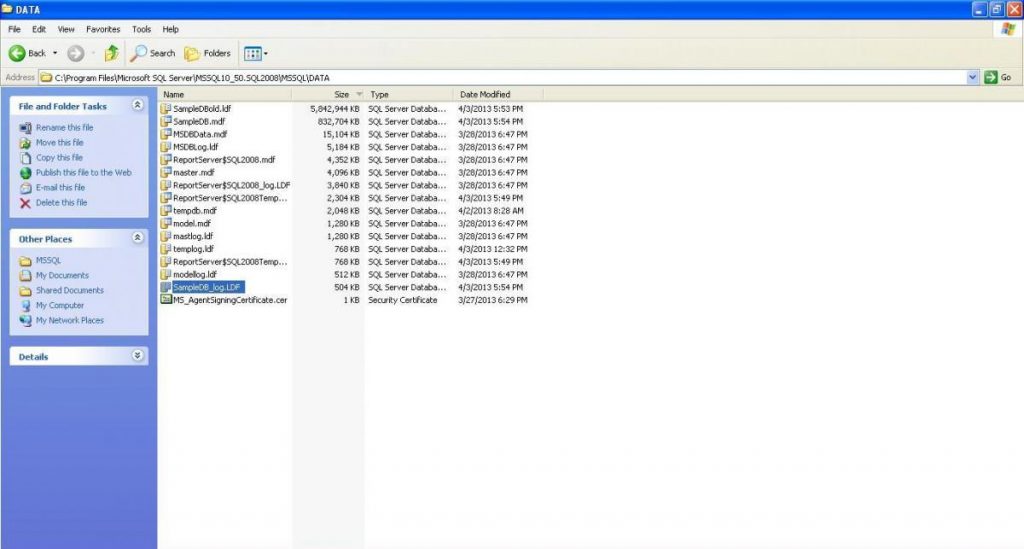
3. Delete or rename the big log file (path:C:\Program Files\Microsoft SQL Server\MSSQL10_50.MSSQLSERVER\MSSQL\DATA)
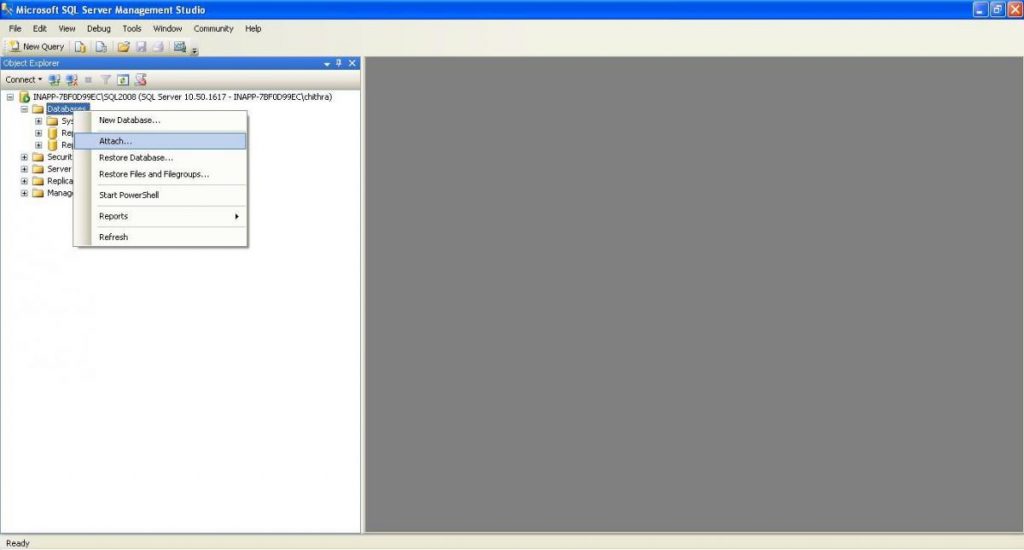
4. Attach the database again
Right-click Databases => Attach
On Attach Database box, click Add…
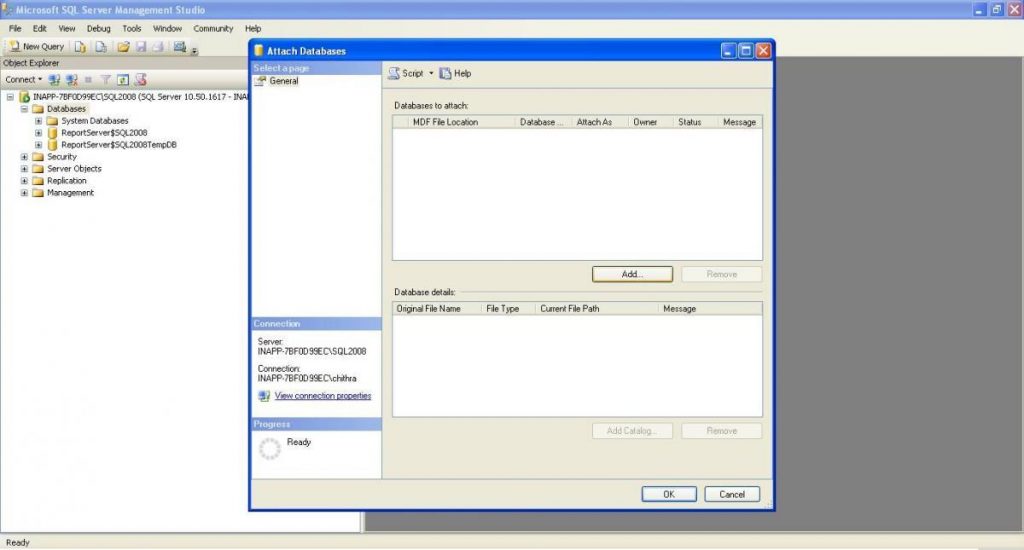
Browser to the database (.mdf) file then click OK
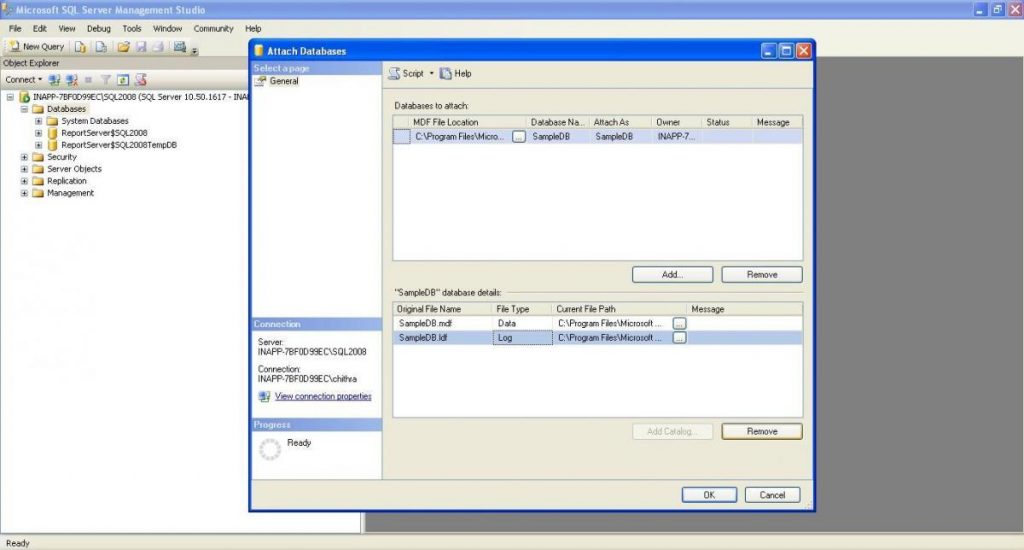
Select the log (.ldf) file then click Remove
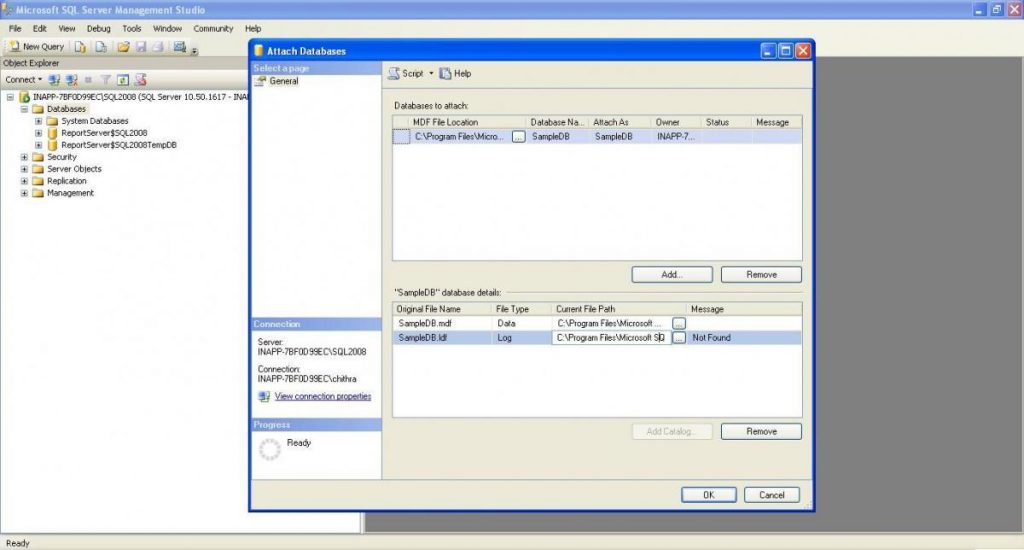
Finally, click OK.
You can see the new log file with the minimum size.
Have questions? Contact the technology experts at InApp to learn more.