
Ethical Considerations in AI Development – Importance of Responsible AI Practices
AI’s rapid growth has significantly impacted diverse facets of our society, ranging from business operations to healthcare. Its integration has streamlined processes, enhanced decision-making, and even enabled personalized experiences. However, this expansion has raised ethical concerns that warrant careful consideration. What is Responsible AI & What Are its Significance? Responsible AI can be defined as a set of practices, processes, and development methodologies that ensure AI implementation is done ethically and with accountability. Just like how we follow rules and ethics, Responsible AI provides AI systems that do the same. Ultimately it all boils down to making AI systems fair, transparent, and safe. Considering the rapid proliferation of AI-enabled systems, Responsible AI carries immense significance because it’s like having a good babysitter for AI. Responsible AI prevents AI systems from having biases and guarantees AI treats everyone equally. It checks and corrects biases in the data used to train AI, ensuring that AI treats everyone equally and doesn’t make unfair decisions. Responsible AI makes AI’s decision-making process clear and understandable. With responsible AI, end users can see how AI arrives at conclusions, which builds trust. This transparency helps us spot any mistakes or biases and makes sure AI isn’t doing things we can’t understand. Responsible AI keeps AI in check by establishing guidelines and monitoring its behavior. It involves creating rules and ethical standards to prevent AI from engaging in harmful or unethical actions. Like a vigilant guardian, responsible AI constantly observes AI systems, ensuring they operate within these predefined limits. What are the Key Principles Guiding Responsible AI? Responsible AI development is guided by certain principles and practical guidelines. Here are some of the ethical and operational guidelines governing artificial intelligence‘s development and implementation. 1. Purpose AI systems should have a well-defined and socially beneficial objective that aligns with ethical values and societal goals. The principle of purpose ensures that AI is used for constructive and meaningful tasks, promoting positive outcomes for individuals and society as a whole. By establishing clear intentions for AI applications, we can prevent misuse, avoid harmful consequences, and ensure that AI technology contributes positively to various domains while respecting human values and well-being. 2. Transparency Transparency refers to the clarity and openness of AI systems in their decision-making processes. Ideally, the inner workings of an AI system, including how it processes data and arrives at conclusions, should be understandable and explainable to the end users. Transparent AI allows users to trace how and why specific decisions were made, which builds trust and accountability. It also helps identify and rectify any biases or errors in AI systems. 3. Explainability Explainability is a subset of transparency that focuses on making AI decisions interpretable by end users. An explainable AI system provides insights into the factors and data that influenced a particular decision, often in a way that is accessible and comprehensible to non-experts. This is crucial, especially in high-stakes applications like healthcare or finance, where understanding why AI made a particular recommendation or decision is essential for user trust and safety. 4. Accountability Accountability in AI relates to the expectation that designers, developers, and deployers will comply with standards and legislation to ensure the proper functioning of AIs during their lifecycle. It involves clear identification of those responsible for AI systems and their decisions. Accountability ensures that there are mechanisms in place to address any ethical, legal, or societal issues that may arise from AI’s behavior. This can include liability frameworks, ethical guidelines, and regulatory oversight. When AI systems cause harm or make questionable decisions, accountability allows for investigations, corrective actions, and, if necessary, legal consequences for those responsible. 5. Fairness Fairness in the context of Responsible AI means that AI should not discriminate against people based on attributes such as race, gender, age, or ethnicity. Fair AI ensures that the benefits and opportunities provided by AI are accessible to everyone, regardless of their background or characteristics. Achieving fairness involves carefully curating training data to avoid bias, using algorithms that are designed to mitigate discrimination, and continuously monitoring AI systems to detect and correct any unfair or biased behavior. 6. Robustness Robustness refers to the ability of an AI system to operate effectively and safely under various conditions. A robust AI system can handle noisy or incomplete data, adapt to changing environments, and avoid catastrophic failures. Robustness is essential because real-world situations are often unpredictable and can differ from the controlled conditions in which AI is trained. Robust AI systems can provide reliable performance and maintain safety even when faced with unusual or adverse circumstances. Responsible AI is a Necessity in AI Development In the face of AI’s rapid ascent and profound impact on our lives, it’s evident that ethical considerations are not just a theoretical concern but a practical imperative. As we conclude this exploration of ethical concerns accompanying AI’s rise, it becomes clear that addressing these concerns is essential for the responsible and sustainable development of AI technologies. AI’s remarkable capabilities, from personalized recommendations to medical diagnostics, hold immense potential to improve our lives. However, without the ethical compass provided by principles like Responsible AI, we risk steering into turbulent waters. As we navigate this ever-evolving landscape of AI’s influence on our world, let us carry forward the principles of Responsible AI, fostering a future where technology and humanity coexist harmoniously! If you have any AI development requirements or need guidance on implementing Responsible AI practices, don’t hesitate to get in touch with us. Your responsible AI journey begins here.
The Low-Code Revolution in Software Development

With the demand for digital transformation at an all-time high, businesses are on the lookout for means to accelerate their software development lifecycle. Amidst this backdrop, low-code development has emerged as a revolutionary technology in the software development landscape. Unlike traditional software development processes, Low-Code uses an intuitive model-driven interface, enabling users to construct applications seamlessly with drag-and-drop functionality. Today the popularity of low-code is on the rise and is driving us toward a future where even those less acquainted with technology can craft their own software applications. Join us on an enthralling journey as we navigate the landscape of low-code software development! What is Low-Code Development? For the sake of understanding low-code development better, let’s consider an example. Imagine you plan on building a treehouse but you know nothing about carpentry. Though you have a clear idea of how the treehouse should look, you can’t build one from scratch because you are not a carpenter. And finally, you decide to build one by assembling the pre-made parts that are available in the market. Low-code development is similar to this. Just like how you didn’t have to build the treehouse from scratch, with low-code development you can build a software product by fitting together ready-to-use building blocks. The interesting part? You don’t need deep technical skills! In short, low-code development is a way to create software applications by connecting ready-made components using a visual interface (drag & drop) without needing to know all the nitty-gritty details of coding. How Does Low-Code Software Development Work? Low-code development is visual-based! Rather than a technical coding environment, low-code operates in a model-driven, drag-and-drop interface. It enables developers to build applications with minimal manual coding, relying more on visual interfaces and pre-built components. In low-code development, developers use a visual interface to design the application’s user interface, define workflows, and connect various data sources. Benefits of a low-code development to business owners Low-code application development has been gaining traction in the software development landscape due to its ability to rapidly build and deploy software applications — without the need for coding. Furthermore, it also offers a way to bridge the gap between IT and business teams by allowing non-technical stakeholders to contribute to the application design and development process. Here are some of the main benefits of low-code development to business owners. Low-code platforms come with pre-built components, automated code generation, and reusable elements ensuring quicker time-to-market for your products and solutions. Apart from this, low-code environments can manage complex workflows through visual tools, enabling quicker iteration and fostering collaboration among stakeholders. By streamlining the software creation process and reducing manual coding efforts low-code development reduces development costs. Apart from this, its visual interface and pre-built components, allow developers to create applications more swiftly, which translates to lower development costs. Before low code, software development required a team with expertise in programming languages. But now the tables have turned with the emergence of low-code which enables easier collaboration between business stakeholders and IT teams. This has paved the way for business owners to actively participate in the design process, ensuring the final application aligns closely with their business requirements. With low code, organizations can automate certain software development processes and use reusable components in the process. This in turn frees up resources that can be then used for more complex and strategic projects, enhancing overall productivity. Business owners and subject-matter experts can contribute to the development process without needing in-depth coding knowledge. This democratization of application creation foster cross-functional collaboration overcoming skill barriers. Considering the accelerated development cycle, low-code platforms can provide quick prototyping and iterative development. This can prove to be beneficial as it allows businesses to test concepts and gather feedback from stakeholders without completing the entire development. Applications built using low code often have standardized components and clear visual representations. This simplifies ongoing maintenance and updates, reducing the burden on IT teams. What Are The Limitations of Low-Code Development? Though low-code development simplifies and speeds up software development, they do pose challenges. Here are some of the limitations of low-code development. Low-code platforms simplify development but they struggle with highly complex or customized applications that demand intricate coding logic. For a better understanding, let us see the following example. Consider developing a complex application for a manufacturing company to optimize its supply chain. This application has to integrate with the existing ERP systems, perform real-time analytics on production data, and provide customized reports for different departments. While low-code platforms can handle certain aspects of the application, such as creating user interfaces and basic workflows, they might struggle to integrate with the company’s complex ERP systems due to their unique data structures and APIs. The intricate data transformations and business logic required for real-time analytics might exceed the capabilities of the platform’s visual interface, necessitating custom coding. Scalability is a major concern in low-code development. Low-code platforms may have predefined architectural constraints that could hinder scaling. Their abstraction layers and pre-built components might not always align with the intricacies of high-demand scenarios. Additionally, as application complexity grows, the platform’s performance could degrade due to limitations in optimizing resource utilization. As mentioned previously, low-code development uses pre-built & reusable components to speed up development. While this reduces the time to market, it limits the extent of customization possible. The pre-built components and visual interfaces can sometimes restrict the level of customization achievable in applications. This can be particularly relevant in industries where tailored solutions are often essential. In low-code software development vendor lock-in refers to a scenario where a business becomes heavily reliant on a specific low-code platform or provider for building and maintaining their applications. This dependency can potentially limit the business’s ability to easily switch to a different platform or vendor in the future. If the need arises to transition to a different platform due to changing requirements, technology advancements, or strategic shifts, the process can be challenging and costly. It might involve rewriting code, reconfiguring workflows, and retraining teams.
Progressive Web Apps (PWAs) and Their Impact on User Experience

Over the past few years, a new trend has emerged in the IT landscape. Companies from startups to large-scale enterprises are moving away from purely native applications to the realm of progressive web applications (PWA). The primary reason for this shift is the compelling user experience benefits offered by PWAs. Because PWAs offer features like seamless offline access, faster load times, and cross-device compatibility, they have gained attention as they bridge the gap between the responsive nature of websites and the performance of native apps This article will discuss in detail progressive web apps and their impact on user experience. What are Progressive Web Apps? Progressive Web Apps (PWAs) are web applications that offer a seamless, app-like experience to users. They are a perfect amalgamation of web pages and mobile applications, providing users with the best of both worlds. Progressive Web Apps (PWAs) offer seamless offline access, swift loading, and device compatibility, enhancing user experience by combining the best of websites and native apps for modern interactions. However, PWAs are not without limitations and trade-offs. Some main limitations of PWAs include limited access to certain device features, potentially slower performance on low-end devices, and less discoverability compared to native apps on app stores. Additionally, not all browsers fully support all PWA features uniformly, leading to inconsistent experiences across different platforms. How are Progressive Web Apps Different From Native Apps? While Progressive Web Apps (PWAs) and native apps have distinct characteristics, they can be challenging to differentiate at times. Here are some of the main differences between a native app and a progressive web app. 1. Installation and Accessibility Native apps are downloaded and installed from app stores, whereas Progressive Web Apps (PWAs) are accessed through web browsers, eliminating the need for installation and enabling instant access. Some popular examples of progressive web apps include Uber and Instagram. 2. Platform Dependence Native apps are developed specifically for one platform (e.g., iOS or Android), requiring separate versions for different platforms. Whereas, PWAs are built using web technologies and can run on any platform with a compatible browser. 3. Offline Functionality Native apps can often function offline with pre-downloaded content and features. PWAs use caching to offer limited offline capabilities, but native apps generally provide a more seamless offline experience, accessing stored data and enabling full functionality even without an internet connection. 4. Storage Space Native apps need storage space on your system as you have to download and install them before you can use them. Whereas, progressive web apps can be accessed by visiting the app’s website. For example. Uber! 5. User Experience From a UX perspective, native apps outperform progressive apps because they are developed specifically for a particular platform and can take full advantage of the device’s hardware and APIs. This results in smoother animations, faster response times, and optimized graphics. However, advancements in browser capabilities and optimization techniques have narrowed this performance gap, allowing PWAs to deliver satisfying user experiences on modern devices. Role of Progressive Web Apps in Improving User Experience Progressive Web Apps (PWAs) play a significant role in improving user experience by offering users the best of both web and mobile app technologies. They provide a seamless, fast, and engaging experience to users across different devices and platforms. Here are some key ways in which PWAs contribute to enhancing user experience: 1. Responsive Design PWAs are inherently responsive as they are designed to adapt to various screen sizes and orientations. This means users can have a consistent and optimized experience whether they’re using a smartphone, tablet, laptop, or desktop. By dynamically adjusting content and layouts, progressive web apps deliver seamless user interactions across devices, enhancing engagement and accessibility. 2. Offline Access PWAs are built to cache and serve content. This means when a user is offline or in a low-network condition PWA can still cater to them. They use service workers to cache essential assets, allowing users to access content and perform tasks even when they’re not connected to the internet. This is particularly beneficial for users in areas with poor connectivity. 3. Fast Loading PWAs are designed to load quickly, which is crucial for retaining user interest and reducing bounce rates. Service workers pre-cache assets and the app shell architecture ensures that the basic UI structure loads almost instantly, providing users with immediate interaction. 4. Smooth Navigation PWAs offer smooth and responsive navigation, resembling the experience of native apps. Transition animations, gestures, and other interactive elements contribute to a more enjoyable and polished user experience. 5. Push Notifications PWAs can send push notifications to users, even when the app is not open. This capability enables real-time communication and engagement, allowing businesses to notify users about updates, promotions, or other relevant information. 6. App-Like Experience PWAs can be added to the home screen of a user’s device, providing an app-like icon and appearance. This reduces the friction between accessing a website and installing a native app, resulting in higher user engagement and retention rates. 7. Security PWAs are served over HTTPS, ensuring data privacy and security for users. This is especially important when handling sensitive information or conducting transactions within the app. 8. No Installation Required Unlike traditional mobile apps, PWAs do not require installation from an app store. Users can simply access the PWA through a web browser. 10. Cross-Platform Compatibility PWAs are designed to work on various platforms and devices, reducing the need for separate development efforts for different platforms (iOS, Android, desktop). This streamlines development, maintenance, and updates. 11. Lower Data Usage The efficient use of caching and data management in PWAs can lead to lower data usage, which is particularly advantageous for users with limited data plans or in regions with expensive data costs. In short, Progressive Web Apps bridge the gap between traditional websites and native mobile apps, providing an enhanced and inclusive user experience that combines speed, offline access, interactivity, and engagement. This can lead to increased user satisfaction, longer session times, and improved conversion rates for businesses and organizations.
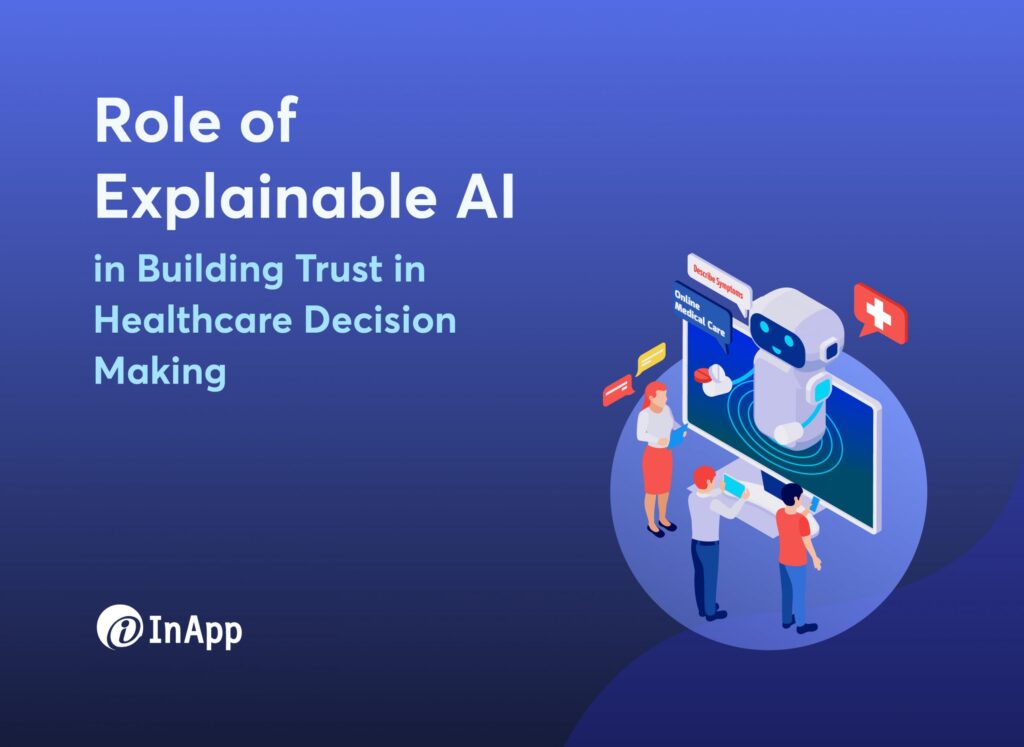
Role of Explainable AI in Building Trust in Healthcare Decision Making
In the world of healthcare where expectations are at an all-time high, advanced technologies like Artificial Intelligence (AI) hold the promise of revolutionizing the industry. According to a study conducted by GE HealthCare among clinicians in the US, 60% of respondents supported the idea of integrating advanced technologies to address the challenges of improving productivity, diagnosis, and patient outcomes. Though AI has the potential to effectively address these challenges, it is still not widely used due to clinicians’ lack of trust in AI data. The study revealed 74% of the clinicians in the US had concerns with lack of transparency, risk of overreliance, legal and ethical considerations, and limited training data of AI systems used in healthcare. In healthcare, practitioners can’t blindly trust an AI system when it comes to treatment decisions as they should be able to justify their treatment decisions to both patients and colleagues. Because traditional AI systems fail to offer this ‘explainability,’ it is hindering their acceptance and implementation. This is where explainable AI comes into the picture as a solution to overcoming the trust barrier in healthcare. Unlike traditional systems, explainable AI empowers clinicians with the capability to understand the reasoning behind AI-generated recommendations, ensuring accountability and fostering a sense of confidence in adopting AI technology. In this blog post, we will explore the critical role of explainable AI in building trust and bridging the gap between embracing advanced technologies like AI in healthcare decision-making. The Rise of AI in Healthcare Landscape Source: Report published by NCBI Though there is reluctance among medical practitioners in embracing AI, the growth of Artificial Intelligence (AI) in healthcare has been nothing short of revolutionary over the past few years. Medical Imaging One of the most notable areas where AI has made a significant impact is medical imaging. AI-powered algorithms have demonstrated exceptional performance in analyzing radiological images, such as X-rays, MRIs, and CT scans. For instance, in 2020 an AI model developed by Google Health outperformed human radiologists in detecting breast cancer from mammograms (source). This breakthrough highlights the potential of AI to augment and assist healthcare professionals in providing more accurate and timely diagnoses. Drug Discovery & Development Another area where AI is making a difference is drug discovery and development. Traditional methods of drug discovery are time-consuming and costly, often taking years to bring a new drug to market. AI algorithms can analyze vast amounts of biological data and identify potential drug candidates in a fraction of the time. For example, Insilico Medicine, a biotech company, used AI to design a novel drug for fibrosis, a condition with limited treatment options and succeeded in developing a potential drug candidate in just 46 days (source). Disease Prediction & Prevention AI’s potential in healthcare extends to disease prediction and prevention as well. Machine learning algorithms can analyze patient data to identify patterns and risk factors for various conditions. For instance, researchers at the University of Pennsylvania developed an AI algorithm that predicted sepsis onset in patients hours before clinical symptoms appeared, allowing for early intervention and potentially saving lives (source). As AI continues to advance and be integrated into various aspects of healthcare, it has the potential to make healthcare more efficient, accurate, and accessible to all. However, the growth of AI in healthcare is not without challenges, such as ensuring patient data privacy, regulatory compliance, and ethical considerations. Despite these challenges, the trajectory of AI in healthcare remains promising, and its impact on patient outcomes and the healthcare industry, as a whole, is likely to be transformative in the years to come. How Can Explainable AI Overcome the Lack of Transparency in Healthcare Decision Making with Traditional AI Systems? Traditional AI models used in healthcare often operate as ‘black boxes,’ making complex decisions without providing an explanation for their outputs. This lack of explainability raises concerns about the reliability, fairness, and ethical implications of AI-driven healthcare interventions. However, explainable AI offers a promising solution to this challenge by providing interpretable insights into the decision-making process. Explainable AI employs sophisticated algorithms and methodologies that allow it to generate transparent and interpretable explanations for its predictions and recommendations. This transparency is crucial in building trust between healthcare providers, patients, and AI systems. For healthcare professionals, explainable AI offers insights into the underlying features and data points that influenced the AI system’s decision. This transparency enables clinicians to validate the accuracy and clinical relevance of AI-generated insights, making them more confident in incorporating AI-driven recommendations into their decision-making process. By revealing the reasoning behind AI decisions, researchers and clinicians can identify and mitigate potential biases or errors in the AI model’s decision-making process. Other than these benefits, explainable AI also empower patients to be active participants in their healthcare journey. With the clear explanations provided by the AI system, patients can gain a deeper understanding of their medical conditions. This understanding enables patients to make more informed decisions about their healthcare options and fosters trust in the AI system. Future of Explainable AI in Healthcare The future of explainable AI in the healthcare landscape is poised to be transformative. As AI technologies are evolving, the demand for transparency and trustworthiness in AI-driven healthcare solutions will only grow stronger. One significant trend is the integration of explainable AI into clinical decision support systems. Healthcare providers can benefit from real-time, transparent insights into AI-generated diagnoses and treatment plans, aiding them in making more accurate and personalized decisions for patients. Explainable AI will enhance clinicians’ confidence in adopting AI systems, ultimately leading to improved patient outcomes. Another promising area is the application of explainable AI in medical research and drug development. Researchers can use interpretable AI models to gain deeper insights into complex biological processes and identify potential therapeutic targets more efficiently. The transparency offered by explainable AI will facilitate the validation of AI-generated hypotheses, accelerating the pace of medical breakthroughs. Moreover, explainable AI will play a crucial role in addressing regulatory and ethical challenges in healthcare. As AI-driven technologies become more
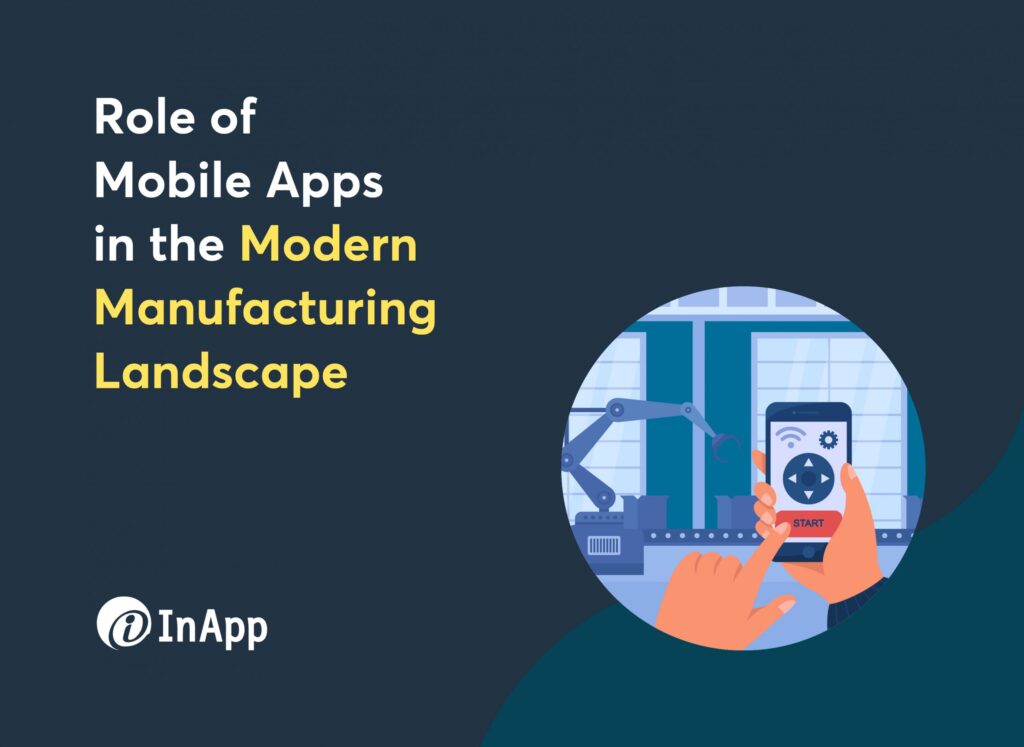
Role of Mobile Apps in the Modern Manufacturing Landscape
The global mobile application market size was valued at USD 206.85 billion in 2022 and is expected to grow at a CAGR of 13.8% from 2023 to 2030 (source). These winds of change have hit the manufacturing industry too. Today, mobile apps are spearheading the revolution that is transforming the manufacturing landscape tremendously. Mobile applications are redefining the way manufacturing processes are executed, monitored, and optimized, leading to heightened efficiency, productivity, and cost-effectiveness. With the availability of specialized manufacturing apps increasing, industries worldwide are embracing this technological revolution to stay ahead of the competition and drive unprecedented progress in their production capabilities. In this article, we will have a deep dive into how the manufacturing industry is harnessing the power of mobile apps to propel it into a promising era of heightened productivity and sustainable growth. Advantages of incorporating mobile apps in the manufacturing landscape Mobile apps have emerged as a game-changer in the manufacturing sector, revolutionizing traditional processes and enhancing overall operational efficiency. Here are the key advantages of incorporating mobile apps in the manufacturing landscape: 1. Real-time Data Access and Analysis The biggest advantage of having a mobile app is instant access to critical production data, supply chain information, and real-time analytics. Stakeholders can monitor production metrics, inventory levels, and quality control parameters on the go, facilitating swift decision-making and proactive issue resolution. This ability to analyze data on mobile devices empowers manufacturing teams to identify inefficiencies, predict maintenance requirements, and optimize workflows for continuous improvement. 2. Improved Communication and Collaboration Mobile apps foster seamless communication and collaboration among different stakeholders in the manufacturing ecosystem. From workers to managers, suppliers, and customers, everyone can stay connected through chat functionalities, notification systems, and shared document repositories, ultimately driving higher productivity and customer satisfaction. 3. Enhanced Inventory Management: With mobile apps business owners, logistic managers, and other stakeholders can do real-time tracking of inventory levels, materials usage, and supply chain movements. This increased visibility ensures that the right materials are available at the right time, minimizing stockouts and reducing excess inventory costs. Apart from these, mobile apps with predictive inventory algorithms can optimize procurement processes, helping manufacturers maintain optimal stock levels and avoid production bottlenecks. 4. Remote Monitoring and Maintenance Mobile apps that come integrated with IoT allow remote monitoring and control of manufacturing equipment and machinery. Engineers and maintenance teams can receive alerts and diagnostic data on their mobile devices, facilitating proactive maintenance and minimizing downtime. Predictive maintenance capabilities also help prevent unexpected breakdowns, extend equipment lifespan, and reduce maintenance costs. 5. Increased Workforce Productivity Unlike traditional processes, mobile apps provide workers with instant access to work instructions, training materials, and troubleshooting guides. Employees can easily report issues and receive real-time feedback, reducing the need for manual paperwork and enhancing overall workforce productivity. Training and onboarding processes can also be streamlined through mobile apps, ensuring a skilled and efficient workforce. Mobile apps have become indispensable tools in the manufacturing sector, driving efficiency, agility, and competitiveness. As technology continues to evolve, embracing mobile app solutions will remain a key factor in transforming the manufacturing landscape and staying ahead in the ever-evolving global market. Role of Mobile Applications in Lean Manufacturing Lean manufacturing is a production philosophy that focuses on maximizing efficiency and eliminating waste in all aspects of the manufacturing process. Rooted in the Toyota Production System, it aims to optimize resources, minimize inventory, and deliver high-quality products to customers with the shortest possible lead time. Here is how mobile apps facilitate lean manufacturing. 1. Giving Access To Real-Time Data Mobile apps act as indispensable tools in lean manufacturing by providing real-time data access and analysis. With mobile devices in hand, employees and stakeholders can instantly access critical production data, performance metrics, and process information. 2. Improved Communication & Collaboration Efficient communication and collaboration are vital for lean manufacturing, and mobile apps excel in fostering seamless interaction among team members. These apps facilitate quick and effective communication, enabling workers to share ideas, discuss challenges, and implement continuous improvement initiatives. 3. Enhanced Inventory Management Mobile apps also contribute significantly to inventory management in lean manufacturing. With real-time inventory tracking, workers can access material availability instantly, ensuring the right parts are available at the right time. This minimizes inventory holding costs, reduces the risk of stockouts, and optimizes production schedules, aligning perfectly with Lean’s emphasis on waste reduction. 4. Democratization of Workforce Training Lean manufacturing thrives on a well-trained and empowered workforce. Mobile apps provide an ideal platform for delivering training materials, standard work instructions, and visual aids to workers, ensuring they have the knowledge and resources needed to execute their tasks efficiently. These apps also enable easy tracking of employee performance and enable rapid feedback, allowing for immediate adjustments and improvements. Mobile Applications – The Way Forward With mobile apps, the manufacturing industry is experiencing a transformation that fosters innovation and competitiveness. As mobile app developers continue to push the boundaries of innovation, the manufacturing sector is primed to witness even greater advancements in automation, data analytics, and interconnected smart systems, ushering in a new era of transformative possibilities. If you are planning to invest in a mobile application for your manufacturing business, get in touch with us!
From Code to Confidence: DevOps Services and Effective Software Security Testing

Adopting DevOps practices is now the norm for rapid and efficient software deployment. However, amidst the rush to meet deployment deadlines, security concerns often take a backseat, leaving software vulnerable to potential cyber threats. In a recent study, it was estimated that people lost about 27.6 million in the past five years from cybercrime. This is where the significance of embedding software security testing into the DevOps CI/CD pipeline comes in. By integrating security testing throughout the development lifecycle, the chances of security issues slipping into production can be drastically reduced. In this blog post, we will explore the significance of incorporating comprehensive security testing in the CI/CD pipeline and how it fortifies the confidence of end-users and stakeholders. Let’s dive into the world of DevOps and Software Security to ensure code and confidence go hand in hand! DevOps in a Nutshell DevOps, short for Development and Operations, is a set of practices designed to bridge the gap between software development and IT operations. Unlike traditional methods, DevOps promotes a more collaborative and integrated approach to the entire software development lifecycle. One of the primary roles of DevOps is to streamline collaboration between development and operations teams. In the traditional method, the different teams involved in software development operated in silos leading to communication gaps, conflicts, and inefficiencies. With DevOps it fosters shared responsibility and accountability, encouraging developers and operations professionals to collaborate closely throughout the software development lifecycle. By breaking down the barriers between developers and operations professionals, DevOps fosters a shared understanding of goals and requirements, leading to more effective problem-solving and faster issue resolution. Through automation, integration, and improved communication, DevOps empowers organizations to accelerate their software delivery, achieve higher efficiency, and respond to customer needs rapidly, thereby gaining a competitive edge in the fast-paced technology landscape. For more information on DevOps and its role in digital transformation, here is an article. Challenges of Integrating Security into the DevOps Process The modern software development process is dynamic and fast-paced often leading to integrating security into the DevOps process challenging. Need for a cultural shift One of the primary challenges is the cultural shift required to prioritize security as an integral part of the development workflow. Traditionally, security has remained an afterthought that is addressed separately from development. This often leads to scenarios where potential vulnerabilities are discovered only during deployment or after the software has been released. Speed of Development Speed of development in a DevOps environment is another challenge in integrating security. Continuous integration (CI) and continuous deployment (CD) demand rapid changes, which can leave little time for comprehensive security assessments. This fast-paced nature increases the risk of introducing vulnerabilities into the codebase, as security measures may be bypassed or not given enough attention. Difference in Priority Furthermore, security teams and developers often have different priorities, tools, and processes. Integrating these distinct functions seamlessly requires coordination and a shared understanding of security requirements, which can be challenging without proper communication and collaboration channels. Considering these challenges and to ensure security is embedded in the entire software development lifecycle, the concept of DevSecOps emerged. DevSecOps – The Key to Embedding Security in Software Development Lifecycle DevSecOps, which stands for Development, Security, and Operations, aims to combine security practices with DevOps to create a more holistic and proactive approach to security. In DevSecOps, security is no longer an isolated step but is integrated into every stage of development and deployment. By leveraging automated security tools and incorporating security testing into the CI/CD process, DevSecOps helps identify and address vulnerabilities early in the development cycle, reducing the risk of security flaws making their way into production. With DevSecOps, there exists a culture of shared responsibility, where security becomes everyone’s concern rather than just the security team’s responsibility. Developers, operations personnel, and security professionals collaborate closely to understand and address security concerns throughout the development process. Implementing Software Security Testing with DevOps Services Implementing software security testing with DevOps services is crucial to building secure and reliable software applications. DevOps, with its emphasis on continuous integration and continuous delivery (CI/CD), ensures security is not an afterthought but a core component of the process. Here’s how organizations can implement software security testing with DevOps services: 1. Automation and Continuous Testing: DevOps promotes automation, and this extends to security testing. Organizations can use various automated security testing tools that perform static code analysis, dynamic scanning, and vulnerability assessments. By integrating these tools into the CI/CD pipeline, security tests can be run automatically with every code commit, ensuring that security checks are an integral part of the development process. 2. Collaboration and Communication: DevOps fosters collaboration between development, operations, and security teams. Regular communication and joint efforts are essential for implementing security testing effectively. Security experts can work closely with developers to understand the application architecture and potential risks, while developers can learn best practices for writing secure code. 3. Shift-Left Security: In a DevOps approach, security testing is addressed early in the development cycle. This prevents security issues from piling up and becoming more challenging to fix later. 4. Threat Modeling: DevOps teams can conduct threat modeling exercises to identify potential attack vectors and design security measures accordingly. This proactive approach helps prioritize security efforts and allocate resources efficiently. 5. Continuous Monitoring: Implement continuous monitoring of applications and systems in production. DevOps services can integrate security monitoring tools to detect and respond to security incidents promptly. Organizations can effectively reduce the risk of security breaches and data compromises by incorporating software security testing into the DevOps pipeline. Early detection and remediation of security vulnerabilities prevent costly post-release fixes and potential damage to the organization’s reputation. To Sum Up In today’s highly competitive digital landscape, creating reliable and secure software products is paramount for organizations’ success. However, with the ever-increasing cybersecurity threats, creating secure software is equally essential. By incorporating security testing throughout the development lifecycle, organizations can proactively identify and address vulnerabilities, reducing the risk of data breaches and potential financial losses. A cohesive DevSecOps approach
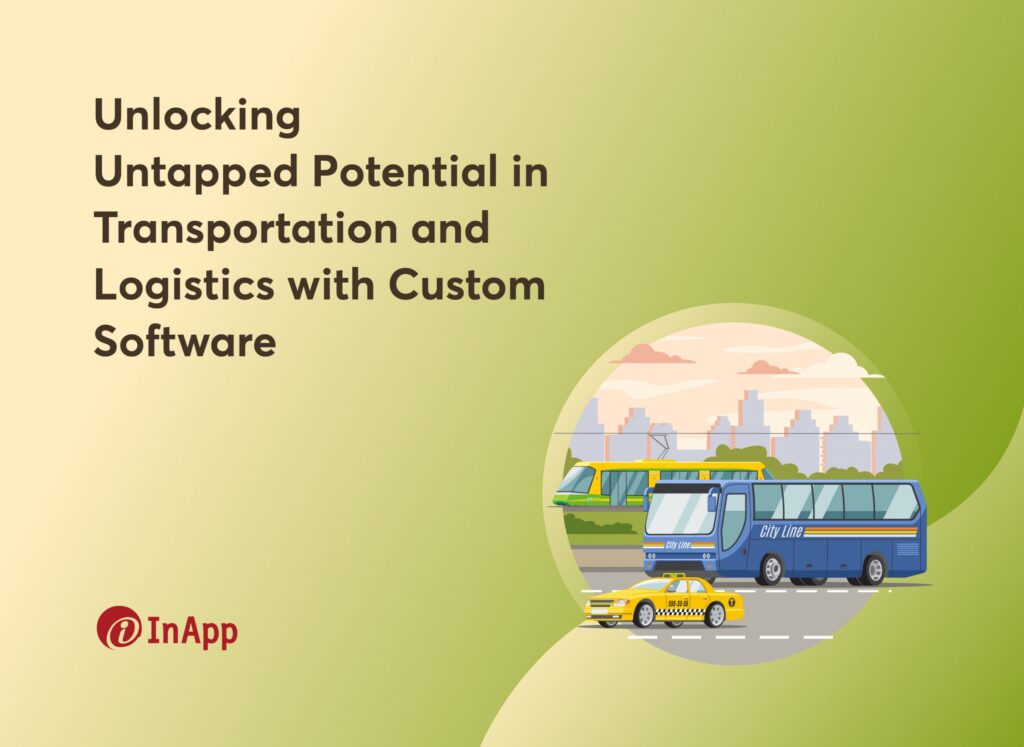
Unlocking Untapped Potential in Transportation and Logistics with Custom Software
In a recent IT spending study, the transportation industry spent a staggering USD 660.8 billion on IT solutions in 2018. With growing investments in infrastructural development and more start-ups focused on developing mobility solutions, this number is projected to grow at a CAGR of 7.7% through 2028. With the urban population expected to double by 2050, workforce mobility becomes even more crucial, and the transportation sector is expected to witness an even higher surge in demand. Governments worldwide are investing time and resources in building better transportation networks. Rising investments in infrastructural development stand as a prominent catalyst that’s fueling IT spending in the transportation industry. In this dynamic landscape, custom software solutions provide transportation companies with the means to stay competitive, enhance operational efficiency, and deliver an exceptional experience to their customers. Challenges Faced by the Transportation Industry From rising operational costs and complex logistics to increasing customer expectations and the need for sustainability, transportation, and logistics companies must navigate a rapidly evolving landscape to remain competitive. The industry today faces a multitude of challenges that require innovative solutions. 1. Increasing Operational Cost Skyrocketing operational costs have been troubling the transportation and logistics industry for ages from a software point of view. While off-the-shelf or plug-and-play software solutions may seem convenient, they are often the culprits in escalating costs. These pre-packaged solutions may not align perfectly with the specific requirements and intricacies of your operations, resulting in inefficiencies, workarounds, and additional expenses. 2. Limited Visibility & Tracking Generic software solutions used by the transportation industry struggle to provide the necessary customization and integration required for real-time visibility and comprehensive tracking. These limitations often lead to difficulty in efficiently monitoring assets, managing shipments, and ensuring end-to-end visibility across the supply chain. Apart from these, off-the-shelf software commonly used in the industry also fails to address the industry-specific complexities and unique operational requirements, resulting in inefficiencies and potential disruptions. 3. Inaccurate Demand Forecasting Inaccurate demand forecasting can have a detrimental impact on operational efficiency and resource allocation. It can also result in overestimation or underestimation of customer demand, leading to inefficient use of transportation assets, improper route planning, and inventory imbalances. In turn, that leads to increased costs, missed delivery deadlines, and dissatisfied customers. 4. Ineffective Communication and Collaboration According to the latest research published by The Harris Poll, businesses lose USD 1.2 trillion due to ineffective communication. In a complex transportation network involving multiple parties such as carriers, shippers, suppliers, and customers, effective communication is crucial to ensure smooth workflows and timely information exchange. Overcoming this challenge requires implementing robust communication channels, standardized protocols, and collaborative platforms that facilitate seamless information exchange and real-time collaboration among all stakeholders involved in the transportation process. Benefits of Custom Software Solutions in Transportation Custom software solutions offer significant benefits to the transportation industry by providing tailored solutions that address industry-specific requirements. 1. Enhanced Efficiency Custom software platforms streamline operations by automating manual processes, such as order management, routing, and inventory control. It eliminates redundant tasks, reduces human error, and improves overall operational efficiency. The software can be designed to fit seamlessly into your existing workflows, thereby minimizing delays. 2. Improved Visibility and Tracking Custom solutions can be built to seamlessly integrate with your existing tracking systems, GPS technology, and real-time data feeds, offering enhanced visibility and tracking capabilities. Real-time information also allows proactive decision-making to minimize disruptions and ensure on-time deliveries. 3. Cost Optimization Tailored software solutions enable efficient resource allocation by optimizing routes, scheduling deliveries, and managing inventory. Data analytics help companies identify cost-saving opportunities, such as lower fuel consumption, improved fleet utilization, and reduced logistics costs. 4. Tailored to Industry-Specific Needs While off-the-shelf software may be cheaper initially, it may not fully meet the unique requirements of the transportation industry. Custom software solutions, on the other hand, are designed specifically to address industry-specific challenges by incorporating features such as load optimization, compliance with transportation regulations, and integration with third-party logistics providers. 5. Scalability and Flexibility Scalability enables custom software to handle an increasing workload or number of users while maintaining its performance and responsiveness. This flexibility can accommodate future growth and changing business needs as your organization adapts to evolving market dynamics. 6. Integration and Collaboration Custom software facilitates seamless integration with other systems and technologies, such as ERP systems and warehouse management systems. It enables effective communication and collaboration among stakeholders, including drivers, dispatchers, suppliers, and customers, improving overall coordination and customer satisfaction. Conclusion In conclusion, building a custom software solution for your transportation and logistics business is of utmost importance and highly recommended. By investing in a custom software solution, you can streamline operations, improve efficiency, and reduce costs. Additionally, custom software solutions are specifically tailored to meet your industry-specific requirements. They can be customized to integrate with your existing systems, adapt to your changing business needs, and scale along with your company’s growth. In today’s fast-paced environment, relying on off-the-shelf solutions or manual processes can hinder growth and competitiveness. By investing in a custom software solution, businesses can unlock their full potential, streamline operations, and achieve sustainable success in the dynamic logistics industry. If you need a custom software solution to address your specific business needs and challenges, we are here to help. Our team of experts specializes in developing tailored software solutions for the transportation and logistics industry. Talk to our team today.
Is it Time to Outsource Software Development? Here are 5 Key Indicators that you must look for

With customer and market demands growing at an unprecedented rate, businesses are forced to remain competitive and innovative. According to Gartner, despite global economic turbulence worldwide IT spending is projected to total $4.6 trillion in 2023, an increase of 5.5% from 2022. As organizations recognize the significance of staying technologically up-to-date, they are increasingly considering outsourcing as a strategic option. Outsourcing software development allows businesses to tap into a global talent pool, access specialized skills, and leverage external expertise, all while optimizing costs and accelerating time-to-market. Therefore, amidst the mounting pressure to innovate and deliver cutting-edge solutions, outsourcing emerges as a compelling choice for businesses seeking to navigate the complex software development landscape efficiently and effectively. In this blog, we will discuss the 5 key indicators you must look for as a business owner to make informed decisions to outsource your software development needs. 5 Key Indicators That Signal the Need to Consider Outsourcing Software Development When it comes to outsourcing software development, making decisions based solely on financial considerations isn’t recommended. Instead, financial consideration must be the only one among the consideration. Sometimes, prioritizing quality and long-term profitability is paramount. To determine whether outsourcing software development is the right move for your organization, it’s essential to consider various factors that extend beyond the dollars and cents. So, let’s dive in and discover the signals that suggest outsourcing software development might be the right path for your business. 1. Resource Constraints – You Need Resources With the Right Talent In most cases, spending thousands of dollars on hiring, training, and building a new team is not a wise decision. As per a report published by Gallup, The cost of replacing an individual employee can range from one-half to two times the employee’s annual salary. Imagine building an entire team from scratch to create a new product for your business, and realizing at a certain point that this endeavor is not going to succeed. Such a misguided decision can result in astronomical financial losses, potentially costing you millions of dollars. However, by considering outsourcing as an alternative, you can mitigate these risks. Outsourcing grants you access to a talented team of professionals, often at a significantly lower cost, allowing you to sidestep the burdens of team management and operational concerns. With outsourcing, you can rest assured knowing that your project is in the hands of experienced experts who will handle all aspects, freeing you from unnecessary worries. 2. Scalability – You Need to Scale Up a Project at a Short TAT There are instances where the demand for your project rapidly surges, causing it to balloon in size. In such scenarios, outsourcing can prove invaluable. Rather than grappling with the challenges of hiring, training, and maintaining a full-time workforce, outsourcing enables you to swiftly bring in a team of seasoned professionals. Leveraging their expertise, you can seamlessly scale your project while keeping your department’s long-term composition flexible. This approach allows you to adapt dynamically to evolving demands without the burden of managing a large in-house team. By tapping into the services of these experienced individuals, you gain the advantage of their specialized skills and knowledge, ensuring efficient and effective project expansion. As a result, outsourcing becomes a strategic choice that empowers your organization to navigate sudden spikes in demand, maintain operational agility, and drive sustainable growth. 3. Domain Expertise – Your Project Demands Specialized Skills When your project requires specialized knowledge or specific technical skills, outsourcing can become a lifesaver. It allows you to tap into the expertise of professionals with industry-specific experience. Opting for outsourcing in such cases presents a more prudent choice compared to taking chances with a new hire. By partnering with a seasoned outsourcing provider, you gain access to a talent pool that possesses the precise skills and domain expertise needed to excel in your industry or niche. This mitigates the risks associated with hiring and onboarding an individual who may not possess the required level of proficiency. Outsourcing ensures that your project receives the attention of professionals who have successfully tackled similar challenges in the past, offering a higher level of confidence and increasing the likelihood of achieving desired outcomes. By leveraging the specialized knowledge of outsourced professionals, you can navigate complexities with greater precision, optimizing project success and minimizing potential setbacks. 4. Financial Considerations – You Need to Reduce Your Overhead Expenses Outsourcing can be a lifesaver when you need to reduce overhead costs while ensuring professional results. Instead of shouldering the burden of maintaining an in-house team with associated costs like salaries, benefits, office space, and equipment, outsourcing allows you to leverage external resources at a fraction of the expense. This cost-effective approach ensures that you receive the desired level of expertise and proficiency from a team of professionals, all while maintaining financial efficiency. Whether it’s software development, UI/UX design, or software testing, outsourcing provides access to skilled specialists who can deliver the professional results you seek, while freeing up resources to allocate towards other critical business areas. 5. Time to Market – You Need a Quicker Time to Market There might be instances where there comes a pressing need to launch a software product quickly to capitalize on maximum market potential. When faced with such time-to-market pressures, outsourcing emerges as a viable solution. By leveraging outsourcing services, you can expedite the development process and ensure a swift product launch. Outsourcing grants you access to a dedicated team of professionals who specialize in rapid development cycles and possess the necessary expertise to meet stringent deadlines. Their experience in delivering projects efficiently and effectively allows you to navigate the complexities of accelerated timelines without compromising on quality. This approach will help you save valuable time and resources, enabling you to seize market opportunities swiftly and gain a competitive edge. With outsourcing, you can confidently streamline your software development process, ensuring a timely product launch while maximizing your chances for success in the fast-paced business landscape. To Sum up In conclusion, when considering whether it’s time to outsource
The Rising Influence of Artificial Intelligence in Healthcare
As technology continues to advance at an unprecedented pace, Artificial Intelligence (AI) in software development is changing the healthcare industry with the potential to improve patient care, enhance diagnostic accuracy, and streamline administrative processes. With its ability to process and analyze massive amounts of data in real time, AI has the power to revolutionize the way healthcare is delivered, transforming it into a more personalized, efficient, and proactive system. According to Statista, AI in healthcare was worth around $11 billion worldwide in 2021 and is estimated to reach $188 billion by 2030, increasing at a CAGR of 37% from 2022 to 2030. In this blog post, we will explore the exciting possibilities of AI and its applications in the healthcare industry. AI in Healthcare – Where Is It Used? AI is revolutionizing the healthcare industry via multiple applications. From diagnosis and treatment planning to patient monitoring and administrative tasks, businesses are turning to AI-powered systems to enhance healthcare delivery, improve patient outcomes, and streamline processes. Let’s explore the diverse applications of AI in healthcare. 1. Intricate Surgeries AI is playing a pivotal role in intricate surgeries, where robotic surgical procedures are transforming the field and saving lives. By combining the precision of robotic systems with the intelligence of AI algorithms, surgeons can perform complex procedures with enhanced accuracy and improved patient outcomes. AI assists in pre-operative planning by analyzing patient data, including medical imaging scans, to identify optimal surgical paths and target areas. During surgery, AI algorithms can provide real-time feedback, helping surgeons make informed decisions and navigate delicate anatomical structures. The integration of AI also enables the robotic surgical system to adapt to dynamic conditions, minimizing the risk of errors and complications. Additionally, AI-powered algorithms can analyze surgical data and outcomes, contributing to the development of best practices and continuous improvement. The use of AI in intricate surgeries holds potential benefits like shorter recovery times, reduced complications, and increased surgical precision — ultimately leading to lives saved and improved quality of care. 2. Fraud Detection AI is increasingly being employed in the healthcare industry to tackle the pervasive issue of fraud. With its ability to analyze vast amounts of data and detect patterns, AI-powered systems play a crucial role in fraud detection and prevention. These systems employ machine learning algorithms that learn from historical data and can identify anomalous behavior and suspicious patterns that may indicate fraudulent activities. AI can flag irregularities in billing, coding, and claims processing, allowing healthcare organizations to investigate and take appropriate action. By automating the detection process, AI reduces the reliance on manual reviews, which can be time-consuming and prone to errors. Furthermore, AI-driven fraud detection systems can continuously evolve and adapt to emerging fraud techniques, staying one step ahead of fraudulent activities. 3. Automation In the healthcare industry, AI has emerged as a powerful tool for automating repetitive tasks, streamlining processes, and improving overall efficiency. With its ability to analyze and interpret vast amounts of data, AI-powered systems can take over time-consuming and repetitive tasks, allowing healthcare professionals to focus on more complex and critical aspects of patient care. One area where AI automation has been particularly effective is administrative tasks. AI can handle appointment scheduling, patient registration, and billing processes, thereby reducing administrative burdens on healthcare staff and minimizing the chances of errors. This automation enables faster turnaround times, smoother workflows, and improved patient satisfaction. AI also plays a crucial role in data entry and analysis. By automatically extracting and organizing data from medical records, lab reports, and other sources, AI-powered systems eliminate the need for manual data entry, saving time and reducing the risk of transcription errors. Additionally, AI algorithms can analyze this data to identify trends, patterns, and insights that may otherwise go unnoticed, aiding in clinical decision-making and research. Furthermore, AI automation extends to tasks like inventory management, supply chain optimization, and even robotic process automation in surgical procedures. These advancements enhance operational efficiency, reduce costs, and improve patient outcomes. 4. Medical Research AI plays a significant role in advancing medical research and data analysis, revolutionizing the way healthcare professionals extract insights from vast amounts of data. By leveraging AI algorithms and machine learning techniques, medical researchers can accelerate the discovery process and make meaningful contributions to scientific knowledge. AI aids in data analysis by efficiently mining large datasets, including electronic health records, medical literature, and clinical trial data. These algorithms can identify patterns, correlations, and trends that may be difficult to detect through manual analysis alone. As a result, medical professionals can uncover valuable insights, identify risk factors, and discover potential treatment approaches. By combining patient data with AI algorithms, scientists can develop targeted therapies and identify patient populations that may benefit from specific interventions. Moreover, AI facilitates the identification and classification of rare diseases by analyzing medical images, symptoms, and genetic data. This information can lead to earlier diagnosis and improved outcomes for individuals affected by these conditions. 5. Remote Patient Management AI plays a crucial role in enhancing remote patient management by leveraging technology to monitor, analyze, and support patients outside of traditional healthcare settings. Through AI-powered devices and applications, remote patient management becomes more effective and efficient. AI enables continuous remote monitoring of patient’s vital signs, symptoms, and other health parameters through wearable devices or sensors. This real-time data collection allows healthcare providers to track patients’ health status and detect any abnormalities or changes promptly. AI can also assist in predicting disease progression and recommending appropriate treatment options based on patient data. Additionally, AI-powered chatbots and virtual assistants provide personalized support and education to patients remotely. They can answer questions, provide reminders for medication adherence, and offer guidance for self-care management. 6. Personalized Medicine AI plays a crucial role in advancing personalized medicine by leveraging algorithms and machine learning techniques to analyze vast amounts of patient data and provide tailored treatment approaches. AI algorithms can analyze diverse patient data, including genetic information, medical records, lifestyle factors, and treatment outcomes. By considering this comprehensive dataset, AI can identify patterns, correlations, and
The Surge of mHealth Apps: Over 65,300 on the Google Play Store and 54,000 on the Apple App Store. Are You Missing Out?

In today’s fast-paced world where smartphones have become an extension of ourselves, a notable trend has emerged – the rapid rise of mHealth apps. mHealth apps are revolutionizing the healthcare industry, empowering individuals to take control of their well-being like never before. With over 65,300 mHealth apps on the Google Play Store and 54,000 (source) on the Apple App Store (source), it’s clear that this digital wave shows no signs of slowing down. Why should you jump on this bandwagon and consider building your own mHealth app? The benefits are vast and far-reaching. Firstly, a mHealth app lets users access personalized healthcare resources anytime, anywhere. From tracking vital signs to monitoring medications and managing chronic conditions, these apps provide a seamless and user-friendly experience. Additionally, mHealth apps have the potential to enhance patient-doctor communication, thereby fostering a stronger and more collaborative relationship between healthcare providers and their patients. In this blog post, we will delve deeper into mHealth apps and explore why building your own should be a top priority. From the positive impact on patient care to the business advantages, let’s consider the potential of this digital revolution. What Are mHealth Apps? mHealth apps are mobile applications that focus on providing healthcare services and information through smartphones and other mobile devices. Although the term mHealth app is used broadly, these apps can be further classified based on their different purposes. 1. Fitness and wellness apps These apps focus on tracking physical activities, providing workout routines, monitoring nutrition, and promoting overall well-being. Some popular examples of fitness and wellness apps include Nike Training Club and Total Fitness. 2. Medication reminder apps As the name suggests, these apps send reminders to users to take their medications on time, ensuring adherence to prescribed regimens. These apps are especially useful for elderly people who tend to forget to take their medications on time. 3. Telemedicine apps These apps enable virtual consultations between healthcare providers and patients, allowing remote diagnosis, treatment, and monitoring. The telemedicine market was evaluated at USD 71.9 billion in 2022 and is expected to grow at 12.9% CAGR (source). Apart from the US, telemedicine apps are gaining traction across the world because of their ability to improve medical care in remote areas. 4. Women’s health apps Designed specifically for women, these apps track menstrual cycles, fertility, and pregnancy, and provide information on reproductive health. 5. Mental health and mindfulness apps: These apps offer tools and resources for managing stress, anxiety, and depression, as well as promoting mental well-being. Typical features include pre-recorded meditation sessions, breathing exercises, and more. Role of mHealth Apps in Patient Care mHealth apps play a crucial role in patient care by enhancing access to healthcare services, improving patient engagement, and facilitating better health management. Here are some key roles mHealth apps play in patient care. 1. Remote monitoring: By leveraging technologies like IoT, mHealth apps can be used to monitor vital signs, track symptoms, or manage chronic conditions. Healthcare providers can leverage these apps to remotely monitor their patient’s health status and intervene if necessary, reducing the need for frequent hospital visits. 2. Health information and education: mHealth apps provide users with valuable health information, educational resources, and personalized advice on various topics. Patients can access reliable medical content, understand their conditions better, and make informed decisions about their health. 3. Medication management: These apps help patients adhere to medication regimens by sending reminders, tracking medication intake, and providing dosage instructions. 4. Appointment scheduling and reminders: mHealth apps allow patients to conveniently schedule appointments, receive appointment reminders, and manage their healthcare calendars. 5. Telemedicine and remote consultations: Patients can engage in virtual consultations with healthcare professionals through mHealth apps. This capability enables timely access to medical advice, diagnosis, and treatment, especially for individuals in remote areas or with limited mobility. 6. Health tracking and goal setting: mHealth apps enable users to track their physical activity, sleep patterns, nutrition, and other health-related metrics. Patients can set health goals, receive progress updates, and make lifestyle changes to improve their well-being. How to Build a mHealth App Building a mHealth app involves a comprehensive process that requires careful planning, development, and implementation. This detailed overview explains how you should go about building a mHealth app 1. Define your objectives and target audience The first step involves identifying the specific needs of your target audience and understanding the problem your app aims to solve. You should conduct market research to gain insights into existing mHealth apps, their features, functionalities, and user feedback to identify gaps or opportunities for innovation. 2. Design the user interface (UI) and user experience (UX) As in the case of any application, UI and UX play a crucial role in your app’s success. You need to consider factors such as ease of navigation, accessibility, and responsiveness across different devices. Collaborate with designers and UX experts to design wireframes and prototypes that align with your app’s objectives and target audience’s preferences. 3. Develop the app Once the design is finalized, it’s time to bring your mHealth app to life. Hire an experienced healthcare software development company that specializes in mobile app development. Decide on the technology stack (programming languages, frameworks, etc.) based on your app requirements and the expertise of your development team. 4. Ensure data security and compliance Data security is of utmost importance in healthcare applications. Implement robust security measures to protect users’ personal health information (PHI) and comply with relevant data protection regulations, such as the Health Insurance Portability and Accountability Act (HIPAA), if applicable. 5. Integrate with external systems Depending on your app’s functionality, you may need to integrate with external systems such as electronic health records (EHR) or third-party APIs to access medical data or services. Ensure seamless integration by following industry standards and protocols for data exchange. Consider privacy and consent requirements when accessing or sharing sensitive patient information. 6. Test, refine, and deploy Thoroughly test your mHealth app for functionality, performance, and usability. Conduct alpha and beta testing with a select group of users, including