
3 Major Challenges Associated with Blockchain Solutions

Many companies are using Blockchain technology for the finance trade, healthcare, cloud storage, and cybersecurity. InApp is contributing its own with our blockchain solutions. Learn what are the three major challenges being faced by Blockchain Technology.
Text Analysis and ElasticSearch NLP
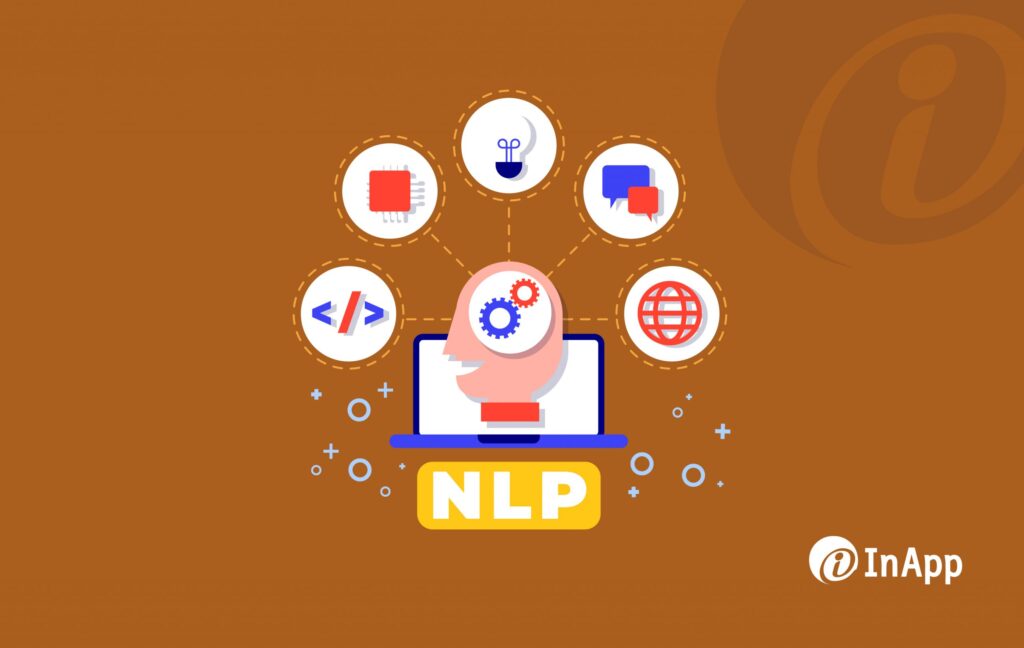
Natural Language Processing (NLP) has evolved greatly over recent years and it’s being widely used to understand and analyze human communication. Combined with Deep Learning, technology can categorize a user’s interest based on their language. For instance, when a foreign user updates a post in their native language, Facebook presents it with a “Translate” option for non-native speakers. Another great example of NLP in action is the voice assistants such as Alexa and Google Home. They have the ability to create a voice profile of the owner and can tell the difference between them and any newcomers. NLP helps these devices in identifying the language, slang, and sentence formation of each individual to differentiate between users. NLP is not just limited to voice assistants; it has several exciting potentials in multiple areas. used in more areas of interest than just as a voice assistant. Companies such as Airbnb and Uber use NLP in their search engine to enrich the user experience and narrow down the search results. ElasticSearch and Apache Solr are some of the most advanced search engines that make use of NLP by performing deep analysis of key phrases to understand the query better. For example, when the search engine encounters the word “ASCII”, NLP helps in identifying it as an Acronym which in turn optimizes the search results by arranging the desired information first.
Disruptive Technology in Manufacturing: Transforming the Industry
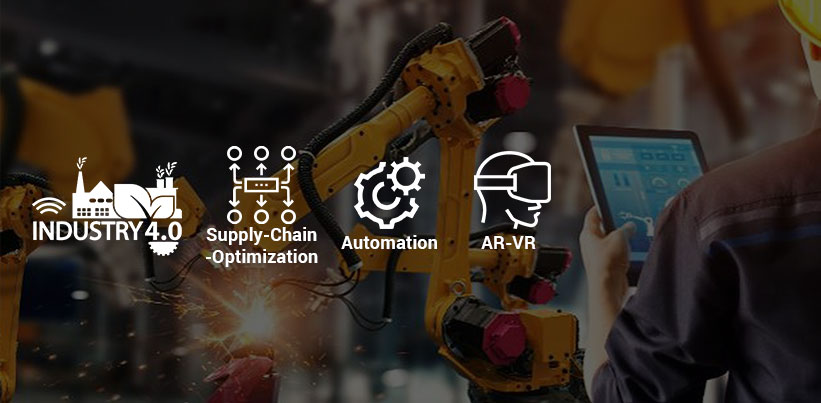
Disruptive technology is driving massive changes in multiple verticals across the world, from finance to healthcare. Surprisingly, manufacturing has only recently harnessed the latest digital innovations for greater efficiency, opportunities, and revenue. Digitization is no longer an option, manufacturers who are looking to stay ahead of the game must embrace digital transformation in the era of Industry 4.0. Disruptive technologies such as Artificial Intelligence (AI), Machine Learning (ML), Industrial Internet of Things (IIoT), Augmented Reality and Virtual Reality, Big Data, wearables, and 3D printing are reshaping the manufacturing industry as we know it. Research by PwC indicates that a whopping 86% out of 2000 manufacturers are looking forward to costing reductions and greater revenue due to digital transformation efforts during the course of the next five years. Disruptive Technology in Manufacturing – Let’s take a look at some of the changes taking place in the industry: Optimization of the Supply Chain Manufacturers often struggle with a lack of precise knowledge of the various stages of the supply chain. This is all set to change with the advent of the Industrial Internet of Things (IIoT) and more sensors at every stage. In addition, AI and ML predictions will help optimize inventory. The power of automation and IIoT-enabled tracking will see drastic increases in efficiency. Cloud computing can provide a single window of transparency across the entire supply chain. Autonomous vehicles could also optimize the supply chain with more efficient deliveries and clear tracking across vehicles. Zero Downtime with Predictive Maintenance Downtime is one of the biggest losses for any manufacturer. Predictive maintenance is the key to cutting downtime to almost zero. This adds up to massive cost and time savings, which ultimately leads to greater profitability. This predictive capability will be powered by AI and ML in tandem with cloud computing and the Industrial Internet of Things (IIoT). This technology will enable precise predictions at both component and system levels for advanced maintenance. This predictive power will lead to massive improvements in efficiency and productivity, with the elimination of wastage due to equipment downtime. Greater Employee Efficiency It’s a brave new world with digital disruption and Augmented Reality (AR) and Virtual Reality (VR) at the new frontier for training employees via immersive programs. It is much easier to teach the workings of machinery and equipment in a visual manner that is easily understood. AR allows an instruction-filled map to be cast on complex machines. Skills become almost downloadable with this technology. Besides training, AR can also help an employee do their jobs better when an overlay of simulated information supports the task they are completing. AR technology also allows tasks such as field testing to be executed remotely. Wearables and exoskeletons in tandem with AR and VR are improving training, productivity, and employee efficiency for industrial workers. Improved R&D and Testing Efficiency Organizations spend billions in the R&D and Testing stages of Manufacturing. Disruptive technologies such as AI, ML, and AR are proving to be game-changers in this space. With the power of AI and ML, it is possible to rapidly simulate many options in a realistic manner which is extremely efficient for both these stages. The capabilities of Augmented Reality (AR) and Virtual Reality (VR) drastically improve the ability to test a product in varying conditions. This leads to greater efficiency for both these stages along with cost savings. Manufacturers predict that manufacturing efficiency will grow annually at 7 times the rate of growth seen in the decade of the 1990s. It is an exciting time for manufacturing with automation and disruption reshaping all layers of the industry. If you are interested in exploring a transformative digital solution for your organization, please feel free to contact us. InApp is passionate about empowering clients, and with over 21+ years of experience in the manufacturing sector, we would be happy to help.
3 Business Benefits from Text Mining using Natural Language Processing (NLP)

In the recent era of digital technologies, Text is the most popular means of communication between a given set of individuals. Whether it is a social media post, an email, or a text message, it has always been easier to express our thoughts in the form of texts. By accumulating billions and billions of data, there arose a possibility to harness that text-based information and analyze it for different business benefits.
A DevOps way of Managing IT Infrastructure
Be it a startup or an enterprise, managing the IT Infrastructure becomes tedious as the business starts to grow. DevOps introduces specific best practices into the organization to make Infrastructure Management a more straightforward task.
Machine Learning using TensorFlow

The year 2017 has witnessed an explosion of Machine Learning (ML) applications across many industries. Machine Learning is the field of study under artificial intelligence that gives computers the ability to learn without being explicitly programmed. It uses 3 types of algorithms for learning – Supervised Learning, Unsupervised Learning, and Reinforcement Learning. To know more you can refer to one of our infographics on Machine Learning. The idea behind ML is to collect more and more data, learn the pattern, train a model, analyze it, and then tune the data until a satisfactory result is generated. The application of Machine Learning has extended across industries like manufacturing, e-commerce, financial services, and energy. Many tools have been developed for using Machine Learning like Apache Singa, Apache Spark MLlib, Oryx 2, Amazon Machine Learning (AML), etc. As the study of ML is getting matured, the tools are also getting more standardized, robust, and scalable. TensorFlow (TF) is one such tool that has made its own space for ML applications. TensorFlow was initially developed by Google’s Brain Team as an internal tool for their products and then was released under Apache’s open-source license in 2015. For every major project in Google, close to 6000 of them are using Tensorflow in some form or other. Rather than a tool for ML, TensorFlow is used as a Deep Learning toolkit, which means, unlike the basic ML algorithms, deep learning is a broader family of ML methods that tend to mimic how our brains process information. TensorFlow Overview Ever since Google open-sourced TensorFlow, it has gained popularity and wide acceptance among the research community and forums like Github, and Stack Overflow. To understand it better, let’s look at its components and the programming paradigm behind TensorFlow. The main concept in TensorFlow is that numerical calculations are expressed as graphs and graphs are made of tensors (data) and nodes (mathematical operations). Tensors are multidimensional arrays or multilinear functions consisting of various vector variables which flow between these nodes and hence the name. These variables are user-defined and the actual calculation happens when data is fed into the tensor. Nodes represent the mathematical operations and accept any number of inputs but have a single output. Fig 1: A Graph in TensorFlow One of the advantages of TensorFlow is that it is a low-level toolkit which means it is portable and scalable on a lot of platforms. The code can run on CPU, GPU (Graphical Processing Units), mobile devices, and TPU ( Tensor Processing Units, which are Google’s dedicated TensorFlow processors). Above the platform layer is the Distributed Execution Engine which executes the graph of operations and distributes it among the processors. Initially, Python was the only language used to build the graphs, but once Tensorflow was open-sourced, community support increased to include other languages such as C++, Java, Haskell, Go, Julia, C#, and R. Fig 2: TensorFlow Architecture (Picture Courtesy TensorFlow.org) The heavy graph orientation of TensorFlow is one of its greatest strengths. However, people find it difficult to code in TF directly. To circumvent this low-level functionality, TensorFlow has some libraries and API layers that make it easier for users to work on models. The Layers API of TensorFlow allows users to construct the models without having to work on the graphs and operations directly. Another is the Estimator and Keras which are used to train and evaluate models. The Canned Estimators were included in the 1.3 version of Tensorflow and are basically high-level API that allows users to build on models with minimum coding. Unlike other ML frameworks like Theano, Torch, etc, the high-level APIs of TensorFlow allow building deep learning solutions an accessible and easy task for everyone One of the other latest developments in TensorFlow is the developer preview of TensorFlow Lite in November 2017. These are designed as lighter-weight machine learning models to run quickly on mobile and embedded devices. The project is still under active development the scope of how this evolves is something the community will have to experiment with and see.
Solving the Mobile Testing Conundrum

A global overview revealed that more than half of the world’s web traffic now comes from mobile devices and by 2018, more than 50 percent of users will go to a tablet or smartphone first for all online activities. So, it is not surprising that today’s software development is based on a mobile-first, even if it is not mobile-only, imperative. But for all these dramatic changes, developers still struggle when it comes to mobile testing. There are many factors that can make or break the success of a mobile app. For example, consider device fragmentation. At present, users use smartphones (Android and iOS) widely but there are hundreds of millions of other devices running older firmware. When your app needs to work across most of these devices, it can become a serious burden for testers. Another factor that contributes to this complexity is the device itself: varying screen and device sizes, resolutions, and orientations. Next, we have multiple app types, such as web, hybrid, and native. These multitudes of devices operate differently on various device and OS combinations. Finally, you have users all over the world in different regions that must be tested for translations, time zones, and targets. These factors make testing with mobile a challenge. Even though mobile testing is complex, it can be done successfully with the correct strategy. A sound mobile test automation strategy must include test automation frameworks, real devices, and emulators and simulators. When building a mobile testing strategy, there are three key areas of focus: Real device testing Emulator and simulator testing Test automation frameworks Read our blog on Simulators, Emulators, or Real Devices: Which is the Best for Mobile Testing? By focusing on these three areas, organizations will thrive in the fast-paced world of mobile app development. Scale continuous testing with emulators and simulators For several years, the use of emulators and simulators to test mobile applications has been met with some resistance. This is based on the perception that if you’re not testing on a real device, you’re not testing at all. For continuous testing and continuous delivery of mobile apps, both emulators/simulators and real devices are needed. An emulator, as the term suggests, emulates the device software and hardware on a desktop PC, or as part of a cloud testing platform. The Android (SDK) emulator is one example. On the other hand, a simulator delivers a replica of a phone’s user interface. It does not run the real device OS; rather, it’s a partial reimplementation of the operating system written in a high-level language. The iOS simulator for Apple devices is one such example. Emulators give teams the ability to implement parallel testing and test automation via external frameworks like Appium or Espresso. Selenium revolutionized the world of web app testing by pioneering browser-based test automation. Today, Appium is its counterpart for mobile app testing and uses the same WebDriver API that powers Selenium. This enables the automation of native, hybrid, and mobile web apps and also increases the speed of tests for organizations. Emulators enable parallel testing in a way that can’t be achieved with devices in a lab. Because tests on emulators are software-defined, multiple tests can be run on tens of emulators at the click of a button without having to manually prepare each emulator for the tests. Further, automation is easier with emulators as the tests can be executed without manual intervention, and be controlled remotely. DevOps, continuous testing, and continuous delivery The speed of release and change demands of mobile development is agile and requires continuous testing as a key component of the overall regression testing strategy. In order to properly build out a mobile regression testing strategy, the dev/test teams should be well-equipped with the following: A comprehensive web and mobile testing platform: Since building a test lab from the ground up is timely and expensive, it is advisable to use a cloud-based, device lab solution with an extensive choice of real devices, as well as emulators and simulators. Parallel testing should also be included so that test execution can be done in a shorter amount of time. Highly scalable, highly available solution: Developers and testers need to ensure that the infrastructure for mobile testing allows the team to expand coverage as the test suite grows. The goal is to decrease test execution time while providing fast feedback and to ensure that the team spends less time chasing false failures and more time on actual testing and defect remediation. CI/CD optimization: The regression testing process must have tight integration with the development workflow and mobile app delivery pipeline to keep up with the fast pace of continuous delivery. This will eliminate any unnecessary manual steps and encourages automation testing throughout the testing process. The use of mobile regression testing reduces the risks of flaky software. Mobile test automation frameworks Test automation frameworks are an integral part of mobile test automation. There are many test automation frameworks freely available, but the top mobile testing frameworks are Appium, Espresso, and XCUITest. Sauce Labs recently conducted a survey of teams using test automation frameworks for mobile app testing The survey found that 63 % of the participants use the Appium framework, while 31 % didn’t use any test automation framework at all. Since Appium is based on Selenium (the popular open-source functional testing framework), it wasn’t a huge surprise that most of the users surveyed were using Appium. But the main question is why is it that over 30 % of users were not using some sort of testing framework? The answer lies in the implementation or lack of a mobile testing strategy. When implementing a mobile testing strategy, it is very important to understand the skill set of the test automation team and the framework that best fits the organization’s preferred development methodology. Tester automation skillset When evaluating frameworks, it’s important to understand the technical background of your team. Some frameworks take a “black box” test approach, which is typically best for traditional test automation engineers. While other frameworks take a “white box” approach suitable for developers.
Top 12 Usability Testing Tools for your website

Website usability testing is all about testing how user-friendly a website is from the end-user’s point of view. Several factors will be taken into account for checking this – elements such as website workflow, navigation, layout, speed, and content of the website. There are many tools available today that enable project teams to perform usability testing. Listed here are some of the paid, free, and freemium tools that are hugely popular among project teams. Paid Tools for Usability Testing Loop11 This is a tool that is unique, customer-friendly, and simple to use. Loop 11 offers two solutions for testing, a coded solution, and a no-code solution. The coded solution, which is the standard user testing method allows the user to insert JavaScript into the website. The no-code solution is easier and widely acknowledged as it does not require any CSS or HTML knowledge to run the test. In both cases, the result will be shown as heat maps and clickstream analysis with real-time reporting. Loop 11 can work in over 40 languages. Website: Loop 11 TryMyUI This is a tool with which the user can watch videos of real people using a website and find out how user-friendly the site is. The developers have to write a list of tasks to perform and then choose the end-user by analyzing all the demographic factors. They can then watch the videos of how these end users are interacting with the website. This tool has a variety of other features such as mobile user testing and video screencaps. Website: TryMyUI Contentsquare This is a recording tool that captures and analyzes the interaction of a real user with the website as they complete the given task. The psychological analytics of this tool helps to understand the impact made by the website on the end-user. The web analytics feature helps to get an idea of what the users are looking for on the site. The result will be displayed as heat maps and reports. Website: Contentsquare Crazy Egg A user-friendly tool that analyzes the website by taking a digital snapshot of the website and generating reports on click-based user experience. The Heatmap will display the website area where the highest number of clicks each visitor has made. The Scrollmap will display the scroll depth of the webpage. The Confetti will provide insights regarding search terms, visitor sources, and other elements, and the Overlay will break down the number of clicks per page element. Website: Crazy Egg Free Tools for Usability Testing Browsershots This is a tool used to test the browser compatibility of a website. The user has to enter the website URL and choose the browser types. The tool will provide screenshots of the website’s performance across the chosen browsers. This can be adopted as an easy way to find and correct the HTML or CSS faults of the website. Fivesecondtest A tool used to optimize the website design by counting the first impression. This tool can be used to test the UI of a website’s homepage, landing page, logos, etc. It will take only 5 secs to run the test and the users are asked questions about what they remember about the website. The Fivesecondtest is run by UsabilityHub. Website: Fivesecondtest ClickHeat This is an open-source tool that provides a visual heatmap of clicks made on a website displaying hot and cold zones. A small no of function calls is required to log a click. Along with the clicks, screen sizes, and browsers are also logged in to test. This tool is launched through the GitHub community. Website: ClickHeat Chalkmark A free tool that is used to get feedback on the website design. The user can upload a screenshot of a website to this tool. Then enter the common tasks for which the end-user will be accessing the site. A test link can then be shared with end-users or testers. They are required to provide the areas where they expect to find answers to the tasks asked. The result will be shown as a heat map that helps the users to analyze where the end-user clicked on each assigned task. Website: Chalkmark Freemium Tools for Usability Testing Qualaroo A tool that provides real-time surveys by website visitors to gather qualitative information as to what they are looking for in the site and the roadblocks, if any, from achieving the result. Some of its interesting features are the exit survey, skip logic, and the option to integrate with sales and marketing tools like Salesforce and Marketo. Website: Qualaroo Mouseflow A tool that displays the end-user behavior while using the website and takes necessary actions on the pain points found. It tracks clicks, mouse movements, and scrolls made by end-users and records them. The result will be summarized in a heat map. It is fast, secure, and mobile-friendly. Website: Mouseflow Optimizely A user-friendly A/B testing platform that allows users to test everything from design patterns to the algorithms of a website. It features cross-browser testing, mobile website testing, etc. Website: Optimizely GetFeedback This tool has different features combined altogether like click heatmaps, exit surveys, mobile feedback, targeted feedback forms, and feedback widgets that gather data via emails. Using this tool will improve the user experience, save time & resources, and increase conversions. Website: GetFeedback
Guidelines for Web Application Performance Optimization
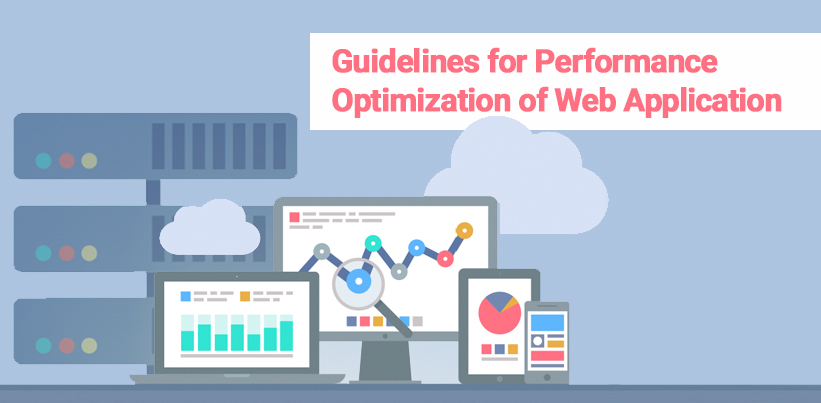
Application performance can be defined in terms of response time ( How fast the application responds under peak load), resource usage (How many resources viz. CPU, memory, network the application use), and consistency (Does the application behave consistently over time, across browsers). An average user has no patience for websites or web application that takes too long to load. According to a study by Kissmetrics, a 0.1-second delay in the page load time of an application will cause a 7% loss in conversions, an 11% decrease in page visits, and a 16% decrease in customer satisfaction. In dollar terms, this means that if the site typically earns $100,000 a day, this year it could lose $2.5 million in sales. Similarly, a study by FastCompany shows that an increase of every 0.1-second load time of Amazon decreases its sales by 1%, and increasing page load time from 0.4 seconds to 0.9 seconds in Google decreases its traffic and ad revenues by 20%. A better and fast-performing site or application will have a better user experience, repeat site visits, will be indexed faster by search engines, and appear on top of SERPs which in turn leads to increased revenue. Several factors can affect application performance, but some of the most common ones are: Rich and interactive UI with too many plugins, images, or animations, application complexity, technology & framework, data handling mechanism, number of concurrent users, etc. The poorly optimized code causes potential bugs, performance & security issues, code complexity, and technical debts. Inefficient database design affects the application in production Incorrect and insufficient environment configuration while hosting Steps to Improve Web Application Performance Here we have categorized the steps for improving web application performance into 4 sections – 1)Application Design Optimization 2) Application UI Optimization 3) Database Optimization 4) General Recommendations 1. Application Design Optimizations Technology & Framework – Choose technology and framework that is appropriate for your application functionality. No concurrent users – If there are concurrent users using the application, the third-party controls chosen should be able to handle the load, else it can cause a performance issue. Data Handling Mechanism – Use proper DB, caching, etc. to make data loading on demand and on mobiles display required data only. Hosting Server – Check for the deployment environment, load balancer, and database partitioning, and use orchestration tools. Optimized code – Always do manual code review, peer review & automated code review. Avoid writing unwanted loops, use serialization techniques, make use of asynchronous calls, use service brokers in SQL, use reusable code, and use JavaScript appropriately. 2. Application UI Optimizations Simple and Lightweight – Make the application simple and lightweight by streamlining the number of elements on the page, using partial rendering, merging all JS & CSS, and minifying using YUI compressor, codekit, or JavaScript minifier. This will improve the page speed. Optimize images – Keep the images of the application as small as possible since oversized images take longer to load. Crop the images to the correct size, reduce color, and remove comments from images. Enable Caching – Enabling the browser cache is crucial for the application since it will store the page visited and next time will load the page without sending another HTTP request to the server. 3. Database Optimization Rewrite the queries – Rewrite the queries using looping queries, picking only needed columns and filtering rows correctly, and using indexes. Also, can use ORM tools. Change indexing strategy – Change the indexing strategy if a non-selective index has been picked while execution and use index hints. Use an external cache – Use of an external cache can reduce the database load. 4. General Recommendations Monitor & maintain page performance, web application speed, application performance management, etc. using various tools. Use partial-page-rendering. Minimize the amount of data requested per request Maximizing the usage of client-side components wherever possible Avoid 3rd party plugins unless absolutely required. Keep the 3rd party scripts at the bottom of the page and load on demand Encourage usage of CSS scripts Avoid iframes and redirects to the best extent possible Introduce caching at the server-side, database layer, and other possible integration layers Conduct usability studies and understand the expectations of end-user
Top Free Tools for Scanning Security Risks

Today’s internet is all about web apps and the advancement of web applications and other technologies that change the way we do business. Assuming that the network firewall that you have in place to protect your network will secure your websites and web applications won’t help. Ensuring security is about identifying the risks and implementing appropriate countermeasures. Below are some top listed tools used for identifying the common web application security risks Burp Suite A comprehensive solution for web application security checks. Netsparker A tool used for testing SQL injection and XSS. OpenVAS The most advanced open-source security scanner used for testing known vulnerabilities. Security Headers A tool to quickly report which security headers like CSP and HSTS a domain has enabled and correctly configured. Xenotix XSS Exploit Framework An OWASP tool that includes a huge selection of XSS attack examples, which you run to quickly confirm whether your site’s inputs are vulnerable in Chrome, Firefox, and IE. OWASP Zap The Zed attack proxy is an easy-to-use integrated penetration testing tool for finding vulnerabilities in web applications. OWASP SWF Intruder (Swiff Intruder) A first-in-case tool specifically developed for analyzing and testing the security of Flash applications at runtime. Subgraph Vega Vega can help you find and validate SQL Injection, Cross-Site Scripting (XSS), inadvertently disclosed sensitive information, and other vulnerabilities. Browser Extensions Browser Extensions can also help in securing the web applications like: