
Backend as a Service (BaaS): Is It Right for Your Software Development Project?
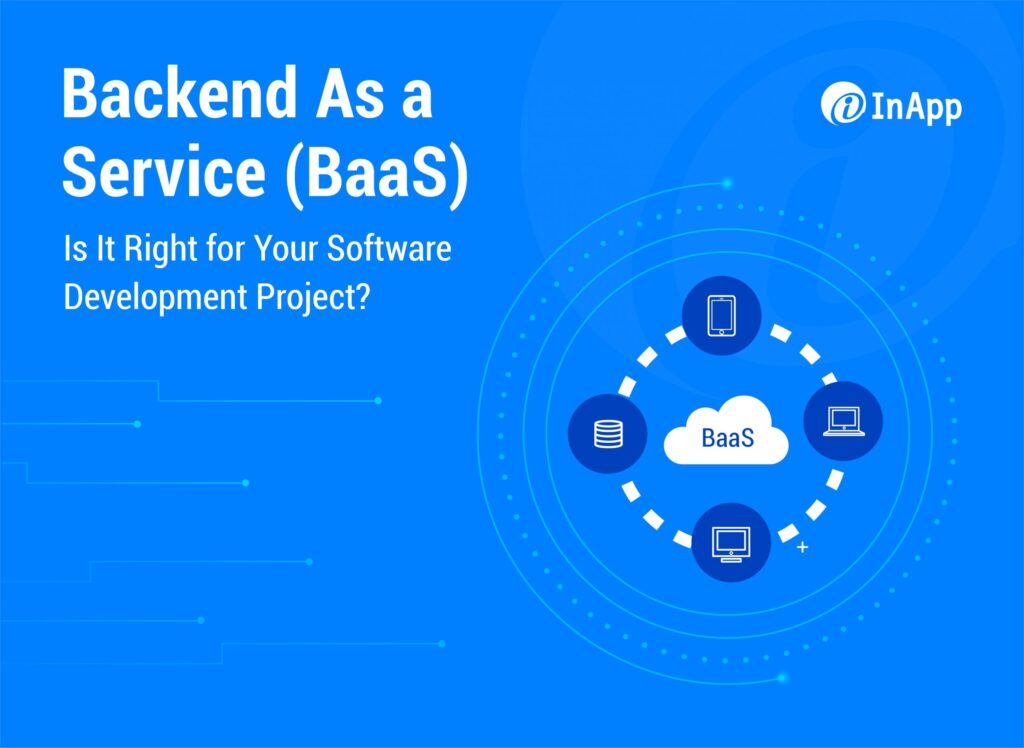
Backend as a Service (BaaS) providers operate behind the scenes, offering regular maintenance and management to ensure that backend software components operate as expected. That means software developers can rely on BaaS to cover the virtual machines, server management, or containers needed to keep apps running. Developers use BaaS services to integrate their needed functionalities without managing the backend themselves. As a result, developers can focus on the code for the front end of their applications, providing significant time savings. What Is Backend as a Service (BaaS)? BaaS outsources the backend components of web application development or mobile app development to service providers, enabling software developers to focus on the front end. BaaS is a cloud service model that provides software for database management, hosting, storage, authentication, push notifications, and remote updates. An application programming interface (API) and/or software development kit (SDK) work as a bridge between the front end and the back end. Backend as a Service vs. Serverless Computing BaaS and serverless computing share some commonalities, but they aren’t exactly the same. While both enable developers to outsource backend functionality, the differences are… Advantages of a Backend as a Service Like most outsourced services, the advantages of BaaS are… What is MBaaS? Mobile backend as a service (MBaaS) provides services for backend mobile app development, including database management, security, push notifications, hosting, storage, etc. MBaaS and BaaS are very similar, and many service providers offer both. Features of Backend as a Service Typically, BaaS features include features such as… Backend as a Service Provider You can choose from numerous BaaS and MBaaS vendors. Some of the most popular are… The right BaaS or MBaaS service provider will depend on the needs of your specific project. We recommend working with an experienced software development team to find the ideal vendor for your application. Why Should You Choose InApp? InApp’s backend development engineers have the technical experience you need for high-quality applications, including databases, backend logic, APIs, and servers. Learn more about how InApp helps our clients with all their custom software development needs.
Is Voice Commerce the New Version of eCommerce?
From pressing buttons to touch and finally to voice and digital assistants, the way we engage with devices has changed drastically. In a survey conducted in 2021, 72% of the participants were using voice search, and its popularity has spread to the world of eCommerce too. Today, it is estimated that around 45 million customers use voice search for online shopping. With the voice commerce market estimated to grow to USD 55.68 billion from 2022 to 2026 at a CAGR of 24%, it behooves retailers to start optimizing their voice search strategy or risk being left behind. So, What Is Voice Commerce? As the name suggests, voice commerce is all about using your voice to shop for products from online stores. It relies on technologies like Artificial Intelligence and machine learning to let customers use voice commands to search for and buy products online. Unlike the traditional method where users had to type in a query in the search box, they can now use voice assistants on their smartphones or other voice assistants to search for products and services. The Evolution Of Voice Commerce & Its Workings Voice commerce is a product of years-long research and development, the history of which can be traced back to 1952. Bell Laboratories created the first voice recognition device called ‘Audrey’ that could understand digits spoken by users. The following years witnessed a major leap in the domain of voice recognition. By 1990 the first speech recognition software was launched. Although the voice recognition programs hit a stall in the early 2000s, it was revived in 2010 when Google launched personalized voice recognition to search on Android phones. As of 2020, the speech and voice recognition market size is valued at USD 9.4 billion and it is estimated to reach USD 28.1 billion by 2027. Technologies Powering Voice Commerce 1. Next-Gen Speech Recognition The significant investments made in speech recognition by tech giants like Google, Amazon, Apple, and Microsoft, along with other AI companies, have led to rapid advancements in natural language understanding (NLU). The result? Today there are deep neural network-powered speech recognition and voice technology platforms that can interpret speech despite background noise, grammar choices, or differences in tone or accent between speakers. 2. Neural Text to Speech With text-to-speech systems that use deep neural networks, neural text-to-speech has now become more natural, reducing listening fatigue caused during human interaction with AI systems. This also ensures that companies get to bring a human touch to their sales and marketing efforts. 3. Intent Prediction Intent prediction is another prominent technology that voice commerce is greatly dependent on. Backed by intelligent intent prediction networks that take user-permitted contextual information and predict the likely intents, intent predictions help businesses predict their customers’ next move before they complete their purchase. This ensures that companies have a better understanding of user behaviors. What Does Voice Commerce Mean for Retailers? A survey conducted by Statista found that over two billion people shopped online in 2020, and e-retail sales surpassed USD 4.2 trillion worldwide. From clothes to electronics to books to other goods and services, online stores have cornered the market. But the winds of change have hit the industry. eCommerce, which was once the hottest trend in the market, has now begun its evolution to voice commerce. If you’re a retailer and you’re not preparing for this significant trend of e-commerce going toward v-commerce, then you won’t be around. Greg Melich, Senior Retail Analyst, MoffettNathanson As of 2020, around 4.2 billion voice assistants were used worldwide, and this number is expected to cross 8.4 billion by 2024. And out of these 4.2 billion, research shows that 51% of consumers use voice search to research products, while 22% make purchases with a voice command. eCommerce giants across the globe have realized the untapped potential of voice commerce and have invested billions of dollars in the technology. So, if you are an online retailer, it’s high time to optimize your store for voice search—or risk being left behind. Four Major Benefits of Implementing Voice Commerce Implementing a voice commerce solution is the key to offering a better shopping experience to your customers, which in turn can increase customer loyalty. Here are some major benefits of implementing voice commerce. 1. Improved shopping experience With voice commerce, your customers can avoid the lengthy browsing and checkout process involved in traditional eCommerce platforms. Customers save time, which in turn improves the shopping experience. 2. Improve brand visibility With 50% of all global searches becoming voice-activated, implementing a voice commerce solution for your online store will ensure better visibility in the market. That gives your brand an edge over your competitors. 3. Offer a personalized shopping experience Businesses can better track customer behavior and choices with voice search, helping them offer a more personalized shopping experience. Customers tend to stay more loyal to your brand when you can take care of their personalized preferences. 4. Guaranteed customer satisfaction Because voice commerce offers a faster turnaround and a personalized shopping experience, customer satisfaction improves with voice commerce. How To Implement Voice Commerce For Your Store Having a voice application is the key to implementing voice commerce for your store. There are two ways to build a voice app. 1. Build a voice app on your own Building a voice application requires a team of expert developers, AI and ML specialists, and engineers who know how to integrate your system with the already existing popular systems such as Google Assistant, Alexa, Siri, and Cortana. Although you’ll have complete ownership of the final product, building an app on your own can prove to be expensive and time-consuming. 2. Hire a company to build your voice application Hiring a reputable organization to build your voice application is a practical and time-tested approach. Because these companies have years of experience in building similar applications, you will get expert guidance and a team of specialists working on your application. The Bottomline Though voice commerce is relatively new in the eCommerce space,
QUIC vs TCP: The Full Story
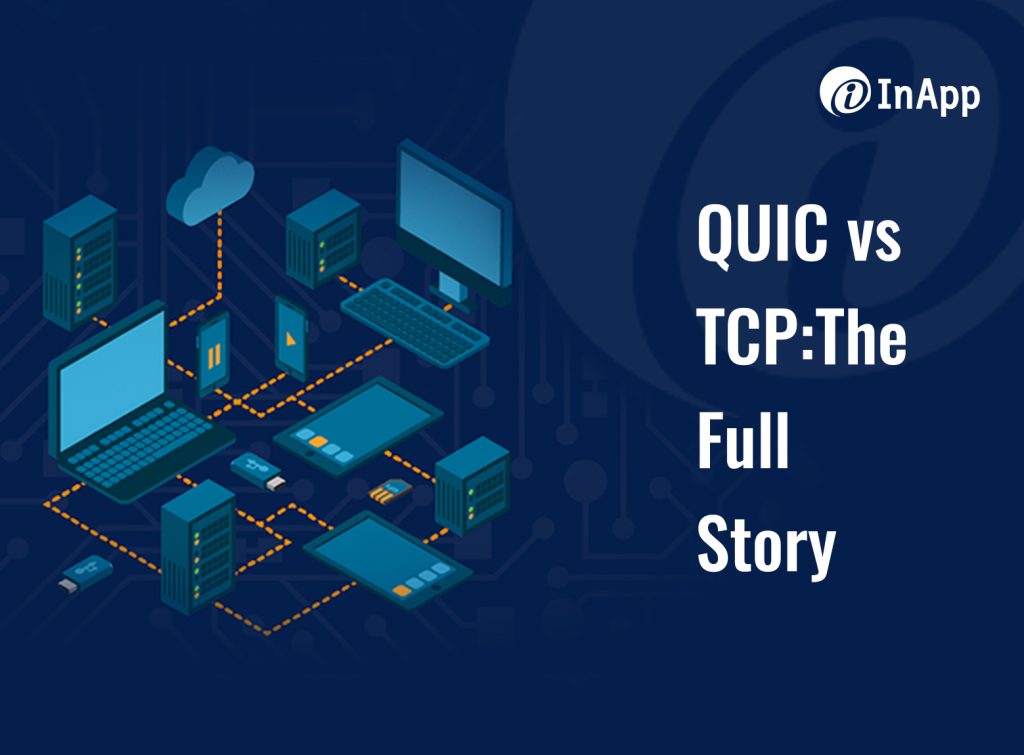
Back in 1974, the Transmission Control Protocol (TCP) defined how to establish and maintain a network conversation by which applications can exchange data. TCP controls the transfer of data via connection management, reliability, flow control, and congestion control features. TCP and the Internet Protocol (IP) have stood the test of time and defined the internet as we know it today. Almost 40 years later, Google created the Quick UDP Internet Connections (QUIC) protocol to improve latency issues with TCP. Google designed QUIC to compensate for HTTP/2 deficiencies, provide robust and strong encryption, and reduce server/client handshake and packet loss. Today, the company uses QUIC as the default protocol for all its products. For example, when a user accesses Google’s services such as Gmail with the company’s Chrome web browser, the data transfer will use QUIC. But QUIC hasn’t replaced the much older TCP yet. Let’s learn more about these two transport protocols. QUIC vs. TCP Both QUIC and TSP protocols manage communication between devices, wherever they are located. QUIC sits on the UDP, aka the User Datagram Protocol, a transport layer protocol. UDP forms the base of QUIC. Since UDP is a connectionless protocol, QUIC handles all of the logic to guarantee a reliable connection between a client and a server. In addition, QUIC is built into the application layer, meaning that any updates will not require OS changes. Is QUIC faster than TCP? Google’s goal for its QUIC protocol was to solve transport-layer and application-layer problems in modern web applications, while also requiring little or no change from application developers. From Google’s test results, QUIC does indeed perform better than TCP in transfer and average bandwidth used. The two are much closer in other tests, but QUIC still outperformed TCP in almost every measure, with the exception of jitter. What is the difference between TCP and QUIC? TCP and QUIC have two major differences: QUIC provides… Why should you choose InApp? The software development world moves quickly, and InApp prides itself on staying ahead of technology improvements and trends. That comes from our experience in providing full-cycle software development services to clients all over the world, including SaaS and software vendors, as well as companies looking to harness business innovation with digital transformation and emerging technologies. Learn more about how InApp helps our clients achieve success.
Unity 3D – The Future of Video Game Development
Unity 3D has come a long way since its launch in 2005. With its updated version Unity 5, which came with support for dozens of new platforms, major graphic improvements, HD video support, and VR, Unity 3D began cornering the video game development market. As of 2022, Unity 3D has a market share of 48%, which is 3.5 times more than its direct competitor Unreal Engine. Today, games made with Unity account for 71% of the top thousand titles on the market. But what makes it unique? Why are most video game developers relying on Unity 3D for game development? Unity 3D offers game developers greater flexibility when compared to the other game engines in the market. It comes out of the box with support for a wide range of features including 3D graphics rendering, animation, physics simulation, and particle systems — making life easier for video game developers and designers. Apart from these, Unity 3D also offers an integrated development environment (IDE), which includes a real-time editor with built-in debugging tools, as well as an animation system to help developers create their 2D or 3D animations using drag-and-drop functionality. Before we delve into why video game developers prefer Unity 3D, let’s look at what Unity 3D is and its significance. What Is Unity 3D & What Is Its Significance? Unity 3D is a robust cross-platform video game engine developed by Unity Technologies and renowned for its unrivaled cross-platform capabilities. Though Unity has 3D in its name, its application is not limited to developing 3D games. Instead, Unity comes with native support for AR/VR and 2D video game development tools that developers can use to make games in the 3D, 2D, virtual reality, and augmented reality genres, and for creating simulations and other experiences as well. Apart from these, Unity 3D also comes with native support for features like physics simulation, collision detection, and 3D graphics rendering that can make life easier for video game developers and help them save time spent on developing a video game. Another prominent feature in Unity 3D is the Asset Store, which is a library of plug-and-play functionalities/animations, uploaded by game developers or designers for fellow members of the video game development fraternity. For instance, say you want to add an immersive burnout effect to the racing game you are building. Instead of building it from scratch, you can search for it on the Asset Store and use it. Now that we have discussed in brief what Unity 3D is and its core features, let’s see why video game designers mostly rely on Unity 3D for video game development. 7 Benefits of Using Unity 3D for Video Game Development Here are seven key benefits of using Unity 3D for video game development. 1. An Open-Source Platform Unity 3D is an open-source platform, and it offers a free version for beginners provided the developed game earns less than $100,000 annually. This free version of Unity 3D is designed exclusively for independent video game developers who have an idea for a new game and are keen on pursuing the idea. For developers who need advanced game development features, Unity 3D offers paid plans named Plus, Pro, Enterprise, and Unity Team. 2. A Comprehensive Gaming Engine One of the prominent reasons Unity 3D was able to corner the gaming market is because of its comprehensive nature. Unity 3D is a comprehensive package that lets developers develop and deploy a game on the same platform, helping cut down the overhead costs incurred. 3. Intuitive Development Ecosystem Though Unity 3D comes loaded with dozens of intelligent features, it is far superior when it comes to ease of use compared with other game engines. The game engine is designed to be intuitive so that even an entry-level game developer can leverage the complete functionalities of the platform to build engaging games. 4. Supports Cross-Platform Video Game Development Unity 3D supports cross-platform and multiplatform game development, saving developers from the hassle of coding individually for every platform. This means that developers will only have to write a single script irrespective of the number of platforms the game will be launched on. When compared to other cross-platform game engines like Unreal Engine, Libed, or Godot Engine, Unity 3D is easy to learn, development-friendly, and faster. 5. Rich Asset Store The Unity 3D Asset Store is more like a marketplace for gaming assets that developers can download like they download applications from the Play Store or iOS Store. Developers from Unity Technologies and other game developers upload these assets. While most assets are available to developers for free, some advanced assets are not. In short, the Unity Asset Store will have everything that a developer would need for their game or to build a prototype. These assets include everything from high-quality 3D models to meshes and skeleton low-poly game objects for rapid prototyping. 6. Next-Gen Graphics Unity 3D relies on the spectrally correct and GPU-accelerated render engine OctaneRender® to create an immersive gaming experience. For example, the popular multiplayer mobile game Call of Duty is built on Unity 3D, and it still ranks top among multiplayer action games due to its magnificent mobile shooter visuals. 7. Easier Debugging Debugging is the most tiring part of any development project including game development. When compared to other game engines like the Unreal Engine, debugging is easier in Unity 3D as all the variables are displayed in the gameplay during the testing phase. This means that even the less experienced developers can quickly finish debugging. The 3 Major Limitations of Unity 3D While Unity 3D comes loaded with intelligent features that make it the favorite of video game developers, it does come with limitations too. 1. Lack of External Code Libraries The lack of external code libraries on Unity 3D is something experienced game developers have been pointing out for a long time. Owing to this, developers must copy any external library they intend to use for a project. Whereas other game engines permit copying
A Comprehensive Guide to Business Process Automation: Benefits, Applications, Steps, and Examples
Many businesses start with Business Process Automation (BPA) in their quest for digital transformation. The direct effect of BPA technologies on workflows and operations makes it easy to see the impact — and the benefits. BPA takes common business processes (invoicing, communication, purchase orders, data entry, onboarding, etc.) and uses technology to replace manual processes. Automation improves efficiencies and prevents delays or bottlenecks with these transactions, while also freeing up employees to focus on more important tasks. What Are Common BPA Applications? BPA is a tool for business process management, and it can be used for almost any standard workflow. Some of the most common applications include: Business Process Automation vs. Robotic Process Automation BPA sounds similar to Robotic Automation (RPA), which also automates repetitive tasks. In general, RPA is used to complete simple tasks, like a machine designed to pack boxes in a factory. RPA typically does not need to interface with other software, and its implementation process does not require specific skills. BPA, in contrast, is customized for an organization and integrated into existing systems. Much of the confusion lies in the fact that comprehensive BPA solutions may include RPA components. Also, advanced solutions for both BPA and RPA may use similar emerging technologies, like Artificial Intelligence and machine learning tools. What Are the Benefits of Business Process Automation? The increased interest in BPA results from the benefits that can make a big impact. These advantages include: What Are the Implementation Steps for Business Process Automation? Much like any project, your BPA implementation process should start with a well-defined plan. These steps include… Examples of Business Process Automation While almost any business process can benefit from BPA, many companies start with simple tasks in data entry, financial management, human resources, or communication. Example 1: Invoicing BPA can streamline both sending and receiving invoices, reducing the time and paperwork involved. For sending invoices, a BPA solution could automate the data gathering, compiling, and dispatching of invoices. For accounts payable, the software may systematize the receiving, approval, and payment process according to predetermined criteria. Example 2: Human Resources Managing personnel requires different functions, from hiring to onboarding to training and more. BPA can automate the process so that each task is completed in a specific order, completed tasks are documented, and information is consistent. Among other things, BPA can help HR employees reduce paperwork, respond faster, and prevent costly errors. Example 3: Customer Support BPA can help employees provide customers with the most accurate and consistent information possible. For example, call centers and support personnel can use BPA to optimize call flow and scripts that provide standard responses to common interactions with customers, including inquiries, complaints, sales, and support. That helps to streamline communication and improve customer satisfaction. Companies of all sizes can benefit from BPA, improving efficiency and reducing costs. Contact the BPA experts at InApp to learn more about our BPA solutions.
Companies are Capitalizing on Cloud Business Intelligence to Find a Competitive Edge
Information is power. If your competitors are already racing ahead in the data game, you need to move fast to keep up. A company that knows how to use its business intelligence (BI) typically stays at the top. All businesses can generate a staggering amount of data. But to use that information effectively, you need a way to… This process allows businesses to make more informed decisions and predictions regarding business operations. Taking it to the next level couples BI with the power of cloud computing services. Once siloed in different departments or locations, combining data via the cloud and analytical tools makes information available to everyone. When used correctly, that data can help improve operations, identify new opportunities, solve problems, and maintain an edge over your competitors — particularly the ones that aren’t using the same advanced tactics. Once only available to large enterprises with big budgets, cloud BI now is more affordable and more accessible than ever for companies of all sizes. Why Do Companies Need Business Intelligence? This integration of cloud computing services and data analytics has opened up vast amounts of information from disparate sources, providing insights that companies can use to make faster strategic decisions. Cloud BI enables companies to… Examples of How Businesses Use Cloud BI The affordability and faster implementation of cloud BI have opened up new possibilities. Businesses of all sizes are using cloud BI to… Advantages of Cloud Business Intelligence Cloud BI offers benefits that stem from the unique capabilities of the cloud by… Top Cloud Business Intelligence Tools You can choose from hundreds of cloud BI tools, depending on your company’s needs and the complexity of your data stores. However, whichever tool you choose, your cloud BI solution should provide… Ready to capitalize on affordable cloud BI? Contact the cloud computing experts at InApp to see how easy it can be.
How to Choose a Cloud Framework for Your Next App
The success of your web or mobile application relies in part on the cloud framework you choose as the foundation for your development project. The market leaders in cloud computing services are the so-called “Big Three:” Amazon Web Services (AWS), Microsoft’s Azure, and Google Cloud Platform (GCP). While there are several smaller, niche cloud services, these three dominate the field and offer diverse infrastructure, computing, and application-deployment tools that can be assets to organizations of all sizes. As a result, it can be challenging to differentiate between these options when comparing cloud providers for application development; this is why many organizations prefer to work directly with their app development partners or with cloud consulting services to zero in on a framework. Yet each cloud service has distinguishing characteristics and its own pros and cons. When assessing cloud frameworks, remember that the right option will depend heavily on the nature and needs of your application and business. Key Cloud Framework Considerations There is seemingly no end to the facets of a cloud service’s options and capabilities. But, as leading cloud consultants know, there are a few factors that shine brightly when evaluating cloud framework criteria: Architecture Is the cloud framework scalable? Will the architecture and service roadmap support your immediate and future needs? What is the cost of scaling up? Will the provider’s technology integrate with existing technology? And does it need to? If a hybrid cloud model is required, what needs to be done to achieve compatibility? These are essential questions to ask, as their answers have far-reaching effects regarding development, longevity, and cost. Ideally, you want a cloud solution that integrates with current technologies and offers growth potential. Container Support Architecture is closely linked to container support, which AWS, Azure, and GCP each provide. However, the scope of this support varies by provider. For instance, Microsoft Azure provides a fully managed platform known as Azure Kubernetes Service (AKS). Google Cloud Platform also offers a comprehensive container orchestration platform, which is appropriate as Google developed the now open-source Kubernetes. The AWS container-support solution, known as Amazon Elastic Container Services (ECS), can support Kubernetes and Docker. The AWS platform also provides a serverless computing solution known as AWS Lambda; Azure and GCP similarly offer serverless computing. Regions and Availability Zones Availability zones are the geographic locations within a data-center region served by a cloud service, and they influence asset performance in those areas. Each of the Big Three offers ample coverage, though they differ in availability zone and regional totals. Azure currently offers the broadest coverage with three availability zones in each of its 60-plus regions, as well as more than 100 edge locations. Google Cloud has 82 total availability zones across 27 regions with more than 140 edge locations. Amazon Web Services maintains 81 availability zones across 25 regions and more than 215 edge locations. Pricing One area in which there is significant variation among the Big Three cloud framework providers is the pricing structure. The costs of cloud services fluctuate dramatically based on individual factors such as monthly or hourly usage, total individual services, and other project demands. For example, AWS pricing is based in part on the number of hours used with volume discounts for some services. GCP bills per second, but also have so-called “sustained-use” and “committed-use” pricing for computing services. Azure bills on-demand customers by the hour or gigabyte, or per millions of executions, depending on the service product. To get an accurate, up-to-date expense estimate, you must determine the project scope and carefully review the level of cloud services necessary to achieve your goals. The ability to provide consistent pricing and monitor for changes that may affect pricing are additional reasons why many organizations rely directly on their app development partners or cloud technology solution companies to manage their cloud frameworks. Security, Certifications, and Standards Each of the Big Three cloud providers holds numerous accreditations and certifications that demonstrate their commitment to industry best practices related to structured processes, data management, and security. These certifications, for example, include accreditation for information-security management established by the International Organization for Standardization (IOS). IOS maintains several standards for information security management systems alone, and many cloud providers hold IOS certifications. Many firms that offer cloud computing services and cloud consulting services will likewise hold IOS and other credentials. AWS vs. Azure vs. Google Cloud: The Pros and Cons The good news is that AWS, Azure, and Google Cloud are all excellent cloud frameworks for app development. The bad news is that this can make choosing difficult. Some application and software developers also offer cloud services and cloud IT consulting. This helps ensure their clients have a suitable framework for their needs. The Big Three share similarities in their architectures, tools, and services. But there are a few potential advantages and disadvantages to keep in mind based on your development requirements: Amazon Web Services AWS is the current leader among cloud solutions, and it offers a spectrum of services and developer tools. Clients further enjoy limitless server capacity and broad scalability. However, AWS is focused on public cloud solutions. If your organization needs a hybrid model or a cloud framework that integrates with an existing data center, a different platform may prove a more effective option. Azure Azure may be a natural extension of existing enterprise technology if your organization currently employs Microsoft solutions. Azure may also be an ideal choice if you need a hybrid cloud or a framework that will integrate with an existing data center. Azure’s AI gives developers the freedom to create, test and deploy algorithms. Azure also supports Linux and container architectures. Google Cloud Platform GCP’s strengths reside in its machine-learning and AI tools. It can also be an optimal choice for organizations that work with open-source projects. Google’s Kubernetes framework is the foundation for many container environments. This makes GCP suitable for containerized application development. Is There a ‘Best’ Cloud Framework Provider? The cloud provider market is crowded and highly competitive. While
How Chaos Testing Improves Your Software’s Resiliency
You want your software to tolerate failure, while also providing appropriate quality of service level. But in today’s complex and distributed software systems, more than one thing can fail at the same time. To truly understand how a software application will work for users in real-world scenarios, you need to find out what happens when things go wrong. Chaos testing and chaos engineering provide a systematic approach to this issue by introducing failure and measuring the software’s ability to cope, resulting in a deeper understanding of its resilience and durability. It helps by simulating the conditions needed to uncover issues and find performance bottlenecks that can be challenging to identify in distributed systems. This method is quite effective in preventing downtime or production outages before their occurrence. Chaos testing can offer valuable intelligence on a software’s ability to withstand real-life conditions, where things don’t always go as planned. Combined with the DevOps build-test-release cycle’s continuous integration and development pipelines, recovery times will improve and the software becomes more stable. What Is Chaos Testing? Chaos testing refers to a systematic process where independent software testing professionals will crash an application on purpose. Random failures are introduced into the production system. As a result, the testing procedure can measure the software’s ability to recover and evaluate the impact of that failure. Chaos testing can significantly improve confidence and reduce recovery times as improvements are made. Key Benefits of Chaos Testing Chaos testing offers several advantages for the software development process: What Is Chaos Monkey? Developed by Netflix engineers, Chaos Monkey tests a software application’s resiliency and recoverability in a cloud network. “The name comes from the idea of unleashing a wild monkey with a weapon in your data center (or cloud region) to randomly shoot down instances and chew through cables — all the while we continue serving our customers without interruption,” Netflix explained. For example, these tools would intentionally introduce failures like disabled servers, network failures, dependency failures, latency, memory malfunction, etc. Chaos Monkey is now part of a larger suite of tools called the Simian Army, which is designed to simulate and test responses to various system failures and edge cases. Pros and Cons of Chaos Testing The introduction of failures to test software’s resiliency offers both pros and cons. Pros Cons Key Principles of Chaos Engineering The principles of chaos engineering follow the scientific method of establishing facts through testing and experimentation: Using chaos engineering to improve your software’s resiliency can result in a more stable application that provides a better user experience. Contact the independent software testing experts at InApp to learn how we can help you.
Sustainable Web Design: Does It Really Help the Environment?
When considering an organization’s carbon footprint, energy efficiency tops the list. But the power to run a business requires more than keeping the lights on in a building. The internet is a vital service required for basic business functionality. And it requires energy to run. While energy-efficient devices can make an impact, so can the design of your website. A website that loads faster and performs better will take less energy on both the consumer side and the data center side. Luckily, simple solutions can help with sustainable web design. Environmental Effects of Technology As a network of more networks and computers, the internet consumes a great deal of power. The carbon footprint of our gadgets, the internet, and the systems supporting them accounted for about 3.7% of global greenhouse emissions in 2020, according to estimates from Lancaster University, UK. Those numbers were calculated before COVID-19 supercharged our digital needs. These emissions could double by 2025. For example, the US Department of Energy identified data centers as one of the most energy-intensive building types, consuming 10 to 50 times the energy per floor space of a typical commercial office building. Collectively, these spaces account for approximately 2% of the total US electricity use. As the use of information technology grows, data center and server energy use are expected to grow too. How to Implement Sustainable Web Design In many cases, sustainable website design requires the simplification of certain functions. Reducing the power load of a website will correspondingly reduce the power necessary to serve the internet’s energy needs. But simple doesn’t always mean easy. It requires expert knowledge of the best solutions for design elements that affect the power load of a website. In some ways, sustainable web design takes a minimalist approach to website development. However, you still need a functional website that will do what you need it to do. These 3 strategies can help with implementing sustainable web design: 1. A Clear Design with an Optimized User Interface (UI) and User Experience (UX) The first step to sustainable web design starts with developing a better experience for the end user. Streamlining the design and eliminating unnecessary elements can result in a powerful and intuitive website. You want to minimize unnecessary content and reduce load time while making it easier for users to find what they want. This approach will improve UX, while also reducing the power load of the website—a win-win situation. Interestingly, making a website more user-friendly often results in making it easier for search engines to find and correctly index your content. That’s another bonus to sustainable web design. 2. Faster Load Times When it comes to loading times, faster is better. Page weight (the number and size of resources required to load a website) has expanded as technological innovations have matured. But even in our world of improved bandwidth, page weight is an important factor that can affect website performance. Sustainable design lowers page weight to reduce the amount of power required to load. It also benefits the user by providing faster access to the information they’re seeking on your website. Load times and site clarity also matter for search engines. Again, you get multiple benefits from thinking about your website from a sustainability standpoint. 3. Mobile Optimization Mobile devices changed the game of website development. That effect has only grown as more people use smartphones and tablets to access the Internet. Additionally, mobile devices have created an exponential increase in the use of mobile apps. Creating mobile-enabled websites naturally requires a lighter design. So, typically mobile-enabled websites are already lighter than traditional desktop versions. Again, search engines consider mobile-enabled sites as a positive element in their rankings. So that’s another benefit. How to Implement Sustainable Web Design Developing sustainable websites requires a combination of design and technical expertise. You want to work with someone who understands how website elements work together to meet both the company’s needs and the user’s experience. Experts in sustainability principles will consider several factors in the design of your website. Sustainable web design requires a careful balance between performance and functionality. An experienced web designer is an essential source of the latest information on making your site as energy-efficient as possible. Contact the experts at InApp to learn more about how sustainable design can help your company’s carbon footprint.
AIoT: Another Buzzword? Here’s What You Need to Know
When two technologies (Artificial Intelligence [AI] and the Internet of Things [IoT]) collide, it results in a new potential for both. AIoT, or the Artificial Intelligence of Things, shows promise for improved IoT operations, including human-to-machine interactions, data management, and analytics. It seemed inevitable that AI’s capabilities in data processing and machine learning would fit nicely with the data collection capabilities of IoT devices. AI brings a lot of new capabilities to the use of IoT, from natural language processing to robotic process automation, and many other applications. But the real power of combining these emerging technologies lies in the automation and analytics that provide a new level of business intelligence. How Does AIoT Work? IoT creates the data, and AI analyzes it to provide meaningful insights. The result is organizations can take action faster, enhancing efficiency and productivity. AI adds value to the IoT’s data collection process by automating the analysis of real-time information and transforming it into actionable intelligence. The IoT, in turn, provides the connectivity and data that AI can use to learn and make decisions. In the AIoT, AI technology is part of the infrastructure that’s connected to IoT networks. Applications enable the hardware and software components to work together, without the need for human interactions. The result is more information, and better information, to help organizations react quickly and make improvements in efficiency. The proximity of AI technology to IoT devices also can minimize the necessary bandwidth to collect data, therefore speeding up data analysis. Additionally, the implementation of 5G technology can speed up the transfer of large data files from IoT devices with even higher bandwidth and lower latency. Examples of AIoT The AIoT already has caught the attention of some of the biggest names in the tech industry, including Cisco Systems, Fujitsu Ltd., Hewlett Packard, and Microsoft. The Covid-19 pandemic jump-started this interest, as AI solutions became even more important to maintain operations with limitations in staffing and supply chain. The global AIoT market is valued at USD 15.04 billion in 2021 and is expected to reach USD 144.07 billion by 2028 with a CAGR of 38.1% over the forecast period, according to Brandessence Market Research. Places, where you’ll likely find the biggest impact of AIoT technology, include: What Are the Benefits of AIoT? The capabilities of AIoT offer significant advantages to organizations in a wide range of industries. These benefits include: The combination of AI and IoT technologies creates a better system that can use data to make decisions without human intervention. AIoT holds a lot of potential to solve current operational problems, as well as to reveal new business opportunities. Wondering how AIoT technology can help your business? Contact the AIoT experts at InApp. We can help.