
Overcoming Challenges with DevOps Adoption: 6 Strategies for Success

DevOps services combine two key elements: software development (Dev) and IT operations (Ops). Introduced in 2009 by Patrick Debois, DevOps sought to use agile software development methodology to address the challenges of the traditional separation of software development and IT operations that were so common in the technology sector. As a set of practices and tools, DevOps facilitates the collaboration of IT operations and development teams throughout the entire software development lifecycle. Automation in DevOps includes the entire build-test-release cycle, thereby enabling continuous integration and development pipelines. The ability of DevOps to speed up timelines and reduce costs made it highly attractive for organizations, and its popularity continues to grow. But while DevOps solves many challenges, implementing this philosophy also produces other ones. This blog outlines some of the most common problems in DevOps adoption – and how to overcome them. Here are the 6 Challenges with DevOps Adoption and How to Overcome Them Challenge #1: Organizational Culture DevOps practices require a shift in organizational thinking, which will require more effort than you might think. Everyone wants to save money and produce better outcomes faster. But that doesn’t mean they understand what DevOps does, or how it works. As a result, you will likely encounter resistance from unexpected places. DevOps represents a cultural shift in custom software development by creating a seamless workflow between software development and IT operations. But it’s highly like your teams aren’t used to working like that. Take time to outline DevOps practices and show how they will work in your organization. Make sure everyone understands the basic components of DevOps and what they will look like in their daily jobs. Also, focus on getting buy-in from your team before you get too far. Challenge #2: Tools DevOps methodology enables the collaboration of both development and IT operations teams throughout the entire software development lifecycle with a set of tools that extend automation beyond the build phase. (Read this blog for some of today’s top DevOps tools.) The tools you choose depend on the type of infrastructure you want to use to develop your software. We recommend working with DevOps consulting experts like InApp to make sure you have the right tools in place. Selecting the correct tools is essential for the continuous deployment of successful software development projects. Challenge #3: Training The scope of changes required by DevOps requires training. We don’t mean just training on the tools you use, but also the basic tenets of DevOps. Start with training to promote a deeper understanding of how to employ DevOps practices to improve collaborative efforts throughout the entire software development lifecycle. Again, this challenge is best managed by working with experts. InApp can help you implement a DevOps culture, improve your release process, and create a more efficient infrastructure. We also offer training to help your team learn DevOps best practices and get you on the road to success. Challenge #4: Cross-functional teams One of the biggest shifts in DevOps is the move away from specialized team members that traditionally worked in silos. Instead, you’re building cross-functional teams, that integrate all functions: front end, backend, infrastructure, testing, quality assurance, maintenance, etc. The solution to this challenge also requires a shift in organizational thinking, as well as training. Invest in both technical and interpersonal skills for your team to smooth this transition. It improves both collaboration and communication within software development to shorten the development lifecycle, while also enabling continuous delivery and high quality. Challenge #5: Microservices To implement DevOps, you need a set of tools that will enable these collaborative efforts throughout the entire software development lifecycle. One such tool is microservices, an architectural and organizational approach to software development where software is composed of small independent services that communicate over well-defined APIs. Microservices make applications easier to scale and faster to develop, enabling innovation and accelerating time-to-market for new features. Do your due diligence beforehand to make sure your team has the training and support they need for this switch. Again, this shift involves changes to mindset, so think beyond technical training to get it right. Challenge #6: Test automation DevOps relies on automation testing to improve productivity, as well as enable quality. But automation testing tools need to be used correctly to be effective. It’s not enough to pick a tool and run with it. You need an automated testing strategy to gain the benefits of reducing maintenance costs while boosting software performance. Test automation comprises multiple factors, and one of the biggest challenges is considering them all. Again, we recommend working with experienced DevOps consultants. A solid testing automation strategy makes it easier to reap the benefits of a DevOps approach. Why Choose InApp? InApp’s DevOps assessment, automation, and management services empower clients with a delivery stream that drives business transformation. We use the power of DevOps to facilitate continuous software development by aligning IT strategy with IT infrastructure to improve operations and cut costs, while also helping clients quickly adapt to sudden challenges and requirements. Learn more about how InApp helped one client implement a DevOps solution to effectively manage IT infrastructure. Contact the DevOps experts at InApp!
10 Major Web Application Security Vulnerabilities and How to Prevent Them

Security vulnerabilities for web applications continue to rise, putting companies of all sizes at risk. Web application attacks account for 26% of all breaches, according to Verizon. Nearly three out of four are from external sources, jeopardizing valuable data and confidential information. Yet, internet use isn’t going to slow down for businesses. In fact, 68% of consumers say they have higher expectations for a company’s digital capabilities since COVID-19, according to research from Salesforce. Security best practices and techniques are always evolving. The Open Web Application Security Project (OWASP) is a nonprofit that provides free materials (documents, videos, tools, forums, etc.) to help with the security of web applications. Their goal is to make it possible for any user to improve their web application security. They also offer education and training programs in the field of cybersecurity. Combatting intruders requires a mindful and multifaceted strategy. Here are the most common web application security issues and how to prevent them. SQL Injection SQL injection attacks occur when a hacker inserts malicious code into an SQL database to gain access to sensitive data or to take control of a device. One of the most common web hacking techniques, SQL injection can potentially destroy a database – and all of the valuable data inside it. This security issue is usually the culprit when e-commerce sites are compromised and information like user details, credit card information, and social security numbers are illegally accessed. In order to protect your devices from this type of attack, ensure that your SQL database is properly configured and your devices are always up to date with the latest security patches. Recommended steps include… Broken Authentication Broken authentication occurs when malicious users access a website by creating a new account or using real accounts. Broken authentication normally occurs when applications incorrectly execute functions related to session management, thereby allowing intruders to compromise passwords, security keys, or session tokens. For example, attackers may use credential stuffing with a standard list of default passwords and usernames to log in to legitimate accounts; or they can interrupt user requests on the same network to gain access to passwords as users type them in, or they can use cookies to access legitimate accounts. Recommended steps to counteract broken authentication issues include… Cross-Site Scripting (XSS) XSS attacks occur when a malicious user injects malicious code into a web page, which is then executed by unsuspecting users who visit the page. The attacker can take control of the victim’s device or steal sensitive information. The exploitation of XSS against a user can lead to various unpleasant consequences such as account compromise, account deletion, privilege escalation, malware infection, and more. Counteracting XSS attacks starts with… Sensitive Data Exposure This vulnerability is one of the most widespread, according to OWASP. It occurs when applications and APIs don’t properly protect sensitive data such as financial data, social security numbers, usernames, passwords, or health information. As a result, attackers can gain access to such information and commit fraud or steal identities. Sensitive data exposure attacks can be prevented by… Broken Access Control Access control is a security mechanism to put restrictions on who or what can view or use the resources of a company. It occurs after authentication is checked, and determines what authorized users are allowed to do. Failures can lead to data modification or deletion, the unauthorized performance of business functions, and more. Efforts to control broken access control require… Cross-Site Request Forgery (CSRF) CSRF occurs when an attacker places code on a website that makes a genuine-looking request to the target website. The cookies of the target website will be added by the browser in the request, making a forged request and allowing the action to be successfully carried out. For example, the victim’s browser makes a request for a password change and appends the cookies with the request. The server treats it as a genuine request and resets the victim’s password to the attacker’s supplied value. As a result, the victim’s account gets taken over by the attacker. Prevention requires… XML External Entities (XXE) This vulnerability occurs for web applications that parse XML input. It happens when poorly configured XML processors evaluate external entity references within the XML documents and send sensitive data to an unauthorized external entity, i.e., a hard drive. By default, most XML parsers are vulnerable to XXE attacks. XXE attacks can be prevented by… Session Hijacking Session hijacking occurs on a user session over a protected network. The most common method of session hijacking is called IP spoofing when an attacker uses source-routed IP packets to insert commands into an active communication between two nodes on a network and disguise itself as one of the authenticated users. This type of attack is possible because authentication typically is only done at the start of a TCP session. Another type of session hijacking is known as a man-in-the-middle attack, where the attacker uses a sniffer to observe the communication between devices and collect the data as it’s transmitted. To prevent session hijacking… Distributed Denial Of Service (DDoS) Attack With DDoS attacks, an attacker attempts to prevent legitimate users from accessing a system by flooding the system with requests, overwhelming it, and causing it to crash. Due to an enormous amount of traffic, the network resources are serving the requests of those false-end systems, and a legitimate user is unable to access the resources. Preventing DDoS attacks is hard because the traffic comes from multiple sources, and it’s difficult to actually separate malicious hosts from non-malicious hosts. Some of the mitigation techniques that can be used are: Security Misconfiguration It is estimated that up to 95% of cloud breaches are the result of human errors, according to Gartner. The improper implementation of security allows hackers to find new ways to enter websites. The most common reason for this vulnerability is not patching or upgrading systems, frameworks, and components. Security misconfiguration can be prevented by Why You Should Choose InApp? One of the best ways
10 Types of Cyberattacks on the Internet of Things

There’s no doubt that the Internet of Things (IoT) has made our lives easier and more convenient. But as more devices are connected to the internet, we also see a rise in cyberattacks on these devices. And, these attacks are only getting more sophisticated. The increasing use of IoT technology will lead to increased concern over ransomware attacks in 2022. These threats could cause outages for consumer products and even smart vehicle systems, which would significantly impact society as we know it today. John Giordani, Certified Information Systems Auditor (CISA) – Information Assurance & Cybersecurity specialist One of the biggest dangers of the IoT is the number of cyberattacks that can target your devices. Staying aware of the types of attacks can help you take steps to protect yourself and your data. But before we discuss the most common types of IoT attacks, let’s first look at an IoT attack. What Is an IoT Attack? An IoT attack is a type of cyberattack that targets internet-connected devices, such as thermostats, security cameras, and printers. These devices are often left unsecured, making them easy targets for hackers. IoT attacks can range from simple denial-of-service (DoS) attacks to more sophisticated attacks that can hijack devices and use them to launch other attacks. Here are 10 of the most common types of IoT attacks. 1. Distributed Denial of Service Attacks (DDoS Attacks) The IoT is a network of physical objects that are connected to the internet. These objects can include things like appliances, vehicles, and other devices. While the IoT offers many benefits, it also creates a new target for attackers. One type of attack that is particularly concerning is the distributed denial of service (DDoS) attack. An attacker attempts to prevent legitimate users from accessing a system or resource by flooding the system with requests, overwhelming it, and causing it to crash. DDoS attacks on IoT devices can have serious consequences. For example, if an attacker can take control of a device like a connected car, they could cause it to crash. This could not only lead to property damage but also to injuries or even deaths. 2. Man in the Middle Attack In a MITM attack, the attacker intercepts a communication between two devices and inserts themselves into the communication in order to eavesdrop or manipulate the data. IoT devices are particularly vulnerable to MITM attacks because they often use unencrypted communication protocols. This means that the attacker can easily intercept and read the data being transmitted between devices. MITM attacks on IoT devices can have serious consequences. For example, if an attacker eavesdrops on communication between a home security camera and the home network, they could gain access to the network and view or tamper with security footage. To protect against MITM attacks, use encrypted communication protocols whenever possible. Also, be sure to keep your IoT devices updated with the latest security patches to help prevent attackers from exploiting known vulnerabilities. 3. DNS Hijacking Attackers are increasingly targeting IoT devices in order to hijack DNS servers and redirect traffic to malicious sites. This type of attack is known as DNS hijacking, and it can have serious consequences for both individuals and organizations. IoT devices are often not properly secured, which makes them easy targets for attackers. Once a device is compromised, the attacker can change its DNS settings and redirect traffic to a malicious site. This can result in sensitive data being exposed or users being redirected to phishing sites. DNS hijacking can impact both individuals and organizations. Individuals may have their personal data exposed or be redirected to malicious sites that can infect their devices with malware. Organizations may suffer from data breaches, downtime, and loss of reputation. To protect against DNS hijacking, it is important to secure all IoT devices. This includes ensuring that devices are properly configured and using strong passwords. Organizations should also consider using a DNS security solution that can detect and block DNS hijacking attempts. 4. Malware Attacks IoT devices are increasingly becoming targets for malware attacks. These devices are often not well-protected, making them easy targets for cybercriminals. A recent study found that IoT devices are three times more likely to be infected with malware than traditional computers. There are a few things you can do to protect your IoT devices from malware attacks. First, make sure that your devices are always up-to-date with the latest security patches. Second, use a strong password for your device and never reuse passwords for other accounts. Finally, be careful when downloading apps, and only download from trusted sources. If your IoT device does become infected with malware, it’s important to take immediate action to remove the malware and secure your device. You should disconnect your device from the internet and run a malware scan. Once the malware is removed, you can then take steps to prevent future attacks. 5. Phishing An IoT phishing attack is a type of cyberattack that targets internet-connected devices, such as routers, surveillance cameras, and home assistants. Attackers use email, text messages, or malicious websites to trick victims into clicking on a link or downloading an attachment that will install malware on their devices. This malware can be used to steal sensitive information, like login credentials or financial data, or to take control of the device and use it to launch attacks on other devices on the network. IoT devices are often targets of phishing attacks because they are usually less secure than computers or smartphones. They often have weak authentication protocols and are not regularly updated with security patches. This makes them easy targets for attackers who are looking to gain access to sensitive data or take over devices for their own malicious purposes. 6. SQL Injection One of the most common ways for hackers to gain access to IoT devices is through SQL injection attacks. This type of attack allows the attacker to insert malicious code into a SQL database to gain access to sensitive data or to take
What is the Difference Between Data Mining and Machine Learning?
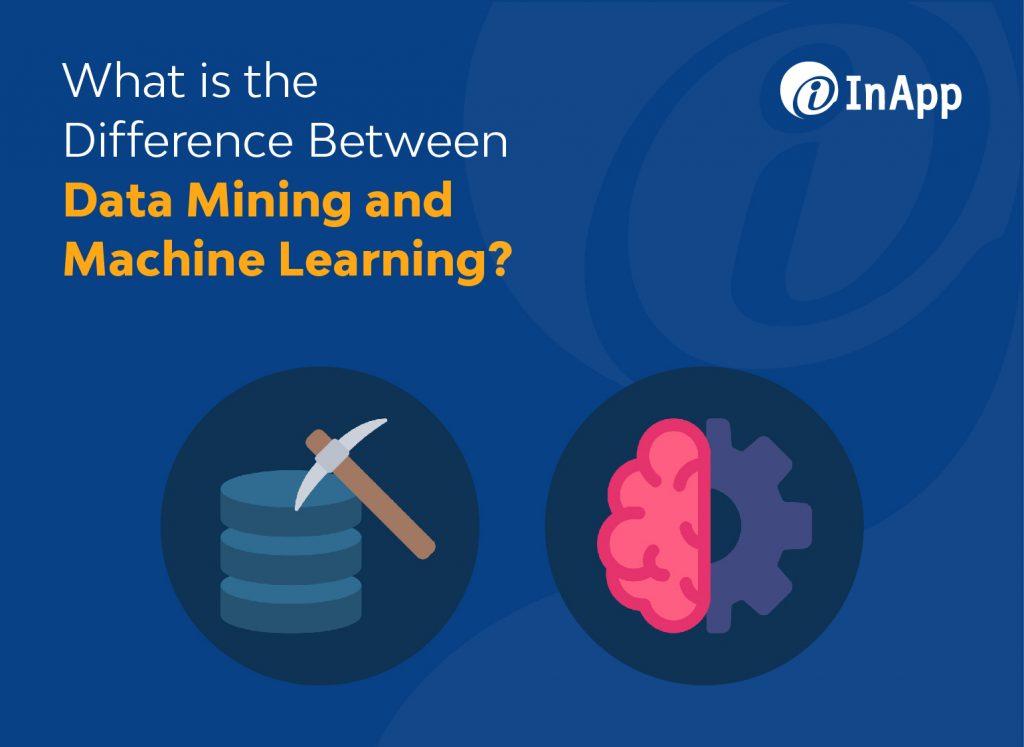
While data mining and machine learning share certain characteristics, these two terms don’t mean the same thing. Both fall under the general category of data science, which uses scientific methods, systems, processes, and algorithms to extract knowledge from data. But there are some important differences between the two. The Difference Between Data Mining and Machine Learning Data mining provides techniques for data management, while machine learning offers methods for data analysis. Both are engaged in the knowledge discovery process and are extracting information from data. But companies can use data mining tools that don’t involve machine learning and vice versa. Data mining, as the name suggests, refers to the process of extracting actionable information from a large data set. Companies use data mining to look for patterns in data and then apply those patterns to make decisions or predictions. There are typically some manual aspects of data mining, and it is designed for use by people. It relies on vast stores of data and big data services. Machine learning describes the design and development of algorithms that computers use to learn without the assistance of humans. Machine learning is automated and does not require human intervention. While it is sometimes used as a means of conducting useful data mining, human contact is limited to setting up the algorithms. Why Should You Choose InApp? InApp’s data-centric solutions unearth hidden correlations and patterns—helping our customers benefit from cost savings, streamlined processes, improved efficiency, and untapped profits. Read more about how InApp’s experts helped one pharmaceutical company use predictive analytics to improve the lives of people around the world who are affected by rare and unusual diseases. Contact us to learn more about how InApp can help you. Frequently Asked Questions Is data mining important for machine learning? Machine learning is a technique for data mining, but it also has other data analysis applications. So, data mining can use machine learning, but machine learning does more than just data mining. How is AI used in data mining? Artificial intelligence (AI) is used in data mining to automate tasks commonly performed by humans. Unlike machine learning, AI doesn’t depend on algorithms that enable learning. Instead, it uses programmed control systems to determine solutions on its own by making calculations. What are the three elements of data mining? The three elements of data mining are…
Benefits and Challenges to the Enterprises when you Integrate IoT and Cloud Computing
Companies of all sizes are implementing today’s biggest disruptive technologies in business – the Internet of Things (IoT) and cloud computing services. Enhanced tools combine the advantages of both into new levels of intelligence that are proving to be a game-changer in almost every industry. Organizations are attracted to IoT cloud-based services that streamline the ability to collect data from disparate devices, combine that data into a single source of information, and analyze it to reveal business insights. Both IoT and cloud computing services will play significant roles in digital transformation for all types of organizations. Here’s how the integration of these two powerful tools is changing the business world today — and tomorrow. What Are the Benefits of Cloud Computing with IoT? The benefits of integrating cloud-computing services with IoT include… Access IoT devices can access cloud-computing services remotely from any place on the planet with a network or Internet connection. This means IoT devices no longer have to depend on on-premise infrastructure. Additionally, cloud services offer data storage and management, technical resources, and connectivity features that improve functionality and stability. Scalability Scaling on-site infrastructure requires expensive hardware, as well as the time and resources to set it up. The cloud provides better flexibility for scaling because of its pay-for-what-you-use pricing structure. That helps when companies want to add space, devices, applications, and other cloud-based infrastructure quickly and easily. Security Cloud computing services offer security tools that are centrally managed. That frees up time and resources to keep up with ever-evolving threats to networks and data. Cloud vendors also commonly ensure regular updates to their platforms, firmware, and applications to eliminate known vulnerabilities. Collaboration Once siloed in different departments or locations, IoT cloud-based services make data and analytics available to everyone. Additionally, cloud computing is designed to work with different infrastructures, devices, and applications, which can prevent conflicts that require on-site personnel to resolve. What Are the Challenges of Integrating Cloud Computing to IoT? Integrating cloud computing and the IoT is not without its challenges, however. These include… Latency IoT devices collect a lot of data, and that data must be transmitted to the cloud for storage, processing, and analysis. Latency is the delay following instructions for data transfer, which can vary. If that data is needed immediately for an application to function correctly, any delay can cause significant issues. Data management The value of IoT devices lies in the data they provide, and that data needs to be managed appropriately. Data management and security services should be a primary concern. Additionally, companies should clarify the ownership of data stored on cloud infrastructure to make sure it reflects their best interests. Disruptions Any disruption can potentially cause issues, so it’s vital to understand what precautions cloud service vendors take to prevent them. While minor disruptions may not affect certain applications, others may cause significant problems. Applications of IoT Cloud Companies are already embracing the possibilities of IoT cloud services. The IoT market alone was valued at $1.1 trillion in 2020 and is expected to grow to $6 trillion by 2026 at a compound annual growth rate (CAGR) of more than 32%, according to Mordor Intelligence. Additionally, Gartner forecasts end-user spending on cloud services to reach nearly $482 billion by the end of 2022. As cloud computing has improved its ability to reduce latency, improve connectivity, and reduce costs, demand is expected to surge even more across multiple industries. Companies are implementing the IoT cloud to analyze big data related to consumer behavior, patterns, and trends, as well as asset performance and maintenance. That’s helping companies meet the complex business needs effectively across different industry verticals, including… To Sum Up It’s fair to say that the IoT cloud holds the potential to reshape the way companies collect, analyze, and use data. Continued innovation in this field will provide forward-looking organizations with new opportunities to expand revenue streams, improve productivity, and obtain competitive advantages. If you’d like to learn more about how the IoT cloud can help your company, contact the IoT experts at InApp. We can help. Frequently Asked Questions What is the importance of the IoT cloud? The IoT cloud offers important benefits that include… What kinds of cloud infrastructure are used in the Internet of Things? The IoT can integrate with three types of cloud infrastructure: private cloud, public cloud, and hybrid cloud. Each one offers different advantages for security, control, and management, depending on an organization’s needs.
The Complete Checklist for Mobile App Testing – Ensure Your App Is Ready for the Public

As a business owner, you know that a well-functioning mobile app is essential to your success. But how can you be sure your app is ready for prime time? Testing a mobile application is essential to ensure that it works correctly and meets the needs of the users. By testing the application thoroughly, you can catch any errors or problems before the application is released to the public. This can help to improve the overall user experience and reduce the number of support requests. If you want to ensure that your mobile app is thoroughly tested and ready for release, the best way is to hire a reputable mobile app development company. With their expertise, you can be confident that your app will undergo comprehensive testing, and that any issues will be resolved before your users encounter them. Check out our article for a complete checklist on mobile application testing to help you get started on the path to a successful app launch. 3 Prerequisites to Test a Mobile Application The importance of testing cannot be overemphasized, especially if your mobile app is targeted at a large user base. Here are a few key things to keep in mind when testing mobile applications. 1. Test the App on Multiple Devices First, mobile applications are used on a variety of devices with different screen sizes, operating systems, and hardware. So, testing must be done on as many different types of devices as possible. For example, an app that looks great on an iPhone may not look as good on a Galaxy. To ensure that your app works well on all devices, test it on as many different types of devices as possible. 2. Test the App under Multiple Conditions Mobile apps are used in a variety of locations and conditions. So, testing must be done in as many different locations and conditions as possible to ensure the best possible user experience. This includes testing in different environments, such as in a lab and the field, and under a variety of conditions, like different network speeds and signal strengths. By doing this, you can catch and fix any potential problems before your users do. 3. Constant Monitoring Mobile applications are constantly updated. Regular testing ensures that the mobile app is still working properly. To keep up with changes, it is important to have a dedicated team who can test the updates as they are released. How are Mobile Apps Tested? There’s no one-size-fits-all solution when it comes to testing mobile applications. The best approach depends on the specific app and platform. Generally speaking, mobile apps can be tested in two ways: For manual testing, people use the app to see if it works as expected. This can be a quick and easy way to get started with testing, but it’s not always feasible for large or complex apps. Automation testing, on the other hand, involves tools that automatically execute tests. It’s a more efficient way to test apps, but it requires more setup and knowledge to get started. Both manual and automation testing have their advantages and disadvantages, so it’s important to choose the right approach for your specific needs. In general, manual testing is best for small projects and initial testing, while automation is more suited for larger projects and ongoing testing. What Are the Steps for Testing a Mobile Application? Testing a mobile application can be a complex and time-consuming process, but some basic steps can help make it go more smoothly. Step 1: Gather Necessary Tools and Devices To test a mobile application, you will need a few things. First, you will need a mobile device. This could be a smartphone, tablet, or even an emulator. Step 2: Finalize the Testing Platform A testing platform is essential for quality assurance. It allows you to test your product against a variety of scenarios and identify any potential issues before release. There are many different options for testing platforms, so be sure to choose one that meets your needs. Step 3: Create a Test Plan Once you have the necessary tools and devices, you will need to create a test plan. This should outline the goals of the testing and identify the devices, platforms, and schedule. Step 4: Execute the Test Plan After the test plan is created, it is time to execute it. This involves running the test script on the devices and platforms outlined in the plan. This is an important step in making sure that the product is ready for release. Step 5: Analyze the Results Once the tests have been executed, it is time to analyze the results. This will help you identify any issues with the app and determine if it is ready for release. What Are the Main Things to Test in Mobile Applications? You need to test a lot of different things in a mobile application, including the user interface, functionality, performance, compatibility, security, and more. Here are seven important things to keep in mind while testing a mobile application. 1. Functionality Testing Testing the functionality of a mobile application is critical to ensuring that users have a positive experience. Functionality testing is an important part of the development process and should be included in any quality assurance plan. By covering all the bases and testing for all potential problems, you can be sure that your app will be ready for users when it is released. Common test cases that should be covered include: Functionality testing can happen in three ways: 1. Manual Testing 2. Automated Testing 3. Using a Test Harness a. Manual Testing Manual testing is a way to test the functionality of an application by testing it manually. This means that you test the application by using your hands and eyes, rather than a tool or script. It can be a time-consuming process, but it can also be very effective in identifying issues. b. Automated Testing Automated testing is a way to test the functionality of an application by using
Six Metrics to Track the Progress of Your Software Development Project

Metrics help stakeholders measure and track the progress of the software development process, ensuring the project is progressing in a timely manner and meeting the necessary requirements. Key performance indicators (KPIs) evaluate the team’s performance in specific areas, giving everyone insight into what’s going on. It provides a quantitative way to measure project flow. These KPIs for software product development are crucial to communicating the status of a project, so everyone knows what’s happening and what still needs to be done. Agile and DevOps software development methodologies use multiple metrics to measure progress on a project, as well as for more specific purposes like debugging or security issues. You don’t need to track every metric, and project managers should choose the ones that represent the information they want to know. These 6 common metrics specifically measure the productivity of your development team. Work in Progress Work In Progress (WIP) indicates the amount of code started, but not completed. It measures how many team members are working on different tasks at the same time. You want your WIP, which is a ratio of programmers to tasks, as close to 1.0 as possible. That indicates your team members are concentrating on one task at a time, rather than multitasking on two or more assignments with varying priorities. Lines of Code Also called thousands of lines of code (KLOC), this metric indicates the productivity level of the developers on the project. If this KPI is high, then programmers are more productive. However, note that because this metric only measures the quantity of code, there’s no data on the quality of that code. Lead time Lead time quantifies how long it takes for ideas to be developed and delivered as finished software. It starts with the proposal and ends with delivery. Lowering lead time is a way to improve how responsive software developers are to customers. Sprint Goal Success Agile software development measures time in sprints, which is a fixed period of time to complete a defined set of tasks. Sprint goal success measures the percentage of a completed goal for a specific sprint. Defining these goals also helps everyone in the team understand what should be accomplished during the sprint. Velocity As part of the Agile software development process, this metric measures the amount of work completed in a specific timeframe. It’s typically measured in iterations, sprints, or weeks. This KPI can vary in units measured, e.g., hours completed, user stories, or story points. A sprint burndown chart helps team members understand how much work has been completed during a sprint and the total amount of work remaining. Number of Software Releases Frequent and continual software releases are a major goal for Agile and DevOps software development methodologies. This metric measures the frequency of software releases in a specific timeframe (weeks, months, etc.). Software metrics can help teams improve the workflow of the software development process, eventually boosting the return on investment (ROI) on a project. It also can help teams manage workloads and identify areas to improve. Metrics can help project leaders control costs by pinpointing and communicating project issues earlier. That’s because the sooner problems are identified, the easier it is to troubleshoot and make corrections. InApp’s continuous assessment, automation, and management services empower clients with a delivery stream that drives business transformation. Contact us to learn how we can help you improve operations and manage the costs of software development.
React Native vs. Flutter vs. Ionic vs. Xamarin vs. Nativescript (A Detailed Comparison)
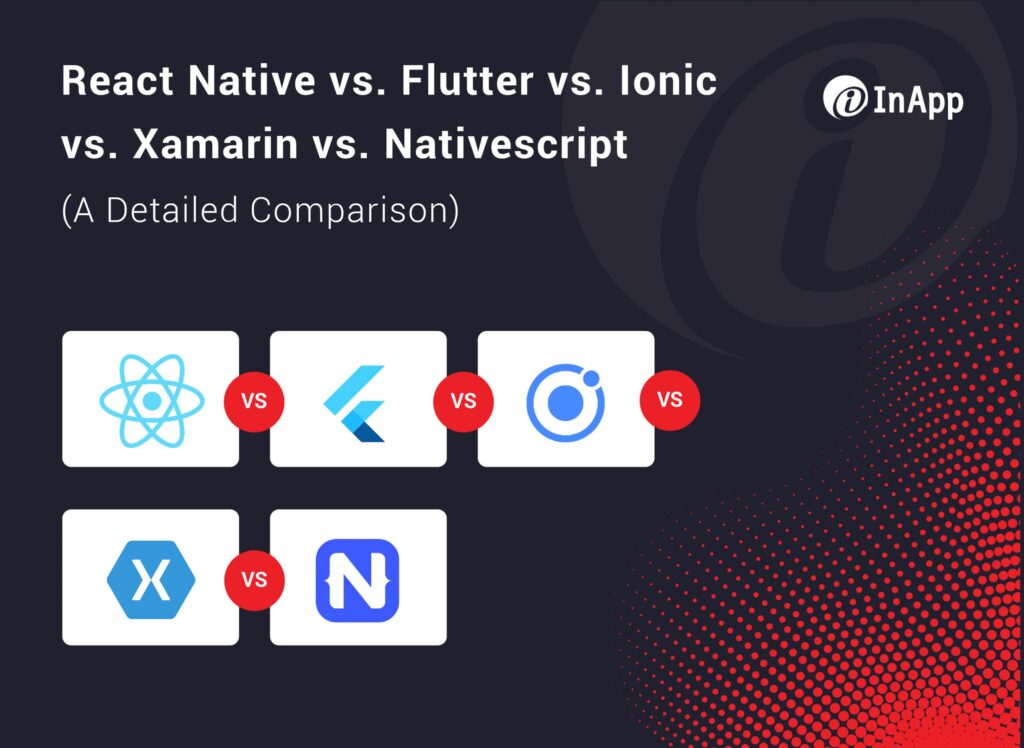
Cross-platform frameworks allow developers to create a mobile solution that is simultaneously compatible with different operating systems and platforms. That can help businesses expand the reach of a mobile app while also controlling the development costs. As a result, most companies prefer cross-platform mobile app development over native mobile app development. Let’s compare and contrast the top five mobile application frameworks: React Native, Flutter, Ionic, Xamarin, and Nativescript. React Native React Native is an open-source user interface (UI) software framework created by Meta Platforms, Inc., formerly Facebook. It’s used with native platform capabilities to develop applications for Android, Android TV, iOS, macOS, tvOS, web, Windows, and UWP. Pros of React Native Cons of React Native Flutter Flutter is an open-source UI software development kit created by Google. It is used to develop cross-platform applications for Android, iOS, Linux, macOS, Windows, Google Fuchsia, and the web from a single codebase. Pros of Flutter Cons of Flutter Ionic Ionic is an open-source UI toolkit for creating hybrid cross-platform mobile applications. It uses Webview for mobile instead of using native device elements. The framework leverages familiar JavaScript codebases and has multiple component presets that provide native functionality. Pros of Ionic Cons of Ionic Xamarin Owned by Microsoft, Xarmain uses a C#-shared codebase that developers can use to write native Android, iOS, and Windows apps with native user interfaces and share code across multiple platforms, including Windows, macOS, and Linux. Pros of Xamarin Cons of Xamarin Nativescript NativeScript is an open-source framework that builds cross-platform applications for iOS and Android using JavaScript. NativeScript also has a rendering engine that provides native performance and user experience. Pros of NativeScript Cons of NativeScript Why Should You Choose InApp? Learn how MPulse Software relies on InApp to keep its software updated to meet evolving technology and customer needs, using a range of technology that includes Flutter, Microsoft .NET, C#, Microsoft SQL Server, Microsoft Ajax Tool Kit, and more. It’s a business relationship that’s enabled MPulse to grow over the years, as well as to keep up with rapid software technology changes. Bottomline Cross-platform mobile app development expands the potential market reach of a mobile app by making it faster and easier to deploy on all major platforms, as well as more affordable for companies. InApp’s mobile app development engineers ensure your software works seamlessly across platforms on a range of mobile devices. Learn more about cross-platform app development services from our experts. We’re here to help.
11 Digital Transformation Trends That Will Shape The Future
By harnessing the power of emerging technology, companies can improve business performance with operational improvements that improve their interactions with customers. But digital transformation works best when companies identify and rethink processes and procedures that may be inadvertently holding them back. That requires careful planning and foresight. Start by considering the following 11 digital transformation trends, and anticipating how you can implement them in your business. 11 Digital Transformation Trends Trend 1: Blockchain Technology The potential of blockchain technology has evolved in recent years, and more businesses are looking closely at how they can use it to transmit and receive payments directly. These peer-to-peer networks do not require centralized verification for payment processing. As a result, deploying a blockchain system can lower transaction costs. Blockchain also provides improved data security, better transparency, real-time inventory availability, and more precise documentation. Trend 2: Robotic Process Automation Robotic process automation (RPA), also known as software robotics, uses automation technologies to integrate and perform repetitive tasks between enterprise and productivity applications. By deploying scripts that emulate human processes, RPA tools complete the autonomous execution of various activities and transactions across unrelated software systems. As just one example, companies may use RPA to mimic office tasks, such as extracting data, filling in forms, moving files, etc. Trend 3: Artificial Intelligence Artificial intelligence (AI) and machine learning (ML) will continue to hold a place at the forefront of the technology sector in 2022. Rapid changes in the field hold great promise for even more significant breakthroughs. Various factors such as the growth of data-based AI, advancements in deep learning, and the push for robotic autonomy to stay competitive in a global market are expected to drive the adoption of AI solutions and services. Trend 4: Augmented Intelligence Augmented intelligence (also known as intelligence amplification, or IA) uses ML and predictive analytics of data sets to enhance human intelligence by improving human decision-making and, by extension, their actions. Companies are already using augmented intelligence to help their employees to make more accurate, data-driven decisions. Furthermore, augmented intelligence is emerging as a way to use and prioritize data by providing predictive analytics to organizations. Trend 5: Hybrid Workplace The COVID-19 pandemic redefined the workplace, as it became clear that physical location matters less than access to the technology that connects people. As a result, companies are rethinking their traditional office structures, including combining on-site and remote work. It’s a tricky balance for many businesses, and it certainly doesn’t work for everyone. Adopting a hybrid workplace requires investments in technology and tools that will streamline communication, documentation, and data in new ways – while also ensuring security. Trend 6: 5G 5G technology in mobile networks holds promise for improved and faster connections between more devices and machines at the same time, while also reducing costs. 5G can deliver multi-Gbps data speed, along with ultra-low latency, improved reliability, and better network capabilities. Some of the biggest benefits of 5G for businesses include improved communication and easier implementation for the Internet of Things (IoT) devices. It also will impact the use of virtual reality and augmented reality technology. Trend 7: Zero Trust Zero Trust is a framework for securing infrastructure and data to address challenges like remote workers, hybrid cloud environments, and ransomware threats. Zero Trust requires all users, whether in or outside the organization’s network, to be authenticated, authorized, and continuously validated for security before getting or keeping access to applications and data. Zero Trust can be used with local, cloud, or hybrid networks, as well as for workers in any location. Trend 8: Software 2.0 Derived from Web 2.0, Software 2.0 refers to the second generation of software development methodologies where users develop and share their own applications via the internet in a virtual community. These applications can be developed individually or via open-source projects, where developers collaborate and the code is provided to end users. Software 2.0 also applies to generative programming, which focuses on the automatic synthesis of software from high-level specifications and code generation. Trend 9: Everything-As-A-Service (XaaS) Everything-as-a-Service (XaaS) refers to anything in the IT sector that can be delivered as a service via cloud computing. This trend began with Software-as-a-Service (SaaS) and quickly evolved into Infrastructure as a Service (IaaS), Platform as a Service (PaaS), Desktop as a Service (DaaS), Disaster Recovery as a Service (DRaaS), and others as cloud services rapidly expanded. Benefits include lower costs with improved accessibility, as well as easier functionality and faster implementation. Trend 10: Generative AI Generative AI is a technology that helps create artifacts that formerly relied on humans, offering results without any biases resulting from human thoughts and experiences. Generative AI determines the original pattern to generate authentic pieces that showcase the training data features. The goal is to offer higher-quality results through ML from the datasets. It also helps to work through specific challenges linked with a project and allows bots to understand abstract concepts. Trend 11: Customer Data Platform A customer data platform (CDP) provides a centralized database that enables users to collect, manage, and activate data from multiple sources in order to affect the digital customer experience. CDPs collect and integrate all forms of customer data with the intent to create a unified profile of a single customer persistently over time. CPDs collect a variety of data types to help inform the actionable instructions they deliver back out to other technology platforms to personalize the digital customer experience. Why Choose InApp? InApp’s digital transformation experts help companies invest in the best technologies to boost their digital strategy, increase revenue, cut costs, improve security, and streamline business processes. InApp helps our clients drive a digital change agenda and future-proof their technology landscape to implement a modern digital backbone. Learn more about InApp’s work by visiting our customer case studies. Bottomline Digital transformation helps companies boost their technology initiative, which can result in the ability to increase revenue, cut costs, improve security, and streamline business processes. Contact the digital transformation experts at InApp to
6 Reasons Why Now Is The Best Time To Boost Revenue With Mobile Applications
Mobile applications aren’t just a medium to access information on the go anymore. Today, they are an integral part of our lives, and companies in industries like banking, retail, and healthcare have incorporated mobile applications into the heart of their business strategy as a result. A study from Ericsson & The Radicati Group determined there are around 6.63 billion smartphone users around the world as of 2022, and this number is projected to hit 7.33 billion by 2025. This growth in mobile applications shows it’s a great way to access customers directly, as well as generate revenue through in-app purchases, subscriptions, ads, etc. In addition to being a great way for businesses to connect with their customers and generate revenue, mobile apps also offer many other benefits. A prime example is how they help companies improve their customer experience by providing features such as live chat and self-service options. 6 reasons why this year is the best time to boost company revenue with mobile applications. 1. Increase In The Number Of Smartphone Users Whether you want to believe it or not, our smartphone addiction is growing by the minute. A 2022 study on cell phone usage revealed that an average American checks their phone 344 times a day. That’s a 31% increase from 262 times a day in 2021. Smartphone penetration is still growing at a steady rate, and it will continue to do so in the foreseeable future. Considering the rapid increase in the number of smartphones and the time users spend on these devices, it’s the right time for businesses to invest in mobile applications to reach a larger audience and benefit from the corresponding revenue stream. 2. Rising Popularity of AI-based Mobile Applications The latest McKinsey Global Institute reports revealed that advancement in the field of Artificial Intelligence has brought in $139 billion in investments in 2020. This AI funding has revolutionized mobile applications by making them more intelligent than before. Modern mobile applications can now predict user behavior and learn from user-generated data, producing a personalized experience for app users. With a growing number of application users expecting this type of personalized experience, it is high time for businesses to invest in AI-based mobile applications that can provide what their customers want. 3. The Boom of Augmented Reality (AR) The global augmented reality (AR) market is growing at a breakneck speed. As of 2022, it is valued at USD 25.33 billion and is expected to grow at a CAGR of 49%. While the proliferation of smart handheld devices has played a crucial role in the popularity of AR, it is also the direct result of customers looking for a more immersive user experience. Advancements in the augmented reality sector have provided new ways to use the technology in mobile applications. Investing in AR-based mobile applications can prove especially beneficial to businesses in the B2C domain that want to provide users with an improved user experience. This can also translate into a boost in revenue from mobile applications. 4. Advancements in Mobile App Development Tech Stacks Advancements in tech stacks used in mobile app development have made it easier for businesses to create and update their mobile apps. For instance, the tech stacks used for cross-platform app development like Xamarin, Flutter, and Ionic have greatly reduced the cost of developing a mobile app. This has made it affordable for businesses to create mobile applications, improving the return on investment. 5. Reduced Cost of App Development The cost of creating a mobile app has been declining in recent years. This is due, in part, to the increase in the number of SaaS-based mobile app development platforms that are on the market. These platforms make it easier for businesses to create an app without having to hire a developer. In addition, many businesses now realize that they don’t need a custom app to reach their customers. Instead, they are now relying on app development platforms that allow them to create mobile applications without any coding experience. This has also reduced the costs incurred in developing an application for businesses. 6. Ease of Marketing the Application Last but not the least, businesses now have more mobile marketing options available to them than ever before. This will allow businesses to better target their potential app users and boost their revenue. The Bottomline Considering the huge demand for mobile applications that can provide an immersive user experience, along with the new cost-efficient ways to develop mobile applications, it is evident that the situation has never been more favorable for developing your own app. If you haven’t thought of investing in a mobile application for your business, we highly recommend that you start working on it now to gain an edge over your competition in the future. Wondering where to start? Get in touch with our team to learn more about mobile solutions for native platforms like iOS and Android, and cross-platform solutions. With more than a decade of experience in developing mobile applications for over 200 companies across the education, lifestyle, productivity, and entertainment industries, InApp can provide a one-stop solution for your mobile application requirements.