Software testing helps development teams identify defects, verify requirements, evaluate quality, and reduce the risks associated with software releases. But effective testing goes beyond checking whether an application works as expected.
Independent software testing brings a distinct quality perspective to the development process and enables the team to assess the software in terms of functionality, performance, security, usability and reliability without necessarily relying on the developers who have built it.
This is a guide to the basics of independent software testing. It covers what it is, why it’s important, the various levels and types of testing, the manual and automated approaches and how testing fits into modern software development.
Independent software testing is the evaluation of software by testers or teams who have an appropriate degree of independence from the people responsible for developing it.
Depending on the organization, testing may be performed by a separate internal QA team, an external testing partner, or specialists embedded within the delivery process.
The aim isn’t just to find bugs. Independent testing gives you another perspective on the quality of the product, on what the user expects, on the business requirements and on the potential risks.
Independence can reduce some forms of confirmation bias, but effective testing still requires close collaboration with developers, product owners, and other stakeholders.
Software defects can have an impact on business operations, customer experience, security and maintenance costs. The more opportunities you have to find problems before release the better off you are in terms of being able to fix them in a controlled way.
Independent software testing can help organizations:
Testing reduces risk. It does not prove that an application is completely free of defects.
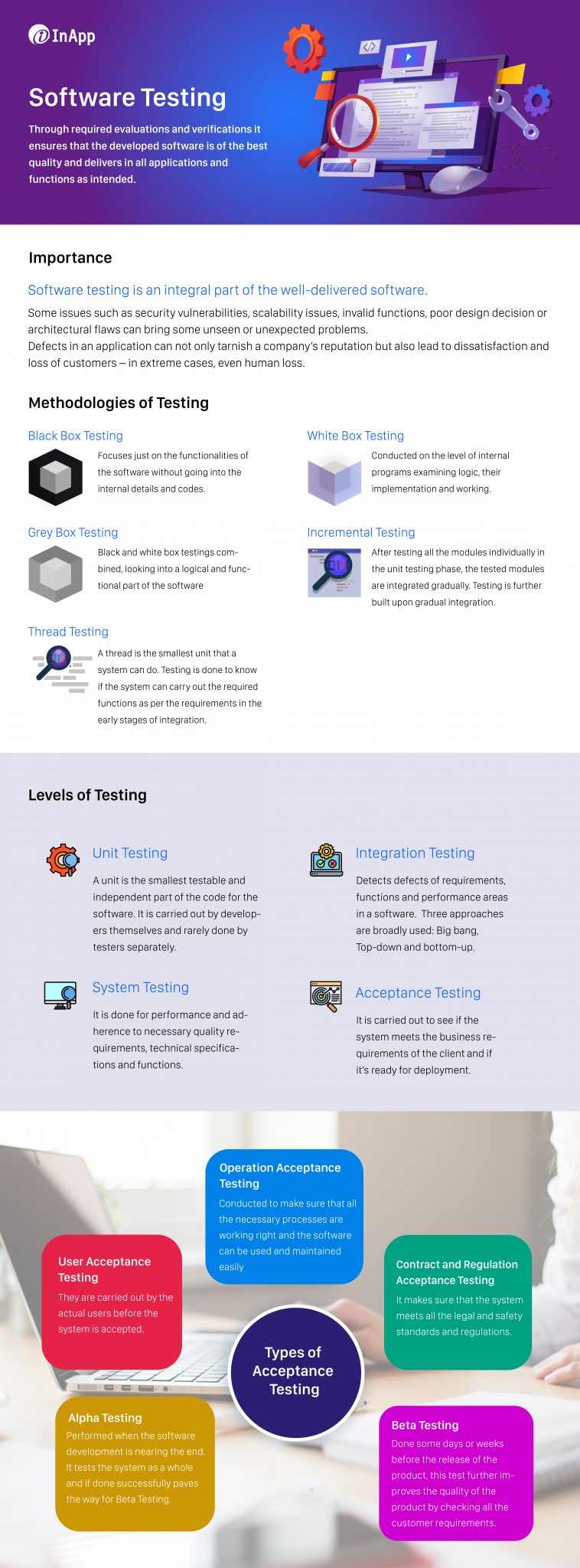
Testing levels organize testing activities according to the part of the software being evaluated.
Component testing, often called unit testing, checks individual units or components in isolation.
Example: Verifying that the tax calculation function produces the correct result for a range of different inputs.
Component integration testing looks at the interactions between the components that are connected.
Example: Confirming that a shopping cart correctly passes on the order details to the payment processing component.
System testing looks at the behavior of the complete application against the requirements.
Example: Testing the full online booking flow, i.e., searching for availability through to booking and confirmation.
System integration testing looks at the interactions between different systems and/or external services.
Example: Confirming that the CRM, the billing system, and the customer portal all talk to each other correctly.
Acceptance testing is about determining whether the product is ready for use and whether it satisfies the relevant acceptance criteria.
Example: Business users validating that a new reporting workflow supports their business requirements.
In actual projects, these can quite easily overlap, particularly in an Agile world or in a continuous delivery world.
Software testing can be classified in several ways. Two broad areas are functional and non-functional testing.
Functional testing checks that the software does the required functions.
Examples include:
Non-functional testing is the assessment of quality attributes outside of the individual business functions.
Common examples include:
Other classifications include black-box testing, where tests are designed without relying on internal implementation details, and white-box testing, where internal structure helps inform test design.
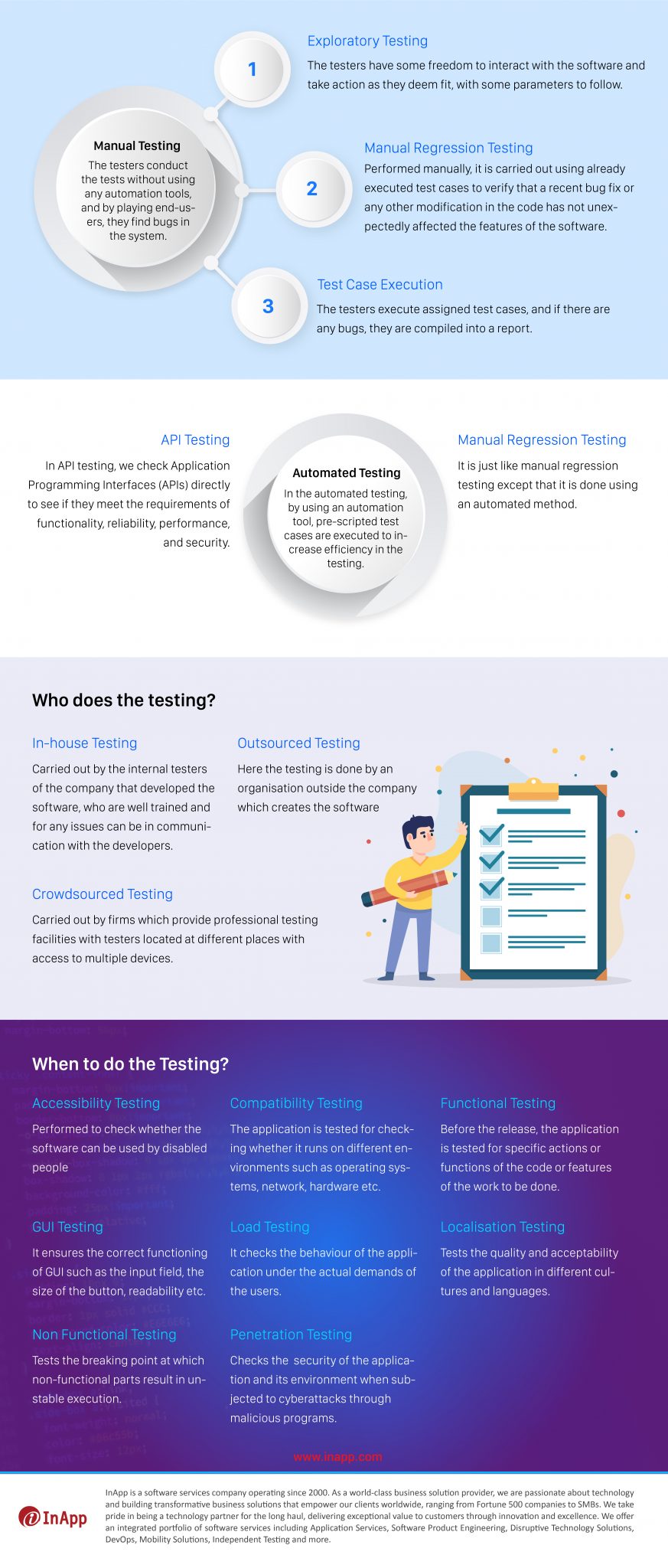
Manual and automated testing are two very different things and serve very different purposes.
Manual testing is people doing the test activities, watching the software behave, and assessing the results.
It is especially useful for exploratory testing, usability assessments, and scenarios that require human assessment.
Automated testing uses tools and scripts to carry out the tests, compare the actual results with the expected results, and then report the outcome.
It is useful for repeatable checks such as regression tests, API tests, and critical workflows that need frequent verification.
Which is better?
Neither approach is universally better.
A practical test strategy employs automation for the stable, repeatable checks and manual testing where the act of investigation, judgment, and exploration is of greater value.
Testing techniques help teams design effective test cases instead of relying only on random inputs or familiar scenarios.
Divide input values into groups expected to behave similarly, then select representative values from those groups.
Test values at and around critical boundaries, where defects frequently occur.
Evaluate different combinations of conditions and the outcomes they should produce.
Verify how a system behaves when it moves from one state to another.
Combine learning, test design, and execution to investigate how the application behaves, including surprising scenarios.
Selecting the right techniques depends on system operation, requirements, risk, and the type of defects a team is trying to detect.
Testing should begin as early as practical in the software development lifecycle.
That does not mean every test must involve executing working software. Teams can review requirements, user stories, designs, and acceptance criteria before development is complete.
A useful approach includes:
This way, teams get feedback sooner, but some testing still has to wait until the system is integrated enough.
Agile and DevOps environments are the ones that really get the benefits from testing that’s done as you go through the development process rather than just testing at the end of the release cycle.
Testing practices may include:
Automation can reduce the feedback cycle; it doesn’t in any way replace test planning, critical thinking, or human decision.
The aim is to make software quality a shared responsibility, with independent assessment still being a useful thing to have in place.
The right testing strategy depends on the application’s complexity, business impact, development process, and operational risks.
Before selecting testing activities, consider:
A risk-based strategy helps teams focus on the areas where defects could cause the greatest impact rather than treating every feature as equally critical.
Software testing refers to activities used to evaluate software quality and identify defects. Independent software testing stresses the degree of independence between the people evaluating the software and those developing it.
The five levels described in the ISTQB Foundation Level syllabus are component testing, component integration testing, system testing, system integration testing, and acceptance testing.
No. Independent testing can be performed by a dedicated internal QA team, a separate organizational group, or an external testing partner.
No. Automation is valuable for repeatable checks, while human-led testing remains important for investigation, usability, and situations requiring interpretation or judgment.
Functional testing evaluates what the software does. Non-functional testing evaluates quality characteristics such as performance, security, accessibility, usability, and reliability.
Testing can start during requirements and design activities, before executable software is available. Testing continues through development, release, and maintenance.
A reliable software testing strategy must reflect your architecture, delivery process, business requirements, and operational risks.
InApp provides software testing and quality engineering services to help organizations validate applications, strengthen testing processes, and improve confidence in software releases.
Explore InApp’s Software Testing Services